Call CA Tally HelpDesk
+91 9205471661,
7428779101
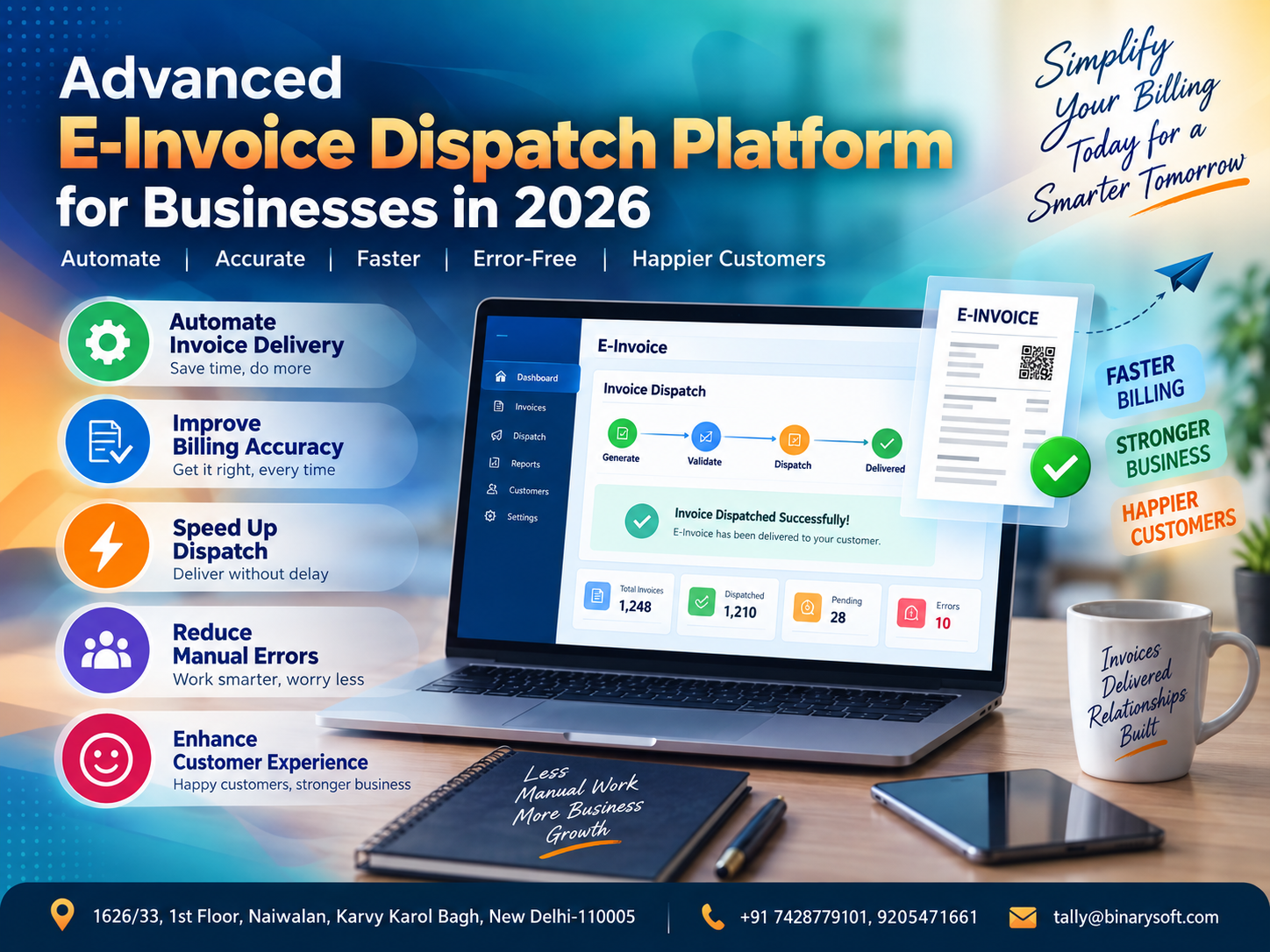
What Changed in 2026? Invoice Dispatch Has Become a Speed, Accuracy and Customer-Service Challenge
In 2026, generating an invoice is only half the job—the real pressure begins when businesses must deliver the correct invoice to the correct customer quickly, securely and without manual mistakes. In recent months, growing transaction volumes, GST and e-invoicing workflows, multiple customer communication channels and rising expectations for instant documentation have exposed the limitations of manually downloading, renaming, attaching and emailing invoices one by one. A delayed invoice can slow payment collection; a wrong attachment can create confusion; and repetitive dispatch work can consume valuable accounting hours. An advanced e-invoice dispatch platform changes this process by connecting invoice data with automated digital delivery, structured customer communication and dispatch tracking. The benefit is practical: businesses can reduce repetitive work, improve billing accuracy, accelerate invoice sharing, strengthen customer communication and give accounting teams more time to focus on reconciliation, compliance, collections and financial control.
What Is an Advanced E-Invoice Dispatch Platform?
An Advanced E-Invoice Dispatch Platform is a digital solution designed to automate and streamline the process of delivering invoices and related documents to customers after billing.
In many organizations, accounting software already handles invoice creation. However, dispatching those invoices is still surprisingly manual.
An employee may need to:
Generate the invoice.
Export or download the invoice PDF.
Check the customer details.
Find the customer's email address.
Rename the invoice file.
Create an email.
Write the subject and message.
Attach the correct invoice.
Send the email.
Record that it was sent.
Repeat the process for the next customer.
When hundreds or thousands of invoices are generated every month, this repetitive workflow becomes a major operational burden.
An advanced invoice dispatch system can automate much of this journey.
Instead of treating invoice generation and invoice communication as separate processes, businesses can build a structured workflow in which approved invoices are automatically prepared and dispatched to the appropriate customer using predefined rules.
Why Invoice Dispatch Automation Matters in 2026
Digital transformation has changed customer expectations.
Customers increasingly expect important business documents to arrive quickly.
When a purchase is completed, goods are dispatched or services are delivered, customers may expect invoices and supporting documents without having to repeatedly contact the supplier.
At the same time, businesses face pressure to improve internal productivity.
Accounting employees should ideally spend their time on activities such as:
Reconciliation
Outstanding management
GST-related processes
Financial reporting
Payment follow-up
Ledger verification
Cash-flow monitoring
Management reporting
Yet many accounting teams still spend significant time performing repetitive invoice-dispatch tasks.
Automation can shift that workload from manual administration toward higher-value financial activities.
A Story Every Growing Business Can Understand
Arun managed accounts for a growing distribution company.
Every evening, the same routine began.
The sales team completed the day's billing, and Arun opened a folder containing dozens of invoice PDFs.
One by one, he checked the customer name.
He opened the accounting records to confirm the email address.
He created an email.
Attached the invoice.
Checked the invoice number again.
Then pressed Send.
The work was simple.
But it demanded constant attention.
One Friday evening, after a long week, Arun accidentally attached Customer A's invoice to an email intended for Customer B.
Within minutes, the phone rang.
“Sir, I think you have sent us somebody else's invoice.”
Arun's stomach dropped.
The amount was different. The customer name was different. Commercial information intended for another business had been shared incorrectly.
He immediately apologized, informed his manager and sent the correct document.
Nothing catastrophic happened.
But the incident changed the team's thinking.
The problem was not that Arun did not care.
The problem was that the process depended too heavily on a tired human repeating the same task hundreds of times.
The company subsequently introduced a structured invoice-dispatch workflow.
Customer communication details were mapped correctly. Invoice numbers and customer records were linked. Dispatch actions were automated wherever possible, and employees focused on exceptions instead of manually processing every routine invoice.
A few weeks later, Arun noticed something unexpected.
He was leaving the office on time.
More importantly, he was spending his afternoons checking outstanding payments instead of attaching PDFs.
For the company, automation improved efficiency.
For Arun, it removed a daily source of anxiety.
The Hidden Cost of Manual Invoice Dispatch
Manual invoice dispatch looks inexpensive because businesses may already have employees doing the work.
But the actual cost can be much larger.
Suppose an employee takes only two minutes to prepare and send each invoice.
For 100 invoices, that is approximately 200 minutes.
For 500 invoices, it becomes approximately 1,000 minutes.
For 2,000 invoices, the administrative burden becomes substantial.
And that calculation covers only sending.
It does not include:
Correcting mistakes
Finding missing email addresses
Responding to “invoice not received” calls
Resending documents
Checking attachments
Maintaining dispatch records
Searching old emails
Handling customer disputes
Correcting incorrect recipient information
The larger the transaction volume, the more valuable automation can become.
How an Automated E-Invoice Dispatch Workflow Can Work
A well-designed dispatch platform can create a structured process from invoice generation to customer communication.
A typical workflow may look like:
Invoice Generated → Invoice Validated → Customer Details Identified → Document Prepared → Dispatch Rule Applied → Invoice Sent → Delivery/Dispatch Status Recorded → Exception Flagged for Review
The exact process depends on the business, accounting system and communication channels.
The important difference is that employees no longer need to manually execute every routine step.
They manage the system and handle exceptions.
1. Automated Invoice Delivery
The core function of an invoice dispatch platform is automatic delivery.
Once an invoice meets predefined conditions, the system can prepare it for dispatch to the relevant customer.
This can eliminate repetitive activities such as manually locating invoices and attaching them to individual messages.
For businesses generating large numbers of invoices, even small time savings per invoice can accumulate into significant productivity improvements.
2. Reduce Manual Billing Errors
Manual processes create opportunities for human error.
Common invoice-dispatch mistakes include:
Wrong attachment
Wrong customer
Incorrect email address
Missing invoice
Duplicate dispatch
Incorrect invoice number in subject
Forgotten attachment
Old invoice version
Incorrect customer contact person
Invoice sent much later than intended
Automation can reduce these risks by using structured data and predefined rules.
However, automation still depends on accurate master data.
If a customer's email address is incorrect in the system, automation can repeatedly send information to the wrong address.
Data quality therefore remains essential.
3. Faster Invoice Dispatch
An invoice should ideally reach the customer soon after the relevant business process is completed.
Manual dispatch can create delays when accounting teams are busy.
Invoices generated during the day may remain unsent until employees have time to process them.
Automation can shorten the gap between invoice readiness and dispatch.
Faster invoice delivery can also support faster internal processing on the customer's side.
4. Improve Customer Experience
Customers should not have to repeatedly ask:
“Please send our invoice.”
“Can you resend the bill?”
“We have not received the PDF.”
“Please share invoice number 2456 again.”
“Can you send the invoice to our accounts department?”
These requests consume time for both companies.
Consistent and timely invoice communication creates a more professional customer experience.
The customer knows when to expect documents and where to find them.
5. Standardized Email Communication
Different employees often write invoice emails differently.
One employee may write:
“PFA Invoice.”
Another may send only an attachment.
Another may create a detailed message.
Another may forget to include the invoice number.
An automated platform can standardize communication using templates.
For example, a template can automatically include:
Customer name
Invoice number
Invoice date
Invoice amount
Order reference
Company name
Relevant instructions
Contact information
This gives customers a consistent experience regardless of who created the invoice.
6. Smart Email Subject Lines
Email subjects become particularly important when customers receive hundreds of messages.
Instead of generic subjects such as:
“Invoice”
or
“Bill Attached”
businesses can automatically generate structured subjects containing relevant information.
For example:
Invoice INV-2026-1058 | ABC Enterprises | September 2026
Structured subjects make emails easier to search, identify and archive.
7. Automatic PDF Attachment
Attaching the wrong PDF is one of the most serious risks in manual invoice dispatch.
A dispatch system can link the invoice record directly to the corresponding document.
This reduces dependence on employees browsing through folders with similar filenames.
For high-volume businesses, this alone can significantly improve process reliability.
8. Centralized Customer Email Mapping
Customer master data plays an important role in automation.
A business may maintain separate contact details for:
Accounts department
Purchase department
Branch office
Finance manager
Primary contact
Secondary contact
A structured dispatch platform can use predefined customer communication rules to determine where invoices should be sent.
This reduces repeated searching for email addresses.
9. Multiple Recipient Support
Some customers require invoices to be sent to several people.
For example:
Accounts team
Purchase manager
Branch manager
Head office finance department
The platform can support recipient rules according to business requirements.
This makes communication more consistent and reduces dependence on employee memory.
10. Invoice Dispatch Status
One common problem with manual processes is uncertainty.
A customer says:
“We didn't receive the invoice.”
The accounts employee says:
“I think we sent it.”
Then somebody searches through email folders.
A structured dispatch system can maintain status information such as:
Ready for dispatch
Sent
Pending
Failed
Resent
Cancelled
Requires attention
The exact statuses depend on system design.
The key benefit is traceability.
11. Failed Dispatch Management
Automation should not simply send documents.
It should also help identify failures.
For example, dispatch may fail because:
The email address is missing.
The address format is invalid.
The mail service is unavailable.
The document could not be generated.
Required customer information is incomplete.
An effective platform can flag such exceptions so employees focus only on invoices requiring human attention.
This is one of the biggest advantages of automation.
Humans stop processing every transaction and start managing exceptions.
12. Resend Invoice Functionality
Customers sometimes genuinely need another copy.
Instead of searching old emails or generating the document again, an authorized user can use a structured resend process.
This can make customer support faster and more professional.
13. Search Historical Invoice Dispatches
As transaction volumes grow, searching historical communication becomes increasingly difficult.
A centralized dispatch history can help employees locate records using information such as:
Invoice number
Customer
Invoice date
Dispatch date
Status
Reference number
This can significantly reduce time spent investigating customer queries.
14. Improve Payment Collection
Invoice dispatch and payment collection are closely connected.
A customer cannot efficiently process an invoice they have not received.
Delayed invoice communication can therefore contribute to delayed payment processing.
Faster dispatch does not guarantee faster payment, but it removes one avoidable reason for payment delays.
Businesses can combine invoice communication with structured outstanding-management processes for better receivable control.
15. Integration with Accounting Workflows
The real power of an advanced invoice-dispatch solution comes from integration.
Instead of operating as an isolated email tool, the platform can be connected to the organization's accounting or billing workflow.
Depending on the technical setup, information can flow from the accounting environment into the dispatch system.
This reduces duplicate data entry.
E-Invoice Dispatch and TallyPrime
Businesses using TallyPrime can benefit from creating an integrated invoice communication workflow according to their operational requirements.
TallyPrime may remain the primary accounting and billing environment, while a customized dispatch solution handles the communication process around approved invoices.
A business-specific implementation may involve:
Invoice data
Customer details
Invoice numbers
Invoice dates
Amounts
Document generation
Recipient mapping
Dispatch status
Communication templates
The exact integration should be designed according to the company's accounting workflow, security requirements and technical environment.
E-Invoice Dispatch and GST Workflows
E-invoicing and invoice dispatch should not be confused.
E-invoicing generally relates to the applicable GST e-invoice framework and prescribed processes for eligible transactions.
Invoice dispatch refers to delivering invoice documents or information to customers.
An automated dispatch platform can complement an organization's GST and e-invoicing processes by helping ensure that finalized documents are communicated efficiently.
Businesses should ensure that their tax processes remain aligned with applicable GST requirements.
Real-Time Dashboard for Invoice Dispatch
A management dashboard can provide visibility into dispatch operations.
Useful indicators may include:
Invoices generated today
Invoices dispatched
Pending invoices
Failed dispatches
Invoices resent
Customers with missing contact information
Dispatch success rate
Daily invoice volume
Exception count
Instead of asking employees for manual updates, management can review the operational status from a centralized dashboard.
Role-Based Access Control
Not every employee should have the same permissions.
A dispatch platform can be designed with different user roles.
For example:
Administrator
Accounts User
Approver
Manager
Viewer
Support User
Permissions can determine who can:
View invoices
Send invoices
Resend invoices
Change customer contact details
Edit templates
Review dispatch history
Configure system settings
Role-based access can strengthen control and accountability.
Approval-Based Invoice Dispatch
Some businesses may not want invoices sent immediately after creation.
They may require approval first.
A workflow could therefore be:
Invoice Created → Reviewed → Approved → Dispatched
This can be useful where invoices require commercial, financial or management verification before customer communication.
Bulk Invoice Dispatch
High-volume businesses may need to process hundreds of invoices.
Manually sending each document is inefficient.
Bulk processing can allow approved invoices to move through the dispatch workflow systematically.
The system should still maintain individual transaction records so that failures or exceptions can be identified separately.
Customer-Specific Dispatch Rules
Not every customer follows the same process.
Customer A may require invoices at one email address.
Customer B may require copies to three recipients.
Customer C may require an additional reference.
Customer D may need documents routed to a specific accounts contact.
An advanced platform can accommodate customer-specific rules rather than forcing every customer into the same communication workflow.
Data Security and Confidentiality
Invoices contain commercially sensitive information.
They may reveal:
Customer names
Product information
Prices
Discounts
Tax amounts
Business relationships
Transaction values
Addresses
GST information
Payment terms
Security therefore deserves serious attention.
Businesses should implement appropriate authentication, authorization, access controls, communication security, logging and data-retention policies.
Customer information should only be accessible to authorized users.
Audit Trail and Accountability
A structured audit trail can help answer important questions:
Who initiated the dispatch?
When was the invoice sent?
Which address was used?
Was the invoice resent?
Who changed the customer email address?
Was there a dispatch failure?
When was the issue resolved?
This level of visibility can improve accountability and simplify internal investigations.
Reduce Repetitive Work for Accounting Teams
Automation should not be viewed simply as employee replacement.
Its greatest value often comes from removing repetitive tasks.
An experienced accountant provides far more value when analyzing financial information than when repeatedly attaching PDFs to emails.
By automating routine dispatch activities, businesses can redirect employee time toward:
Reconciliation
Collections
Financial analysis
Compliance
Cash-flow planning
Management reporting
Ledger scrutiny
Customer account resolution
These activities have greater business impact.
Benefits for Wholesale Businesses
Wholesalers often generate large numbers of invoices every day.
Automated dispatch can help them:
Send invoices faster
Reduce attachment errors
Improve customer communication
Handle high billing volumes
Maintain dispatch history
Reduce repetitive administrative work
This can be especially useful during peak sales periods.
Benefits for Manufacturing Businesses
Manufacturing companies may coordinate invoices across:
Factory
Warehouse
Dispatch department
Accounts department
Head office
Sales team
A centralized digital workflow can reduce communication gaps between these departments.
When an invoice is finalized, the relevant customer communication can move through a defined process rather than relying on manual coordination.
Benefits for Distributors
Distribution businesses often handle many dealers, retailers and institutional customers.
High transaction volumes make manual communication increasingly difficult.
Automated dispatch can help ensure that routine invoice communication remains consistent even as the customer base grows.
Benefits for Service Businesses
Service organizations can also benefit.
Consulting companies, technology providers, agencies and professional service businesses may generate fewer invoices than wholesalers but still need accurate and professional customer communication.
Automation can standardize their billing experience and reduce follow-up work.
Benefits for Multi-Branch Organizations
A business with several branches may have invoices generated from different locations.
Without centralized controls, communication practices can vary significantly.
One branch may send invoices immediately.
Another may send them at the end of the day.
Another may use different email wording.
A centralized platform can establish consistent processes across locations.
Mobile-Friendly Management
Management may not always be sitting at a desktop computer.
A responsive dashboard can allow authorized decision-makers to review dispatch status from suitable devices.
For example, management could check:
Today's invoice volume
Pending dispatches
Failed transactions
Exceptions requiring attention
This creates better operational visibility.
How Automation Improves Accuracy
Accuracy comes from removing unnecessary manual decisions from repetitive processes.
If the system already knows:
The customer
The invoice number
The approved document
The recipient
The email template
the employee should not have to manually recreate those relationships every time.
Automation allows the system to use structured information consistently.
Human attention can then be reserved for unusual situations.
How Automation Improves Speed
Manual work is sequential.
An employee opens one invoice, prepares one message and sends one email.
Then the process starts again.
Automation can process routine workflows much more efficiently, depending on system architecture and capacity.
This becomes increasingly valuable as invoice volume grows.
How Automation Improves Customer Experience
Customers generally do not care how complicated the supplier's internal accounting process is.
They care about receiving the correct document when they need it.
Reliable invoice communication communicates professionalism.
When customers consistently receive properly identified invoices with useful information, fewer clarification calls may be required.
That makes business easier for both sides.
Building the Right E-Invoice Dispatch Platform
Every business should avoid implementing automation blindly.
Start by understanding the existing process.
Document:
Where invoices are generated
Who approves them
Who currently sends them
Where customer email addresses are stored
Which customers require special handling
How failures are currently managed
How resend requests are handled
How dispatch records are maintained
Only after understanding the existing workflow should automation be designed.
Important Features to Consider
A comprehensive platform may include features such as automated invoice dispatch, customer email mapping, PDF generation, configurable email templates, bulk processing, resend functionality, dispatch status tracking, failed-dispatch alerts, historical search, user permissions, audit trails, dashboard reporting, customer-specific rules and accounting-system integration.
The required feature set should depend on actual business needs.
A smaller organization may need a simple workflow.
A large enterprise may require approvals, multiple users, integrations and detailed audit controls.
Implementation Strategy
A practical implementation can be divided into stages.
First, analyze the existing billing and dispatch process.
Second, identify repetitive steps.
Third, clean customer contact data.
Fourth, define dispatch rules.
Fifth, configure templates.
Sixth, integrate the required accounting data.
Seventh, test with a controlled group of invoices.
Eighth, verify customer mapping and attachments.
Ninth, test failure scenarios.
Finally, move to production after user acceptance testing.
Testing is especially important because invoice communication involves customer and commercial information.
Why Customer Master Data Matters
Automation is only as reliable as the information feeding it.
A technically excellent dispatch platform cannot compensate for poor customer master data.
Businesses should regularly verify:
Customer name
Email address
Accounts contact
GST-related details where applicable
Billing address
Communication preferences
Active/inactive status
Incorrect master data can turn automated efficiency into automated error.
Data governance should therefore be part of the implementation.
Measuring the Success of Invoice Dispatch Automation
Businesses should measure whether automation actually improves operations.
Useful metrics can include:
Average dispatch time
Percentage of successful dispatches
Number of failed emails
Manual intervention rate
Invoice resend requests
Customer complaints related to invoice delivery
Time spent on dispatch administration
Invoices processed per day
Reduction in attachment errors
These metrics help management evaluate the return on process automation.
The Future of Invoice Communication
Invoice automation is likely to become increasingly connected with the broader order-to-cash process.
Instead of treating invoicing as an isolated accounting task, businesses can create connected workflows covering:
Order processing
Billing
E-invoicing
Invoice dispatch
Payment communication
Receivable monitoring
Reconciliation
Customer service
Management reporting
The objective is not simply to digitize individual activities.
It is to create a connected business process where information moves accurately and efficiently from one stage to the next.
Why Businesses Need to Act Before Transaction Volumes Become Unmanageable
Manual processes often appear manageable when a company is small.
Twenty invoices can be handled manually.
Fifty may still seem reasonable.
Then the company grows.
Suddenly there are hundreds of invoices, multiple employees, several branches and thousands of customer communications.
At that stage, changing the process becomes more difficult.
Businesses should therefore evaluate automation before manual administration becomes a bottleneck.
A scalable process established early can support future growth.
Why Choose Binarysoft Technologies?
Binarysoft Technologies helps businesses improve accounting, billing and digital business processes through practical technology solutions.
As an Authorized Tally Partner, Binarysoft Technologies understands the operational requirements of businesses using TallyPrime for accounting, GST, inventory and invoicing.
Businesses may require different solutions depending on their transaction volume, customer communication process, number of users and existing IT environment.
Binarysoft Technologies can assist organizations in evaluating workflows and implementing solutions designed around real operational requirements.
Areas may include:
TallyPrime solutions
Accounting automation
Invoice workflow solutions
E-invoice-related business processes
Invoice dispatch automation
GST-oriented accounting workflows
Inventory management
Customized business applications
Reporting solutions
Multi-user environments
Business process integration
The objective is to reduce unnecessary manual work while improving accuracy, control and operational visibility.
From Invoice Generation to Customer Experience
The traditional view of invoicing ends when the invoice is created.
The modern view goes further.
An invoice must be accurate.
It must be approved.
It must reach the right customer.
It must reach them quickly.
Its dispatch should be traceable.
Failures should be visible.
Resending should be easy.
Customer communication should be professional.
That is why invoice dispatch automation should be considered part of the complete billing experience.
When implemented correctly, it connects accounting efficiency with customer satisfaction.
Conclusion
An Advanced E-Invoice Dispatch Platform for Businesses in 2026 can transform one of the most repetitive parts of the billing process into a structured, automated and measurable workflow.
As businesses process more transactions, manual invoice downloading, attachment selection, email preparation and dispatch tracking become increasingly difficult to manage. These activities consume employee time and create opportunities for wrong attachments, delayed communication, duplicate work and inconsistent customer experiences.
Automation can help businesses send invoices faster, reduce repetitive manual activity, improve accuracy, standardize customer communication, maintain dispatch history and identify exceptions requiring attention.
However, successful automation depends on more than technology. Businesses need accurate customer master data, clearly defined workflows, proper access controls, testing, monitoring and appropriate integration with their accounting environment.
The objective is not simply to send emails automatically.
The objective is to create a reliable journey from invoice generation to customer receipt.
For businesses using TallyPrime and looking to modernize accounting and invoice communication, a carefully designed dispatch platform can improve operational efficiency while giving accounting teams more time to focus on compliance, collections, reconciliation and financial management.
Powered by Binarysoft Technologies
Authorized Tally Partner
Location: 1626/33, 1st Floor, Naiwalan, Karol Bagh, New Delhi – 110005, INDIA
Contact us: +91 7428779101, 9205471661
Email us: tally@binarysoft.com
Business Hours: 10:00 AM – 6:00 PM, Mon–Fri
Frequently Asked Questions
What is an Advanced E-Invoice Dispatch Platform?
An Advanced E-Invoice Dispatch Platform is a solution that helps automate the process of preparing, sending, tracking and managing invoice communication after invoices are generated or approved.
How does automated invoice dispatch work?
The system can use invoice and customer data to identify the appropriate document and recipient, apply predefined communication rules and process the invoice for dispatch with minimal manual intervention.
CA. Priya Tanvi specializes in accounting compliance, GST advisory, and business reporting for small and growing enterprises. She works with business owners to improve record-keeping and financial clarity. Her articles focus on practical compliance solutions and operational discipline.