Call CA Tally HelpDesk
+91 9205471661,
7428779101
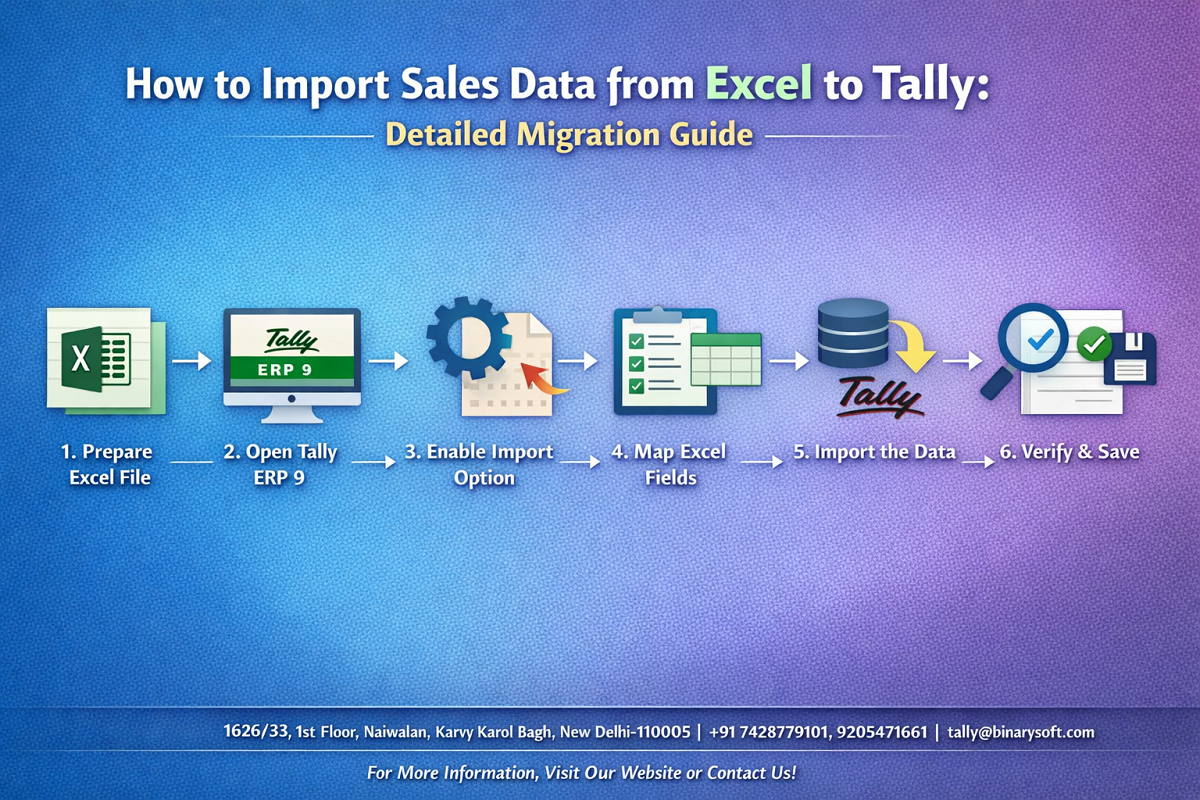
In 2026, businesses are handling larger volumes of transactional data than ever before, and manual entry into accounting systems is quickly becoming unsustainable. Over recent months, increased compliance checks, faster reporting cycles, and the need for real-time financial visibility have pushed companies to adopt automated data migration methods. Importing sales data directly from Excel into Tally is no longer just a convenience — it is a necessity for accuracy and efficiency. Businesses that still rely on manual voucher entry are facing higher error rates, delayed reconciliations, and lost productivity. On the other hand, organizations using structured Excel imports are saving hours of work, improving data accuracy, and closing books faster. As digital accounting practices continue to evolve, mastering Excel-to-Tally sales import has become an essential capability for finance teams aiming to stay efficient, compliant, and scalable.
Introduction
Tally remains one of the most widely used accounting platforms, and Excel continues to be the preferred tool for preparing bulk data. When businesses need to migrate or upload large volumes of sales transactions, importing data from Excel into Tally ensures speed and consistency.
However, the process requires proper formatting, validation, and understanding of import methods to avoid errors. This guide explains the complete process — from preparing Excel templates to importing and verifying data — so you can achieve accurate and smooth migration.
A Story of Efficiency
At the beginning of this year, a distribution company was struggling to enter hundreds of daily invoices manually into Tally. Their finance team worked late evenings just to keep records updated, and errors often appeared during reconciliation.
After implementing a structured Excel import process, the team reduced data entry time by nearly 80 percent. Month-end closing became faster, stress levels dropped, and management gained timely insights into sales performance. The team realized that automation was not just about saving time — it was about improving confidence in their numbers.
This experience shows how the right import process can transform accounting workflows.
Why Import Sales Data from Excel to Tally
Businesses choose Excel imports for several reasons:
Bulk transaction upload
Reduced manual entry errors
Faster data migration
Better control over data validation
Efficient integration with external systems
Methods to Import Sales Data into Tally
XML Import
The most commonly used method where Excel data is converted into XML format and imported into Tally.
ODBC Integration
Used for real-time data transfer between Excel and Tally.
TDL-Based Import
Custom TDL solutions automate and control the import process.
Third-Party Import Tools
Specialized utilities simplify mapping and validation.
Preparing Excel Data for Import
Accurate formatting is the key to successful import.
Essential Fields
Invoice number
Invoice date
Party name
Sales ledger
Item details
Quantity
Rate
Tax details
Total amount
Best Practices
Use consistent date format
Avoid blank rows
Validate ledger names
Ensure correct GST rates
Use separate columns for each field
Step-by-Step Process: Import via XML
Step 1 Prepare Excel File
Create structured columns matching Tally fields.
Step 2 Convert Excel to XML
Use a conversion utility or template.
Step 3 Open Tally
Go to Gateway of Tally → Import Data.
Step 4 Select Vouchers
Choose the XML file and import.
Step 5 Verify Import
Check voucher list and reports.
Step-by-Step Process: Using TDL
Step 1 Install Import TDL
Load the TDL file in Tally.
Step 2 Map Excel Fields
Define column mapping.
Step 3 Run Import
Select file and execute.
Step 4 Validate Data
Review logs for errors.
Common Errors During Import
Invalid ledger name
Incorrect date format
Missing mandatory fields
Duplicate voucher numbers
GST mismatch
How to Validate Imported Data
Check Day Book
Verify ledger balances
Review GST reports
Match totals with Excel
Run reconciliation
Benefits of Automating Sales Import
Improves accuracy
Saves time
Enhances reporting speed
Reduces manual workload
Supports business scalability
Tips for Smooth Migration
Test with sample data first
Keep backup before import
Standardize Excel templates
Maintain naming conventions
Document the process
When Businesses Should Consider Automation
High transaction volumes
Multiple sales channels
Frequent data uploads
ERP integrations
Migration from legacy systems
Conclusion
Importing sales data from Excel to Tally is a powerful way to streamline accounting operations and eliminate repetitive manual entry. As businesses handle increasing data volumes in 2026, automation is becoming essential for maintaining accuracy and efficiency.
By following structured templates, choosing the right import method, and validating data carefully, organizations can ensure seamless migration without errors. A well-planned import process not only saves time but also improves financial transparency and decision-making, helping businesses stay agile in a fast-moving digital environment.
Company Details
Powered by Binarysoft Technologies
Authorized Tally Partner
Location:
1626/33, 1st Floor, Naiwalan, Karol Bagh, New Delhi – 110005, INDIA
Contact Us:
+91 7428779101
+91 9205471661
+91 8368262875
Email:
tally@binarysoft.com
Business Hours:
10:00 AM – 6:00 PM (Mon–Fri)
Frequently Asked Questions
What is Excel to Tally sales import
It is the process of transferring sales transaction data prepared in Excel into Tally automatically instead of entering vouchers manually.
Which formats are supported for import into Tally
The most commonly used format is XML. Some integrations also use ODBC or custom TDL utilities.
Can I import GST details along with sales data
Yes, GST rate, tax ledger, and tax amount can be imported if mapped correctly in the template.
Is it possible to import bulk invoices at once
Yes, Tally supports bulk voucher import, which makes it ideal for high transaction volumes.
CA. Rohin Mehtaal is a Chartered Accountant with experience in accounting systems, audit support, and GST compliance. He has assisted businesses in adopting structured financial processes and improving inventory accuracy. His writing emphasizes clarity, control, and data-driven decision making.