Call CA Tally HelpDesk
+91 9205471661,
7428779101
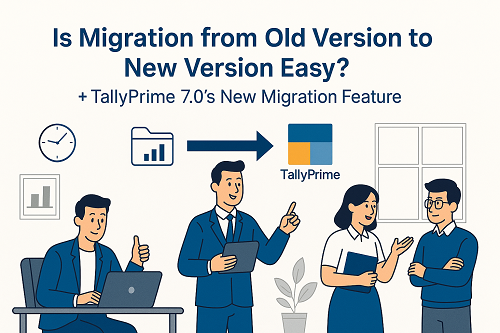
A Complete Guide to TallyPrime 7.0’s New Migration Feature (2025 Update)**
As businesses grow, software must evolve. Tally has been the backbone of India’s accounting and compliance ecosystem for decades, powering millions of MSMEs, CA firms, traders, and enterprises. With the release of TallyPrime 7.0, the focus is not only on speed and features, but also on making migration from older versions smoother, safer, and significantly easier.
Many businesses remain worried about:
- Data loss
- Compatibility problems
- Time-consuming migration
- Disruption during financial closing
TallyPrime 7.0 addresses all these concerns with a new and improved Migration Engine designed for effortless upgrading.
Let’s understand how migration works, what makes it easier in 7.0, and how businesses can transition smoothly.
Why Migration Has Been a Concern in the Past
Migrating from:
- Tally ERP 9 → TallyPrime
- TallyPrime older versions → new versions
- Multi-user setups
- Old financial years
…sometimes raised questions related to data conversion, corrupted entries, or differences in configuration.
Common worries among users included:
- Will my data remain safe?
- Will GST, inventory, and ledger configurations remain intact?
- What happens to multi-year data?
- Will my custom reports or security settings be preserved?
These were valid concerns — which TallyPrime 7.0 has now addressed in an advanced, user-friendly manner.
TallyPrime 7.0 Introduces a Faster, Safer & Smarter Migration Process
One of the biggest strengths of TallyPrime 7.0 is its new migration architecture, designed to ensure:
✔ Zero data loss
✔ Faster migration time
✔ Automatic error detection
✔ Compatibility with existing setups
✔ Seamless movement of books, ledgers, inventory & vouchers
✔ Better handling of GST, audit trail & compliance data
The powerful new migration engine is built to handle even large-sized companies, multi-year data, and complex inventory structures.
Key Advantages of TallyPrime 7.0 Migration
1. One-Click Migration Wizard
TallyPrime 7.0 provides an intuitive Migration Tool that guides users step-by-step:
- Detect old company data
- Auto-check version compatibility
- Display issues (if any)
- Suggest fixes
- Begin conversion instantly
This eliminates the need for technical expertise.
2. Improved Data Validation
Before migration begins, TallyPrime 7.0 automatically:
- Scans vouchers
- Validates GST classifications
- Checks ledger group consistency
- Highlights corrupted entries
- Fixes minor inconsistencies
This ensures clean, accurate data in the upgraded version.
3. Data Backup Integration
The migration process includes an in-built Auto Backup Alert, ensuring:
- No accidental loss
- Safe rollback option
- Duplicate copies of old data
Perfect for companies migrating during financial year closing.
4. High-Speed Data Conversion
Thanks to improved algorithms, migration is now 2–3x faster, especially for:
- Companies with millions of vouchers
- Businesses using inventory-heavy modules
- Multi-user setups
Large data files convert smoothly without freezing or lag.
5. Better Compatibility for Customisations
Whether you use:
- TCP customisations
- External integrations
- Add-on utilities
TallyPrime 7.0 provides a compatibility check to ensure smooth functioning after migration.
6. Audit Trail, GST & Compliance Stability
All compliance-related information — including:
- GST classifications
- HSN/SAC mappings
- Audit Trail (Edit Log)
- Tax configurations
- Ledger groups
…remains preserved during migration.
How Easy Is Migration for Existing Users?
The short answer: Very easy.
TallyPrime 7.0 was designed specifically to make migration frictionless.
For Tally ERP 9 users, the upgrade path is now faster and more stable.
For existing TallyPrime users, moving between versions is almost instantaneous.
Step-by-Step Overview of Migration (Simplified)
- Download & Install TallyPrime 7.0
- Open the Migration Tool
- Select old company data
- Check automated validation results
- Proceed with migration
- Review data in TallyPrime 7.0
Users can then resume transactions without disruption.
How Binarysoft Technologies Helps With Smooth Migration
Binarysoft Technologies — a leading Tally partner — provides expert assistance for:
- Migration from ERP 9 to TallyPrime
- Version-to-version upgrades
- Multi-user & server migrations
- Cloud migration setups
- Error repair & data correction
- GST configuration post-migration
- Staff training on TallyPrime 7.0
Their experienced team ensures 100% safe and smooth transitioning for businesses of all sizes.
Final Verdict: Is Migration Really Easier in TallyPrime 7.0?
Yes.
TallyPrime 7.0 has made migration:
- Faster
- Safer
- More accurate
- Completely user-friendly
With improved validation, automatic backup, and a smarter conversion engine, upgrading is now a worry-free experience for both small businesses and large enterprises.
FAQs – Migration to TallyPrime 7.0
Q1. Will I lose any data while migrating to TallyPrime 7.0?
No. TallyPrime 7.0 includes a built-in backup and validation system to prevent data loss.
Q2. Can I migrate from Tally ERP 9 directly to TallyPrime 7.0?
Yes. The migration tool detects ERP 9 data and smoothly converts it.
Q3. What about my GST data and configuration?
All GST settings, classifications, HSN/SAC, and past reports remain intact.
Q4. Do I need technical knowledge for migration?
No. The process is designed for non-technical users, though experts like Binarysoft can assist for complex setups.
Q5. Will my customisations (TCPs) work after migration?
Most do. In rare cases, minor adjustments may be required. Binarysoft offers compatibility checks.
Q6. Is migration safe for large data files?
Yes. TallyPrime 7.0 is optimized for high-speed processing of large companies.
Q7. Can Binarysoft Technologies handle migration for my company?
Absolutely. They specialize in:
- ERP 9 upgrades
- Cloud migration
- Error correction
- Customisation compatibility
- Training & support
Powered by Binarysoft Technologies
Authorized Tally Partner
Location : 1626/33, 1st Floor, Naiwalan, Karol Bagh, New Delhi – 110005, INDIA
Contact us : +91 7428779101, 9205471661, 8368262875
Email us : tally@binarysoft.com (10:00 AM – 6:00 PM, Mon–Fri)
CA. Shivesh Khandelwaal is a practicing Chartered Accountant experienced in accounting automation, compliance management, and audit support. He has worked with trading and distribution businesses to improve inventory visibility and financial reporting. His articles focus on real-world applicability.