Call CA Tally HelpDesk
+91 9205471661,
7428779101
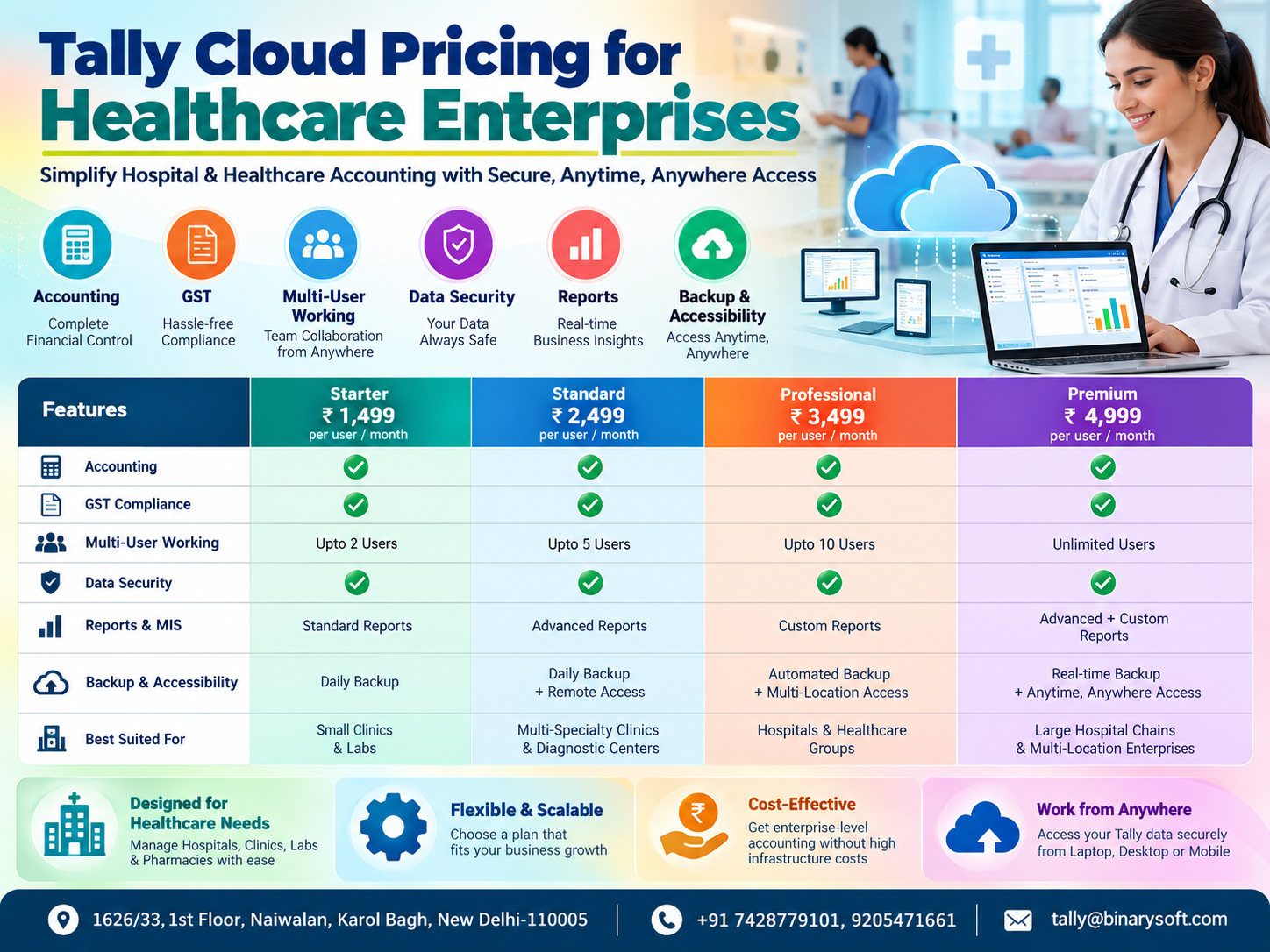
Healthcare Finance Is Becoming More Connected in 2026
In 2026, healthcare enterprises are handling accounting differently as finance teams increasingly need secure access to business data beyond a single office computer. Hospitals, diagnostic centres, pathology labs, clinics, pharmacies, medical distributors and healthcare groups may have billing counters, administrative offices and management teams working from different locations. This creates pressure to keep accounting records, GST information, outstanding balances and financial reports accessible without repeatedly transferring files between systems. Tally Cloud can address this challenge by allowing authorised users to work with TallyPrime through a remotely accessible cloud environment. However, cloud pricing can vary significantly depending on users, computing resources, security, backup arrangements and support. Comparing Tally Cloud pricing therefore should not be limited to the lowest monthly quotation. Healthcare enterprises need to evaluate the complete package—accounting performance, multi-user working, data protection, reports, backup reliability and accessibility—to determine which cloud configuration delivers sustainable value.
What Is Tally Cloud for Healthcare Enterprises?
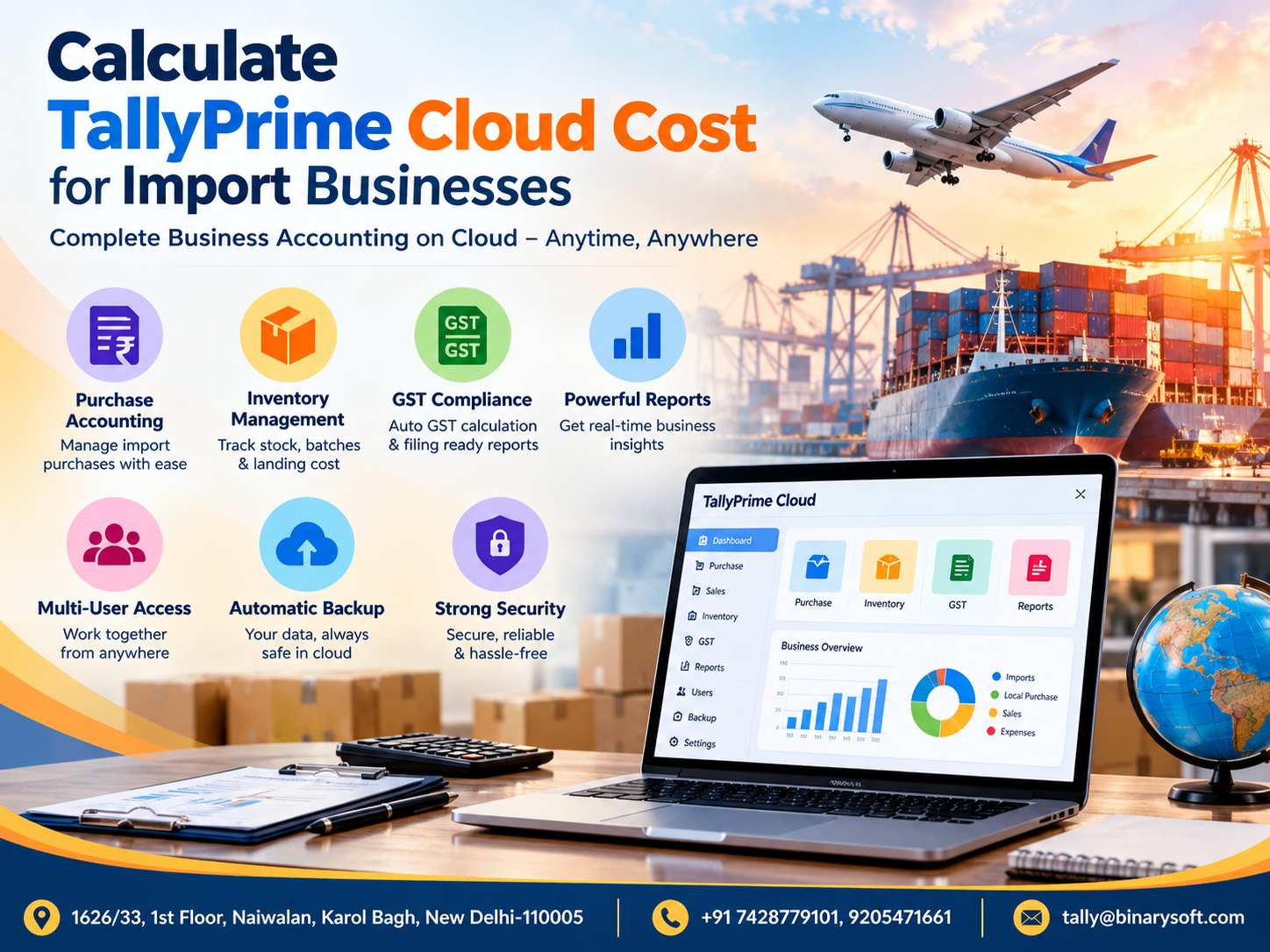
Tally Cloud generally refers to hosting TallyPrime and its associated business data on cloud or remotely accessible server infrastructure instead of depending exclusively on a computer or server installed at the healthcare organisation's premises.
This can allow authorised accountants, finance executives, owners and management personnel to access the Tally environment from supported devices and locations, subject to the configuration and permissions provided.
For a healthcare organisation operating from multiple locations, this can simplify the way financial information is accessed and managed.
Consider a healthcare group with a hospital, two diagnostic centres, a pharmacy operation and a separate corporate office. If accounting data is maintained independently or transferred manually between locations, preparing consolidated information can become cumbersome.
A properly configured cloud environment can provide a more centralised approach.
Tally Cloud Pricing for Healthcare Enterprises: What Are You Actually Paying For?
One of the biggest mistakes while comparing Tally Cloud prices is treating every cloud package as though it provides exactly the same infrastructure and services.
It does not.
Two providers may quote different monthly or annual prices because their packages include different levels of computing resources, concurrent users, storage, backup, security, technical assistance or server configurations.
A healthcare enterprise should therefore evaluate the components behind the price.
Important factors can include:
-
Number of concurrent users
-
Server or cloud computing resources
-
RAM and processor allocation
-
Storage capacity
-
TallyPrime licensing requirements
-
Number and size of companies/data sets
-
Backup arrangements
-
Security configuration
-
Remote accessibility requirements
-
Technical support
-
Additional applications hosted alongside TallyPrime
-
Scalability requirements
A small diagnostic centre with two accounting users will naturally have different requirements from a healthcare group with ten or twenty people accessing financial data.
Typical Tally Cloud Pricing Models
Tally Cloud services may be offered under several commercial structures.
Per-User Pricing
Under this model, the price is primarily determined by the number of users who require cloud access.
This can be convenient for smaller healthcare organisations because they can begin with a limited number of users and increase capacity as requirements grow.
However, businesses should clarify whether the quotation refers to named users, concurrent users or another licensing/access model.
Fixed Cloud Server Pricing
Some organisations prefer a dedicated or fixed-resource server configuration.
The cost may then depend on factors such as:
RAM, processor resources, storage, operating environment, backup and expected workload.
This can be more suitable for larger healthcare enterprises where multiple employees regularly use TallyPrime.
Monthly vs Annual Pricing
Cloud providers may offer monthly and annual subscription options.
A monthly arrangement can provide flexibility, whereas annual plans may offer a different overall commercial structure.
Healthcare enterprises should calculate the total annual cost rather than comparing only the advertised monthly figure.
A Healthcare Finance Story: When Access to Accounts Becomes Critical
A growing diagnostic business had expanded from one centre to several locations. The accounting team worked primarily from the administrative office, while management frequently travelled between branches.
One evening, management urgently needed to review outstanding receivables and financial information before an important discussion the following morning.
The latest accounting data, however, was accessible through the office setup.
Calls started moving between the management team and accounts department. An employee was asked to retrieve reports and send the required information. Different files started appearing in email and messaging conversations.
The problem was not that the organisation lacked accounting information.
The problem was access.
For the finance executive who had already finished a demanding day, returning to accounting tasks after office hours created additional pressure. For management, waiting for reports made an already important decision more stressful.
After reviewing its accounting infrastructure, the organisation moved toward a remotely accessible Tally environment with defined user access and backup procedures.
The biggest change was not simply technological.
It was the feeling that authorised people could reach the business information they needed without depending entirely on one physical office computer.
That is where the value of Tally Cloud can become much clearer than its monthly price.
1. Accounting on Tally Cloud
Healthcare accounting can involve considerably more than recording routine receipts and payments.
Depending on the organisation, accounts teams may handle:
patient-service revenue, pharmacy purchases, laboratory expenses, vendor payments, professional charges, rent, utilities, payroll-related entries, equipment purchases and numerous other transactions.
When TallyPrime is hosted in an appropriate cloud environment, authorised accounting users can work with the organisation's Tally data remotely.
For organisations with centralised accounting teams, this can help reduce dependency on local systems.
It can be especially useful for healthcare businesses with multiple centres but a common finance department.
2. GST Management
GST compliance can be an important consideration for healthcare businesses because the tax treatment of different supplies and activities can vary.
A healthcare organisation may have exempt healthcare services alongside taxable supplies or other business activities, depending on its operations.
TallyPrime can be used to maintain GST-related accounting information and reports according to the organisation's configuration and applicable requirements.
Cloud access does not change the underlying GST law or automatically make every transaction compliant.
Its benefit is primarily accessibility.
Authorised accounting personnel can access the working environment without necessarily being physically present at the computer where the data would otherwise be stored.
Healthcare enterprises should still ensure that GST classifications, masters, vouchers and return-related information are reviewed correctly by qualified personnel.
3. Multi-User Working
Multi-user requirements can have a major impact on Tally Cloud pricing.
Consider a healthcare enterprise where the following people require access:
Accounts Executive
Senior Accountant
Finance Manager
GST/Tax Executive
Branch Accountant
Management User
The organisation needs to determine how many users actually need simultaneous access.
Paying for excessive capacity can unnecessarily increase costs. Choosing too little capacity, however, can affect the user experience.
Before selecting a cloud plan, healthcare enterprises should ask:
How many users will work simultaneously?
Will users only view reports or also enter transactions?
Are users working from one location or multiple locations?
Will usage increase during month-end, GST filing or audit periods?
Is future expansion planned?
These questions are more useful than simply asking, "What is your cheapest Tally Cloud plan?"
4. Data Security
Financial data deserves careful protection, particularly when an organisation handles substantial business and operational information.
Cloud security should therefore be evaluated as part of the purchasing decision rather than treated as an optional extra.
A healthcare enterprise should discuss security arrangements with its cloud provider, including user authentication, access controls, server administration, update practices and data protection measures.
Strong passwords and controlled access are also important.
Employees should receive only the access necessary for their responsibilities.
An organisation should additionally have a defined process for removing or changing access when employees leave or change roles.
Cloud hosting can improve accessibility, but accessibility and security must be implemented together.
5. Reports for Healthcare Management
One of the strongest business reasons for providing management with appropriate Tally access is financial visibility.
Depending on the accounting configuration and data maintained in TallyPrime, users may review reports such as:
Balance Sheet
Profit & Loss Account
Cash and Bank information
Receivables
Payables
Ledgers
Stock information
GST-related reports
Outstanding reports
Cost centre information
For healthcare organisations operating across locations, timely access to these reports can help management monitor financial performance without continuously asking the accounts department to export and send files.
This can be particularly valuable during month-end reviews and management meetings.
6. Backup: One of the Most Important Pricing Questions
Backup should never be ignored when comparing cloud quotations.
A low-cost cloud plan may look attractive, but businesses need to understand exactly what backup arrangements are included.
Questions to ask include:
How frequently are backups created?
How long are backup copies retained?
Where are they stored?
What is the restoration process?
Is restoration assistance included?
Are multiple recovery points available?
Does the organisation need its own additional backup policy?
A backup is valuable only when it can actually be restored when required.
Healthcare enterprises should therefore establish a documented backup and recovery strategy rather than assuming that "cloud" automatically means unlimited or infallible backup.
7. Accessibility from Different Locations
Accessibility is one of the principal reasons businesses consider Tally Cloud.
A healthcare organisation may have accountants at its head office while owners, directors or finance managers need access from another branch or while travelling.
Cloud hosting can make this type of working arrangement easier when properly configured.
For example, a finance manager at the corporate office may need to review accounts while another authorised employee is entering transactions from a different location.
The exact experience will depend on the cloud environment, connectivity, configuration, user permissions and Tally licensing.
Tally Cloud vs Local Office Setup
A traditional local setup can still be suitable for organisations where accounting is performed at one location and remote access is rarely required.
The challenge increases as the organisation expands.
A local setup can create greater dependence on office hardware, local network availability and physical access to a particular location.
Cloud hosting can provide greater location flexibility, but it introduces recurring hosting costs and requires careful evaluation of security, backups, connectivity and service support.
Neither approach should be selected simply because it is fashionable.
The right choice depends on the organisation's operational requirements.
How to Compare Tally Cloud Pricing Correctly
Instead of asking several providers only for their "best price," healthcare enterprises should request comparable specifications.
For example:
Plan A: 3 users, defined server resources, standard storage and backup.
Plan B: 5 users, higher resources, expanded backup and support.
Plan C: 10 users, larger server configuration and additional requirements.
Once the specifications are aligned, pricing becomes much easier to compare.
A quotation that costs slightly more may represent better value if it includes adequate resources, dependable backup and responsive technical support.
Conversely, an expensive plan may be unnecessary for a small clinic with only one or two accounting users.
Factors That Can Increase Tally Cloud Cost
Tally Cloud pricing can rise as business requirements become more demanding.
Common factors include a larger number of simultaneous users, additional RAM or computing resources, greater storage, larger Tally data, multiple companies, advanced backup requirements, additional hosted applications and specialised support.
Performance expectations also matter.
A growing healthcare enterprise should consider tomorrow's requirements as well as today's usage.
Choosing a plan with a practical upgrade path can reduce disruption when the organisation expands.
Questions Healthcare Enterprises Should Ask Before Buying
Before finalising a Tally Cloud package, ask the provider:
What server resources are included?
How many users can access the environment?
How is user access controlled?
What backup schedule is provided?
How long are backups retained?
What happens if data needs to be restored?
Is technical support included?
Can resources be upgraded later?
What happens when the number of users increases?
Are there additional setup or renewal charges?
Does the quoted price include all applicable taxes?
Is TallyPrime licensing included or separate?
Clear answers can prevent misunderstandings after deployment.
Don't Choose Tally Cloud Only on Price
The cheapest cloud plan is not necessarily the most economical solution.
Suppose a healthcare organisation saves a relatively small amount every month by selecting a lower-priced server, but employees regularly experience performance problems during busy accounting periods.
The resulting productivity loss can exceed the original saving.
The opposite is equally important.
A small clinic should not pay for enterprise-grade infrastructure that it does not need.
The objective is to achieve the right balance among cost, performance, accessibility, security, backup and support.
Who Can Benefit from Tally Cloud?
Tally Cloud can be considered by a wide variety of healthcare-related organisations, including hospitals, clinics, diagnostic centres, pathology laboratories, pharmacies, medical equipment businesses, healthcare service companies, medical distributors and multi-location healthcare groups.
The strongest use case generally appears when accounting information needs to be accessed securely by authorised users from multiple locations.
Why Technical Support Matters
Accounting infrastructure is business infrastructure.
When employees cannot access TallyPrime during an important working period, the organisation needs timely technical assistance.
Healthcare enterprises should therefore evaluate the support offered with the cloud package.
The lowest-priced plan may become frustrating if support is difficult to obtain when it is actually needed.
Before purchasing, understand the provider's support timings, escalation process, responsibilities and scope of assistance.
Calculate Value, Not Just Monthly Cost
A better way to assess Tally Cloud pricing is to consider the total business value.
Ask what the organisation gains from the investment.
Can authorised employees access accounts without being tied to one office?
Can management review reports more conveniently?
Can multiple authorised users work according to business requirements?
Is there an appropriate backup mechanism?
Can infrastructure scale as the healthcare organisation expands?
Is technical assistance available?
If the answer to these questions is positive and the price fits the organisation's budget, cloud hosting may provide meaningful operational value.
Conclusion
Comparing Tally Cloud pricing for healthcare enterprises requires more than finding the lowest monthly or annual quotation. Hospitals, clinics, diagnostic centres, laboratories, pharmacies and healthcare groups should compare the complete environment—including accounting requirements, GST workflows, simultaneous users, server resources, security, reports, backup procedures, accessibility and technical support.
A small healthcare organisation may need only a simple configuration, while a multi-location enterprise may require greater capacity and stronger operational support.
The right Tally Cloud solution should provide an appropriate balance between affordability and dependable access to financial information.
Before finalising a package, define the number of users, expected workload, data size, remote-access needs, backup expectations and future expansion plans. Then compare providers on equivalent specifications.
The real objective is not simply to move TallyPrime to the cloud. It is to build a reliable accounting environment that supports the healthcare enterprise as it grows.
Frequently Asked Questions
What is Tally Cloud for healthcare enterprises?
Tally Cloud generally refers to running TallyPrime and related business data in a remotely accessible cloud/server environment, allowing authorised users to access the accounting setup from supported locations and devices.
How much does Tally Cloud cost for a hospital or clinic?
There is no single price applicable to every organisation. Pricing can depend on the number of users, server resources, storage, backup, support, applications and infrastructure configuration. A customised quotation is therefore more useful than a generic price.
Can multiple accountants work on Tally through the cloud?
A properly configured environment can support multi-user working, subject to the cloud setup, available resources and applicable Tally licensing. The required configuration should be selected according to expected simultaneous usage.
Can Tally Cloud be used for GST accounting?
TallyPrime can be used for GST-related accounting and reporting according to its available features and the organisation's configuration. Hosting it on the cloud primarily provides remote accessibility to the Tally environment.
CA. Rishubh Talrejaa specializes in GST, business accounting, and compliance advisory for growing enterprises. With experience in handling real-time transactional data and audits, he writes practical insights on inventory control, taxation, and digital transformation for Indian businesses operating in competitive markets.