Call CA Tally HelpDesk
+91 9205471661,
7428779101
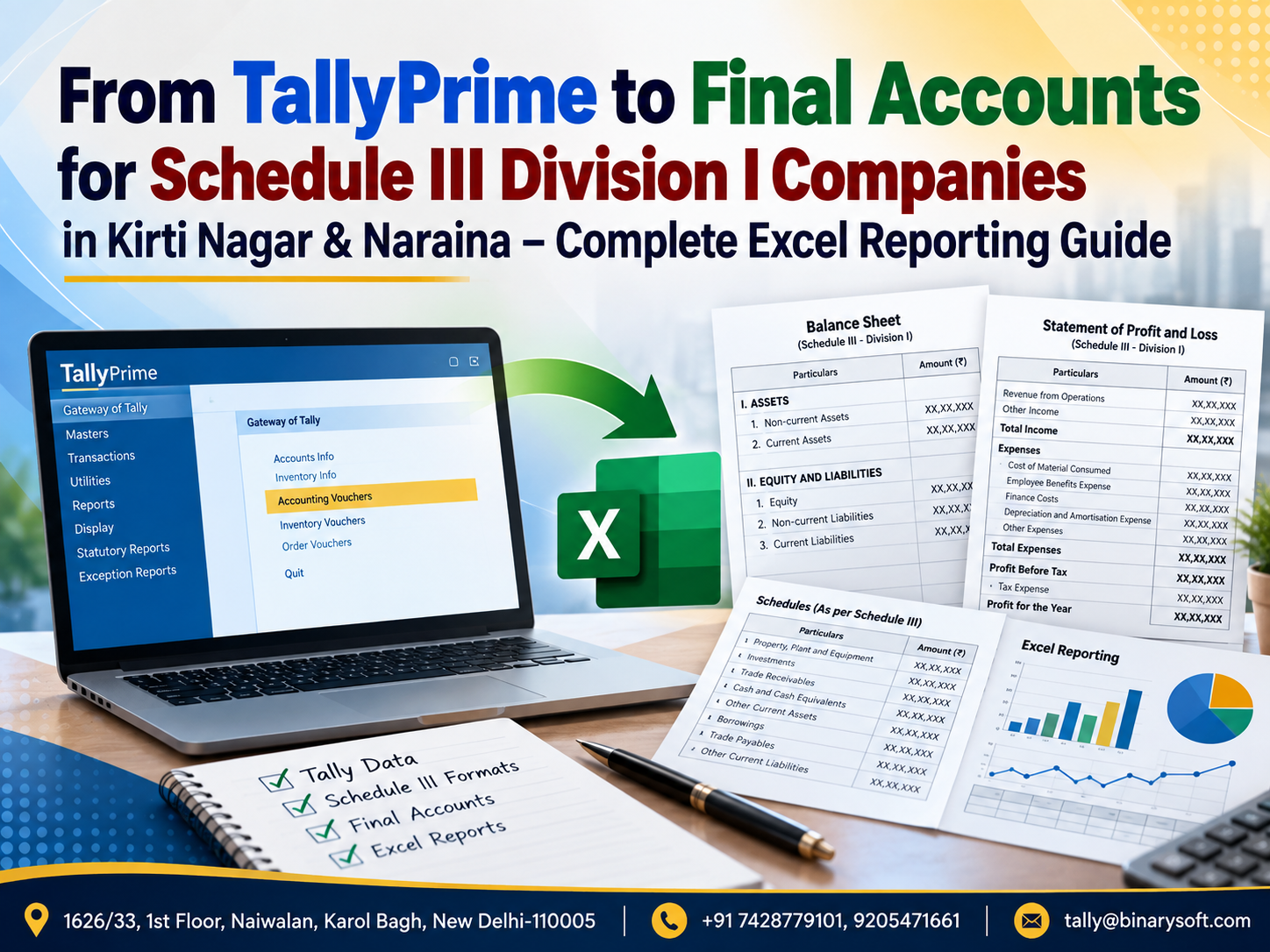
Final Accounts Preparation Is Becoming More Data-Driven in 2026
In 2026, companies in Kirti Nagar and Naraina are under growing pressure to turn day-to-day accounting data into accurate, presentation-ready financial statements without spending days rebuilding numbers in Excel. TallyPrime may contain the ledgers, vouchers, GST transactions, receivables, payables, inventory and trial balance, but companies preparing financial statements under Schedule III Division I still need proper classification, regrouping, disclosures and Notes to Accounts. In recent months, finance teams have increasingly focused on reducing manual movement between accounting software, working papers and final reporting templates because one changed ledger balance can affect multiple schedules and disclosures. A structured TallyPrime-to-Excel reporting workflow can create a clearer bridge between books and final accounts. For manufacturing, trading and service companies, the benefit is practical: faster preparation, traceable ledger mapping, easier review, fewer copy-paste errors and a repeatable year-end process for the Balance Sheet, Statement of Profit and Loss and supporting notes.
Why Schedule III Division I Reporting Needs More Than a Trial Balance
Many companies maintain complete books of account in TallyPrime.
At year-end, the accountant generates a Trial Balance and may assume that the financial statements are almost complete.
In reality, the Trial Balance is only the starting point.
For companies to which Schedule III Division I applies, financial information needs to be presented under an appropriate structure.
A ledger called “Security Deposit” in TallyPrime, for example, cannot simply be copied into the financial statements without determining its appropriate classification.
Similarly:
Loans need classification.
Trade receivables may require ageing and other disclosures.
Trade payables may require classification and ageing.
Property, plant and equipment requires detailed reporting.
Inventory requires appropriate presentation.
Borrowings may require current and non-current consideration.
Expenses need regrouping.
Related disclosures and Notes to Accounts need to agree with the primary financial statements.
The challenge is therefore not merely exporting numbers.
The real challenge is transforming accounting data into a controlled financial-reporting structure.
What Is Schedule III Division I?
Schedule III to the Companies Act, 2013 prescribes presentation requirements for financial statements of companies falling within its scope.
Division I broadly relates to companies whose financial statements are prepared in accordance with Accounting Standards rather than Ind AS, subject to the applicable legal framework.
A company's exact reporting obligations depend on its circumstances and applicable law.
Therefore, the finance team should always verify the current Companies Act requirements, applicable Accounting Standards, amendments, notifications and professional guidance while preparing statutory financial statements.
This guide focuses on the accounting workflow: how information maintained in TallyPrime can be systematically taken into Excel and organized for preparation of final accounts.
Why Kirti Nagar Companies Need Structured Final-Accounts Reporting
Kirti Nagar is home to businesses operating across furniture, interiors, timber, manufacturing, trading, distribution and related industries.
These businesses can have complex year-end balances involving:
Raw materials
Finished goods
Trading stock
Plant and machinery
Furniture and fixtures
Trade receivables
Trade payables
Advances
Security deposits
Loans
GST balances
Employee expenses
Freight
Job work
Manufacturing expenses
Administrative expenses
If every ledger is manually copied into the final accounts, preparation becomes slow and difficult to review.
A structured Excel mapping system can simplify this process.
Why Naraina Businesses Face Similar Challenges
Naraina and its industrial areas include a broad range of manufacturing, engineering, trading, service and distribution businesses.
A growing company may have hundreds or even thousands of ledgers.
Consider a Trial Balance containing 700 ledger accounts.
Those 700 accounts may ultimately need to be presented under a much smaller number of Schedule III heads and Notes to Accounts.
The accountant must determine where each ledger belongs.
That is why ledger mapping is one of the most important parts of financial-statement preparation.
The Friday Evening Trial Balance That Would Not Match
Consider a fictional manufacturing company in Naraina.
The company had completed a strong financial year.
Orders had increased, production had expanded and management was preparing for its annual financial review.
The accounts team had maintained daily transactions in TallyPrime throughout the year.
On Friday afternoon, the finance manager exported the Trial Balance to Excel and began preparing the final accounts.
The directors wanted the draft statements on Monday morning.
“It should be easy,” someone said.
“All the figures are already in Tally.”
By 8:30 PM, the finance team was still in the office.
The Balance Sheet did not match the working schedules.
One security deposit had been classified under loans and advances in one sheet but under other assets in another.
A new machinery ledger had not been included in the fixed asset working.
Several expenses had been manually regrouped.
One formula referenced last year's Excel row.
The trade payable figure in the Balance Sheet did not agree with the detailed working.
Every correction seemed to create another difference.
At 10:15 PM, the finance manager stared at the workbook and said:
“We have the correct books. Why is preparing the final statement still so difficult?”
The problem was not TallyPrime.
The problem was the missing bridge between the books and the final reporting format.
The following year, the company introduced a ledger-mapping master, standardized Excel schedules and reconciliation controls.
The year-end process changed completely.
Instead of rebuilding the financial statements from scratch, the team refreshed the Trial Balance, reviewed new or unmapped ledgers and updated adjustments.
The most valuable improvement was not saving a few hours.
It was confidence.
When management asked where a number came from, the finance team could trace it back to the Trial Balance and ultimately to the accounting records.
TallyPrime Is the Accounting Foundation
TallyPrime can serve as the primary accounting source for:
Sales
Purchases
Receipts
Payments
Journal entries
Contra transactions
Credit notes
Debit notes
Inventory transactions
GST-related accounting
Bank transactions
Customer balances
Supplier balances
Fixed-asset ledgers
Expenses
Income
Loans
Advances
The quality of final accounts depends heavily on the quality of this underlying accounting data.
Excel should not become a substitute for correcting inaccurate books.
The preferred approach is:
Correct the books first.
Then prepare the reporting layer.
TallyPrime to Excel to Schedule III: The Basic Workflow
A structured process can be visualized as:
TallyPrime Books
Trial Balance
Excel Import or Export
Ledger Mapping
Schedule III Grouping
Adjustment Entries
Supporting Schedules
Balance Sheet
Statement of Profit and Loss
Notes to Accounts
Validation
Final Review
Each stage should have clearly defined controls.
Step 1: Clean the TallyPrime Books
Before exporting financial information, review the books.
Check areas such as:
Suspense balances
Unreconciled bank transactions
Negative cash where unexpected
Old outstanding receivables
Old outstanding payables
Incorrect ledger groups
Temporary ledgers
Round-off balances
GST ledgers
Loans and advances
Fixed asset additions
Depreciation entries
Provisions
Outstanding expenses
Prepaid expenses
A clean Trial Balance makes final-account preparation much easier.
Step 2: Perform Bank Reconciliation
Bank balances appearing in the books should be reviewed against bank statements and reconciliation information.
Outstanding cheques, deposits in transit and unrecorded transactions can affect the accuracy of financial reporting.
Do not wait until the final financial statements have been drafted before investigating major bank differences.
Step 3: Review Customer Balances
Trade receivables require more than one total figure.
Businesses should review:
Customer-wise balances
Credit balances in customer accounts
Old outstanding amounts
Disputed balances
Provision requirements where applicable
Advances from customers
Related-party balances
Ageing information required for reporting
An old debit balance should not automatically remain a normal trade receivable forever.
Its nature needs review.
Step 4: Review Supplier Balances
Similarly, trade payables need detailed examination.
Check:
Supplier-wise balances
Debit balances in supplier accounts
Long-outstanding balances
MSME-related information where applicable
Related-party balances
Unadjusted advances
Ageing data
Provision versus payable classification
Do not simply use the total Sundry Creditors group without reviewing its composition.
Step 5: Review Inventory
For manufacturing and trading companies in Kirti Nagar and Naraina, inventory can be one of the largest Balance Sheet items.
Inventory categories may include:
Raw materials
Work-in-progress
Finished goods
Stock-in-trade
Stores and spares
Packing materials
Other inventory
The appropriate classification depends on the company's operations.
Inventory quantities and valuation should be reviewed before final accounts are prepared.
Step 6: Review Fixed Assets
Property, plant and equipment reporting generally requires more information than a single fixed-asset ledger balance.
A fixed asset working may need to track:
Opening gross block
Additions
Disposals
Other adjustments
Closing gross block
Opening accumulated depreciation
Depreciation for the year
Depreciation on disposals
Closing accumulated depreciation
Closing net block
Companies should maintain appropriate supporting records for these figures.
Step 7: Export the Trial Balance from TallyPrime
Once the books are substantially finalized, generate the Trial Balance.
The Excel reporting workflow should ideally capture:
Ledger name
Tally group
Opening balance where required
Debit movement
Credit movement
Closing balance
The precise structure depends on the reporting model being used.
Save the original Trial Balance separately.
Do not overwrite the source file repeatedly.
A useful naming structure could be:
TB_31-03-2026_V01
TB_31-03-2026_V02
TB_31-03-2026_FINAL
Version control becomes important when adjustments continue during finalization.
Step 8: Build a Ledger Mapping Master
The ledger mapping master is the heart of a repeatable TallyPrime-to-Schedule III process.
For each Tally ledger, maintain fields such as:
Ledger Name
Tally Group
Schedule III Major Head
Schedule III Sub-Head
Note Number
Current/Non-Current Classification
Debit/Credit Treatment
Disclosure Category
Mapping Status
Reviewer Remark
For example:
Plant & Machinery → Property, Plant and Equipment
Trade Debtors → Trade Receivables
Sundry Creditors → Trade Payables
Professional Charges → Other Expenses
Interest on Bank Loan → Finance Costs
The exact classification must reflect the nature of the balance and applicable reporting requirements.
Why Ledger Mapping Saves So Much Time
Imagine a company has 600 ledgers.
During the first year, all 600 need to be reviewed and mapped.
Next year, perhaps only 40 new ledgers have been created.
Instead of reviewing all 600 from scratch, the finance team can focus on:
New ledgers
Changed ledgers
Unusual balances
Material movements
Classification changes
This turns financial-statement preparation from a rebuilding exercise into a controlled update process.
Step 9: Identify Unmapped Ledgers Automatically
A good Excel model should immediately identify any ledger that does not have a mapping.
This is extremely important.
If a new ledger called:
“Factory Solar Installation”
appears in TallyPrime but has no mapping, the workbook should flag it.
Otherwise, the ledger may accidentally be omitted from the financial statements.
Use an “Unmapped” control rather than silently treating missing mappings as zero.
Step 10: Create a Control Total
Before preparing the Balance Sheet and Statement of Profit and Loss, create control checks.
The ideal unexplained difference is zero.
Step 11: Separate Accounting and Reporting Adjustments
Some year-end adjustments may still be pending when the first Trial Balance is exported.
Examples can include:
Depreciation
Outstanding expenses
Prepaid expenses
Provisions
Tax-related adjustments
Inventory adjustments
Audit adjustments
Where possible, finalized accounting adjustments should ultimately be reflected in TallyPrime rather than existing only in an uncontrolled Excel workbook.
If temporary reporting adjustments are maintained in Excel during the review process, they should be clearly identified, documented and subsequently reconciled with the final books.
Preparing the Schedule III Balance Sheet
The Balance Sheet generally organizes information into major categories of equity and liabilities and assets, subject to the applicable Schedule III requirements.
The exact presentation should be verified against the current statutory format.
A reporting workbook can organize mapped balances into relevant categories and supporting notes.
Equity and Share Capital
Depending on the company, reporting may involve information relating to:
Authorized share capital
Issued capital
Subscribed capital
Paid-up capital
Changes during the year
Shareholder information and other required disclosures
The Trial Balance alone may not contain all required disclosure information.
Some disclosures therefore need separate corporate records and working papers.
Reserves and Surplus / Other Equity-Related Presentation
Depending on the applicable Division I presentation requirements, supporting schedules may be needed for items such as retained earnings and other reserves.
Opening balance, current-year movement and closing balance should reconcile.
Borrowings
Borrowings should be reviewed carefully.
Possible categories can include:
Term loans
Working capital loans
Vehicle loans
Loans from directors
Other loans
Classification depends on the nature and terms of the borrowing and applicable reporting requirements.
Do not classify a loan solely from its Tally ledger name.
Review the underlying agreement.
Trade Payables
Trade payables can require more detailed disclosure than simply showing one total.
Companies should maintain appropriate vendor information, ageing and classifications required by the applicable Schedule III framework.
MSME-related information should also be reviewed where relevant.
Other Current Liabilities
Balances may include items such as:
Statutory dues payable
Employee-related liabilities
Expense payables
Other obligations
However, classification should depend on the underlying nature of each balance.
A mapping master can prevent unrelated liabilities from being combined merely because they happen to be under the same Tally group.
Provisions
Provisions should be supported by proper calculations and documentation.
These may include applicable employee-related or other provisions depending on the company.
The finance team should ensure the accounting balance agrees with the supporting working.
Property, Plant and Equipment
For manufacturing businesses in Naraina and furniture-related businesses in Kirti Nagar, PPE can be significant.
Possible asset categories include:
Land
Buildings
Plant and machinery
Furniture and fixtures
Vehicles
Office equipment
Computers
Electrical installations
The fixed asset note should agree with the relevant ledger balances after applicable adjustments.
Capital Work-in-Progress
Assets that are under construction or not yet ready for their intended use may require separate consideration.
For example, a manufacturing company installing a new production line may accumulate expenditure before capitalization.
These balances should not automatically be combined with completed machinery.
Investments
Investment balances should be reviewed according to their nature, classification and applicable accounting requirements.
Supporting schedules should agree with the general ledger.
Loans and Advances / Other Financial and Non-Financial Assets
Security deposits, employee advances, supplier advances and other balances may appear under similar Tally groups but require different financial-statement treatment.
This is another reason automatic mapping based solely on Tally groups can be risky.
Ledger-level review is often necessary.
Trade Receivables
Trade receivables should be supported by customer-level details.
The Excel reporting model may include:
Customer name
Closing balance
Ageing bucket
Dispute status where relevant
Related-party identification where applicable
Other required classifications
The total of the detailed schedule must agree with the financial statements.
Cash and Bank Balances
Cash and bank reporting should be linked with:
Cash ledgers
Current accounts
Savings accounts where applicable
Deposit accounts
Other bank-related balances
Bank reconciliation should be substantially complete before finalization.
Other Current Assets
This category can include balances that meet the relevant classification criteria but do not belong under another more specific heading.
Avoid using “Other Current Assets” as a dumping ground for unresolved ledgers.
Every material balance should be understood.
Preparing the Statement of Profit and Loss
The Statement of Profit and Loss begins with properly classified income and expenditure.
A business may maintain hundreds of expense ledgers in TallyPrime.
The reporting workbook needs to regroup them appropriately.
Revenue from Operations
Depending on the business, revenue may include:
Sale of manufactured goods
Sale of traded goods
Service revenue
Other operating revenue
Revenue should be reconciled with relevant sales records and accounting ledgers.
Other Income
Other income should be distinguished from core operating revenue where required.
Examples might include:
Interest income
Certain gains
Miscellaneous non-operating income
The classification depends on the nature of the transaction and applicable accounting requirements.
Cost of Materials Consumed
Manufacturing companies may need a structured calculation involving:
Opening raw material inventory
Add: Purchases
Less: Closing raw material inventory
subject to the company's accounting methodology and applicable requirements.
The working should reconcile with inventory and purchase records.
Purchases of Stock-in-Trade
Trading companies may need to separately present purchases relating to goods acquired for resale.
This can be particularly relevant for Kirti Nagar trading businesses and Naraina distributors.
Changes in Inventories
Changes in finished goods, work-in-progress and stock-in-trade may require separate calculation.
The supporting inventory schedule should agree with the figures used in the Statement of Profit and Loss.
Employee Benefits Expense
Possible components include:
Salaries
Wages
Bonus
Employer contributions
Staff welfare
Other employee-related expenses
The reporting structure should group relevant TallyPrime ledgers appropriately.
Finance Costs
Finance costs can include applicable borrowing-related expenditure such as interest and other qualifying finance charges.
Keep these separate from ordinary administrative expenses where required.
Depreciation and Amortisation
Depreciation reported in the Statement of Profit and Loss should agree with the fixed asset schedule.
This is a key cross-check.
If the fixed asset note says depreciation for the year is ₹18 lakh but the Profit and Loss statement shows ₹17.5 lakh, the difference needs investigation.
Other Expenses
Other expenses can contain many ledgers.
Examples include:
Rent
Electricity
Repairs
Professional fees
Travelling
Printing and stationery
Communication expenses
Freight
Insurance
Legal charges
Audit fees
Security expenses
Software expenses
Office expenses
Material items may require separate presentation or disclosure depending on applicable requirements.
Notes to Accounts: Where the Detail Lives
The primary financial statements provide the summary.
Notes to Accounts provide supporting detail.
A well-designed Excel workbook should therefore not build the Balance Sheet and Statement of Profit and Loss independently from the notes.
Instead:
Trial Balance feeds mapping.
Mapping feeds notes.
Notes feed primary statements.
This creates traceability.
Why Excel Formulas Should Link, Not Repeat
One of the biggest mistakes in final-account preparation is typing the same number in multiple places.
Suppose trade receivables equal ₹2.45 crore.
If the accountant manually enters ₹2.45 crore in:
Balance Sheet
Trade Receivable Note
Ratio working
Management summary
then one subsequent change requires four manual updates.
Instead, maintain one source calculation and link other reports to it.
A change should flow through the workbook automatically.
Use SUMIFS for Schedule Mapping
Excel functions such as SUMIFS can be useful for ledger-based aggregation.
Conceptually, the workbook can sum all Trial Balance values where the mapped Schedule III head equals a selected reporting category.
This reduces manual addition.
The exact formula structure depends on workbook design.
Use XLOOKUP for Ledger Mapping
Where supported by the Excel version in use, XLOOKUP can help retrieve the mapped Schedule III classification for each ledger.
For example:
Tally ledger → Mapping master → Schedule III head
The important control is what happens when a ledger is not found.
Do not silently return a blank that nobody notices.
Return an obvious status such as:
UNMAPPED
Then review every unmapped ledger before finalization.
Use Pivot Tables for Review
Pivot tables can help the finance team analyze Trial Balance data by:
Tally group
Schedule III head
Note number
Current/non-current category
Expense category
They are useful as review tools even when the final financial statements use standard formulas.
Current vs Non-Current Classification
One of the important reporting exercises is determining whether applicable assets and liabilities are current or non-current.
Do not automate this solely based on ledger names.
For example, two security deposits may have different expected realization periods.
Two loans may have different repayment structures.
The underlying facts matter.
Trade Receivable Ageing
Ageing requires transaction-level or outstanding-level information, not merely the closing ledger balance.
A ledger may have a ₹10 lakh balance composed of invoices from several periods.
Therefore, ageing schedules should be built from appropriate underlying data rather than attempting to infer age from the Trial Balance alone.
Trade Payable Ageing
The same principle applies to trade payables.
The closing creditor total cannot by itself reveal the age of each payable.
Vendor-wise outstanding data should be used where ageing disclosure is required.
MSME Vendor Information
Companies should maintain reliable information about suppliers covered under applicable MSME requirements where relevant.
Do not wait until year-end to ask every supplier for status information.
Maintaining updated vendor master data throughout the year can make financial reporting and disclosure preparation easier.
Comparative Figures
Schedule III financial statements generally involve comparative information as applicable.
A good Excel workbook should therefore maintain:
Current-year figures
Previous-year figures
This allows year-on-year comparison and makes unusual movements easier to identify.
Variance Analysis
Before finalizing the accounts, compare major heads with the previous year.
For example:
Revenue increased 15%.
Employee cost increased 38%.
Professional charges increased 75%.
Inventory decreased 20%.
Trade receivables increased 60%.
Such movements are not necessarily wrong.
But they deserve explanation.
Variance analysis can identify errors that basic balancing checks will never find.
Ratio and Additional Disclosure Workings
Where applicable, companies may need to prepare specified ratios and related explanations.
The exact requirements should be verified against the Schedule III provisions applicable to the reporting period.
The Excel model should source ratio inputs from finalized financial statement figures rather than separately typed values.
This keeps the calculation consistent.
Rounding Off Financial Statements
Companies should apply the applicable presentation and rounding requirements consistently.
The detailed Trial Balance may contain exact rupee values, while the final financial statements may be presented in a permitted rounded unit.
Rounding can create small differences.
The workbook should include controls to identify and appropriately handle these differences rather than manually changing random numbers to force a match.
The Golden Rule: Never Hard-Code a Balance Just to Make the Sheet Match
Suppose the Balance Sheet differs by ₹27,500.
Do not simply add ₹27,500 to “Other Current Assets” to make the totals equal.
Find the difference.
It could represent:
An unmapped ledger
A sign error
An omitted adjustment
A formula problem
A duplicate mapping
An incorrect opening balance
A hard-coded number
A missed asset
A classification error
A financial statement that balances for the wrong reason is still wrong.
Create a Financial Statement Control Sheet
A strong Excel reporting workbook should have a dedicated control section.
Possible checks include:
Trial Balance debit equals credit
All ledgers mapped
No duplicate mapping exceptions
Balance Sheet balances
Profit after tax agrees with the relevant equity movement
Fixed asset depreciation agrees with P&L
Trade receivables agree with detailed schedule
Trade payables agree with detailed schedule
Cash and bank balances agree with mapped ledgers
Inventory agrees with supporting schedules
Current-year figures agree across notes and primary statements
The objective should be to turn errors into visible warnings.
Colour Coding Can Help Review
A finance team can use a consistent workbook convention.
For example:
Input cells
Formula cells
Linked cells
Review-required cells
Finalized cells
However, formatting should support controls, not replace them.
A green cell does not prove a number is correct.
Maintain a Final Accounts Folder Structure
Good document organization improves year-end efficiency.
A company could maintain folders such as:
01 Trial Balance
02 Ledger Mapping
03 Bank Reconciliation
04 Receivables
05 Payables
06 Inventory
07 Fixed Assets
08 Statutory Balances
09 Tax Workings
10 Schedule III Financial Statements
11 Notes to Accounts
12 Review Queries
13 Final Signed Accounts
A consistent structure makes documents easier to locate during audit and review.
Maintain Version Control
Avoid file names such as:
Final.xlsx
Final_New.xlsx
Final_New2.xlsx
Final_Actual.xlsx
Final_Actual_Latest.xlsx
Instead use controlled versions.
For example:
ScheduleIII_2025-26_V01.xlsx
ScheduleIII_2025-26_V02.xlsx
ScheduleIII_2025-26_V03_Reviewed.xlsx
ScheduleIII_2025-26_Final.xlsx
This reduces confusion.
Preparing for Statutory Audit
A structured TallyPrime-to-Excel reporting system can also make audit support easier.
When the auditor asks:
“Where does this figure come from?”
the finance team should be able to trace:
Financial statement line
to
Note
to
Mapped ledger schedule
to
Trial Balance
to
TallyPrime ledger
to
Underlying voucher and supporting document
That traceability is one of the strongest benefits of a well-designed reporting process.
Common Mistakes in Schedule III Excel Reporting
Businesses should avoid:
Copying figures manually into multiple sheets.
Using formulas linked to old workbooks.
Leaving unmapped ledgers unnoticed.
Using Tally groups as the only basis for statutory classification.
Mixing current and non-current balances without review.
Ignoring debit balances in creditors.
Ignoring credit balances in debtors.
Using hard-coded totals.
Failing to update comparative figures.
Not reconciling notes with primary statements.
Making audit adjustments only in Excel and forgetting the books.
Using an old Schedule III template without checking current requirements.
Can the Entire Process Be Automated?
A substantial portion can be structured and automated.
For example:
Trial Balance import
Ledger mapping
Schedule grouping
Note aggregation
Comparative reporting
Variance calculations
Control checks
Financial statement population
However, professional judgment remains necessary.
Automation cannot independently determine the correct legal classification of every unusual balance.
Finance professionals still need to evaluate:
Nature of transactions
Current/non-current classification
Materiality
Accounting treatment
Disclosure requirements
Provisions
Contingencies
Related parties
Subsequent events
Applicable law and Accounting Standards
Automation should remove repetitive work, not professional judgment.
Why TallyPrime Plus Excel Remains a Practical Combination
TallyPrime provides the detailed accounting foundation.
Excel provides flexibility for:
Mapping
Grouping
Working papers
Schedules
Comparatives
Review
Disclosure preparation
Presentation
The two can work effectively together when the workflow is controlled.
The weakness is not Excel itself.
The weakness is uncontrolled Excel.
A workbook with standardized mapping, protected formulas, control totals and clear source references can be far more reliable than a manually prepared spreadsheet.
Year-Round Preparation Is Better Than Year-End Cleanup
The best time to prepare for Schedule III reporting is not the last week of the financial year.
Throughout the year, companies can improve:
Ledger naming
Customer masters
Vendor masters
MSME information
Fixed asset records
Loan schedules
Inventory classification
Bank reconciliation
Outstanding reconciliation
This makes finalization substantially easier.
Monthly Trial Balance Review
Companies can perform a monthly review of:
Unusual debit balances
Unusual credit balances
New ledgers
Suspense accounts
Negative stock
Old receivables
Old payables
Statutory balances
Large expense movements
If these issues are corrected monthly, year-end preparation becomes a reporting exercise rather than an accounting rescue operation.
How Kirti Nagar Manufacturing and Trading Companies Can Benefit
For businesses dealing with furniture, interiors, timber, hardware, manufacturing and distribution, a structured reporting model can improve visibility into:
Inventory
Receivables
Payables
Fixed assets
Borrowings
Revenue
Material consumption
Employee costs
Other expenses
Management can use much of the same organized financial data for internal decision-making as well.
How Naraina Industrial Companies Can Benefit
Industrial businesses often have more complex cost structures.
These may involve:
Raw materials
Job work
Factory wages
Power and fuel
Freight
Repairs
Machinery
Production overheads
Administrative expenses
Borrowing costs
A carefully designed TallyPrime and Excel workflow can help convert these detailed ledgers into understandable financial statements.
From Compliance Report to Management Tool
Schedule III financial statements are prepared for statutory reporting, but the underlying structured data can also reveal valuable business information.
Management can examine:
Revenue growth
Gross margin trends
Receivable days
Payable patterns
Inventory movement
Borrowing levels
Finance costs
Employee costs
Operating expenses
Capital expenditure
When financial statements are prepared from controlled data rather than manual copy-paste, management can trust these comparisons more confidently.
A Better Year-End Workflow
An efficient year-end process can follow this order:
Finalize routine accounting.
Complete major reconciliations.
Review Trial Balance.
Correct accounting issues.
Export Trial Balance.
Update ledger mapping.
Identify unmapped accounts.
Prepare supporting schedules.
Process year-end adjustments.
Update books.
Refresh final Trial Balance.
Generate Schedule III workings.
Review current/non-current classification.
Prepare Notes to Accounts.
Run control checks.
Perform comparative and variance analysis.
Resolve review queries.
Freeze final version.
This creates a repeatable process.
The Real Benefit Is Traceability
A financial statement should never be a collection of unexplained numbers.
Every material number should have a path.
For example:
Balance Sheet
Trade Receivables
₹3,42,75,000
should connect to:
Trade Receivable Note
then:
Customer-wise schedule
then:
TallyPrime customer ledgers
then:
Invoices and receipts.
That chain creates confidence.
And confidence is what management, accountants and auditors need from financial reporting.
How Binarysoft Technologies Can Help
Companies using TallyPrime can evaluate ways to make their accounting and financial-reporting workflow more structured.
Depending on requirements, the process may involve:
TallyPrime accounting review
Ledger structure review
Trial Balance extraction
Excel reporting workflow
Ledger mapping
Schedule-wise grouping
Financial statement working
Management reports
Data export requirements
Customization requirements
Training and support
The exact statutory classification, accounting treatment and disclosure requirements should be finalized with the company's qualified accounting and audit professionals.
Conclusion
Preparing Schedule III Division I financial statements should not mean rebuilding an entire year's accounting in Excel.
For companies in Kirti Nagar and Naraina, TallyPrime can provide the accounting foundation while a carefully designed Excel reporting model can provide the structure required to transform detailed ledger balances into the Balance Sheet, Statement of Profit and Loss and Notes to Accounts.
The key is not simply exporting the Trial Balance.
The key is creating a controlled bridge between books and reporting.
That bridge should include ledger mapping, supporting schedules, current and non-current classification, adjustment controls, comparative figures, reconciliation and visible error checks.
When designed properly, a change in TallyPrime can flow through the reporting process without requiring accountants to manually retype the same figure in multiple places.
The biggest benefit is not merely speed.
It is traceability.
When a director or auditor asks, “Where did this number come from?” the finance team should be able to move from the final financial statement to the note, from the note to the mapped Trial Balance and from the Trial Balance back to TallyPrime.
That is the difference between a spreadsheet containing numbers and a dependable financial-reporting system.
Powered by Binarysoft Technologies
Authorized Tally Partner
Location : 1626/33, 1st Floor, Naiwalan, Karol Bagh, New Delhi – 110005, INDIA
Contact us : +91 7428779101, 9205471661
Email us : tally@binarysoft.com
Working Hours: 10:00 AM – 6:00 PM, Mon–Fri
Frequently Asked Questions
Can TallyPrime data be used to prepare Schedule III Division I financial statements?
Yes. TallyPrime can provide the underlying accounting data, including the Trial Balance and ledger balances. The information then needs to be appropriately classified, mapped and supplemented with the disclosures and workings required for financial-statement preparation.
Can a TallyPrime Trial Balance be exported to Excel?
TallyPrime provides options for exporting accounting reports into supported formats. The resulting data can be used as the source for a controlled Excel reporting workflow.
CA. Raghav Mundhra focuses on business accounting, GST reporting, and financial reconciliations. He works with organizations to strengthen accounting processes and maintain reliable financial information for compliance and decision-making.