Call CA Tally HelpDesk
+91 9205471661,
7428779101
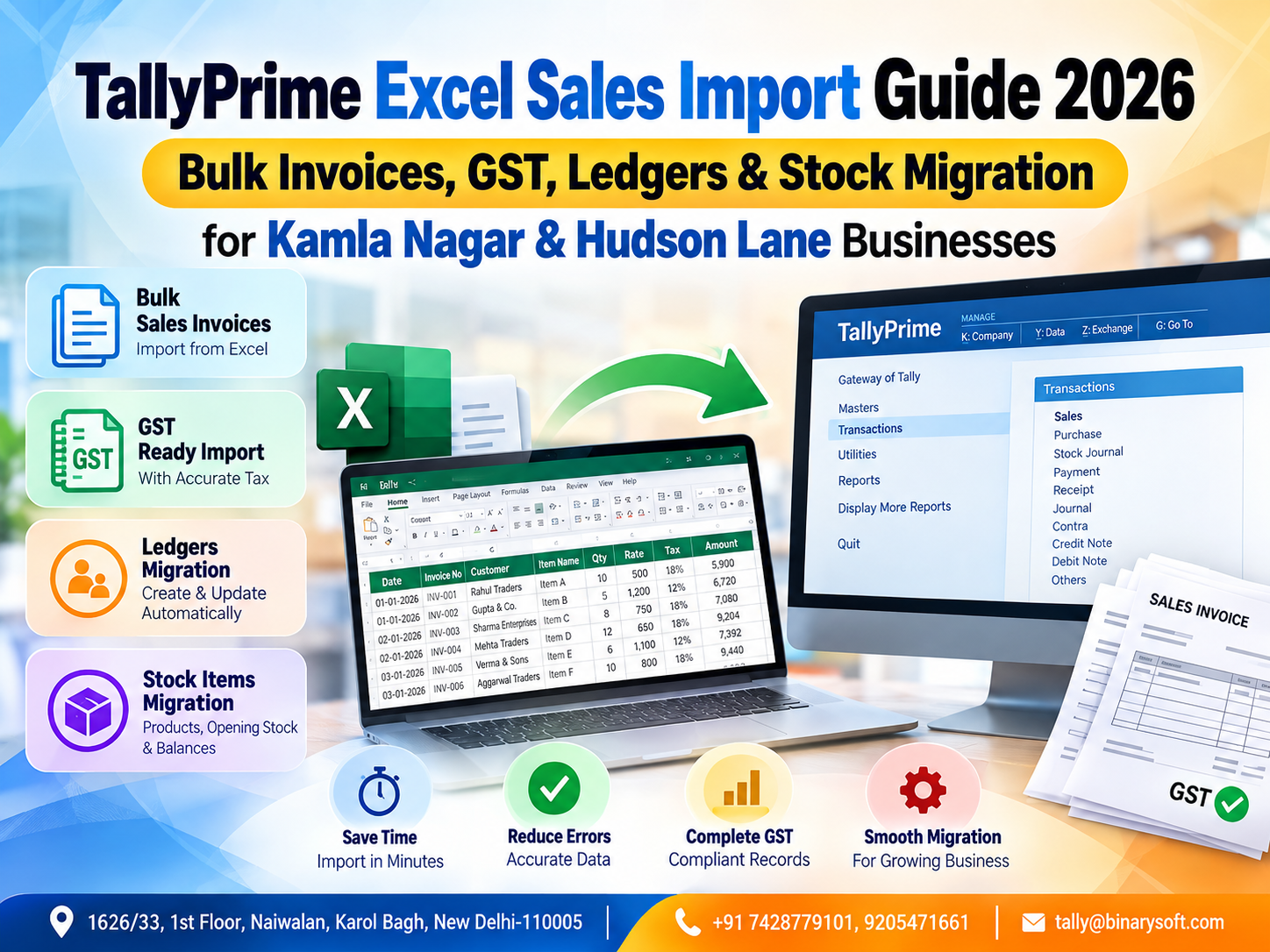
Excel-to-TallyPrime Sales Import Is Becoming More Important in 2026
In 2026, businesses around Kamla Nagar and Hudson Lane are processing larger volumes of digital sales data while facing growing pressure to keep GST invoices, customer ledgers, stock records and accounting books accurate. Sales information may arrive through Excel files exported from billing software, POS systems, e-commerce platforms, distributors or internal order-management systems. Manually entering hundreds or thousands of invoices into TallyPrime can consume valuable staff time and increase the possibility of duplicate vouchers, incorrect GSTINs, mismatched tax rates and stock differences. The practical shift is toward structured Excel-to-TallyPrime import workflows that convert properly prepared spreadsheet data into accounting transactions with significantly less repetitive entry. For traders, retailers, wholesalers, restaurants, service businesses and growing enterprises, bulk import can mean faster bookkeeping, more consistent records, quicker GST review and better inventory visibility—provided the Excel data is cleaned, mapped, validated and backed up before migration.
Why Kamla Nagar & Hudson Lane Businesses Need Faster Accounting Workflows
Kamla Nagar and Hudson Lane are among North Delhi's active commercial areas, with businesses serving students, residents, institutions and customers from surrounding markets.
The business mix can include:
Retail stores
Garment businesses
Footwear sellers
Restaurants and cafés
Mobile and electronics businesses
Stationery suppliers
Book sellers
Cosmetics stores
Food businesses
Wholesalers
Distributors
Service providers
Online sellers
Many such businesses generate significant transaction volumes.
When 20 invoices are generated in a day, manual accounting may appear manageable.
When the number becomes 100, 300 or even more transactions per day, the situation changes.
Every invoice can contain multiple pieces of information:
Invoice number
Invoice date
Customer name
GSTIN
Place of supply
Item name
Quantity
Rate
Discount
Taxable value
GST rate
CGST
SGST
IGST
Invoice total
Entering all of this repeatedly into an accounting system requires considerable time.
That is where a structured Excel sales import workflow can become valuable.
What Is Excel to TallyPrime Sales Import?
Excel to TallyPrime sales import refers to transferring sales transaction data stored in Microsoft Excel or another compatible structured data source into TallyPrime.
The objective is to avoid entering every sales voucher manually.
Suppose your billing system generates an Excel file containing 2,000 invoices.
Instead of asking an accountant to manually recreate all 2,000 transactions, the business can prepare and map the data into an import-compatible structure and transfer eligible information into TallyPrime.
The exact process depends on the source data, TallyPrime version, import format, business configuration and whether a standard or customized import workflow is being used.
Importing is not simply copying Excel rows into TallyPrime.
The data must be structured correctly.
Why Bulk Invoice Import Matters in 2026
Modern businesses increasingly generate data outside their primary accounting system.
A Kamla Nagar retailer may generate invoices through a retail billing application.
A Hudson Lane restaurant may use a POS system.
An online seller may download order reports from a marketplace.
A distributor may receive order information from an ERP or sales application.
An accountant may then need to bring this information into TallyPrime.
Without automation, the same transaction is effectively entered twice:
First in the billing or sales application.
Then again in TallyPrime.
That duplicate effort adds no commercial value.
A properly implemented import process can reduce repetitive data entry and allow accounting teams to spend more time reviewing exceptions, reconciliation and compliance.
A Kamla Nagar Business Owner's Month-End Problem
Consider a fictional example of a garment retailer operating near Kamla Nagar.
The store had grown steadily over several years.
Its billing software worked well at the counter. Every customer received an invoice, and daily sales were recorded properly.
But the accounts team used TallyPrime.
At the end of each week, the billing application generated an Excel report.
The accountant then manually entered transactions from that spreadsheet into TallyPrime.
At first, the process worked.
Then sales increased.
Hundreds of transactions became thousands.
One evening near the end of the month, the owner noticed his accountant still working long after the shop had closed.
“Why are you still entering last week's bills?” he asked.
The accountant showed him the Excel sheet.
More than a thousand rows were waiting.
Some customer names were duplicated. Several GST invoices required verification. Stock quantities also needed adjustment.
The owner had always assumed that because the sales already existed digitally, accounting would automatically be easy.
It wasn't.
The data existed, but the systems were disconnected.
When the business introduced a structured Excel-to-TallyPrime import workflow, the biggest change was not simply speed.
It was relief.
The accountant could focus on checking exceptions instead of typing the same transactions again.
The owner could get reports sooner.
And month-end stopped feeling like an accounting emergency.
What Sales Data Can Be Prepared for TallyPrime Import?
The information required depends on the nature of the transaction and configuration, but a structured sales file may contain fields such as:
Invoice number
Invoice date
Voucher type
Customer ledger
Customer GSTIN
Billing state
Place of supply
Stock item
HSN/SAC
Quantity
Unit
Rate
Discount
Taxable value
GST percentage
CGST amount
SGST amount
IGST amount
Round-off
Invoice total
Narration
Businesses should identify which fields are mandatory for their accounting workflow before starting the migration.
Bulk Sales Invoice Import
Bulk invoice import is particularly useful for businesses generating large numbers of invoices outside TallyPrime.
Imagine a Hudson Lane business generating 400 invoices per day.
Over 26 working days, that can mean:
400 × 26 = 10,400 invoices.
Re-entering more than ten thousand transactions manually every month can consume substantial accounting resources.
Even if each invoice takes only one minute to enter, that represents more than 173 hours of data-entry effort.
Automation can significantly reduce repetitive work, although time must still be allocated for data preparation, validation, reconciliation and exception handling.
Excel Data Preparation Before Import
The quality of the final accounting data depends heavily on the quality of the source file.
Before importing anything, clean the Excel data.
Check for:
Blank invoice numbers
Duplicate invoices
Invalid dates
Incorrect customer names
Missing GSTINs
Incorrect GSTIN formats
Missing item names
Negative quantities where not expected
Incorrect tax rates
Formula errors
Blank mandatory fields
Inconsistent units
Unexpected special characters
Incorrect invoice totals
Do not treat the import process as a way to repair bad source data automatically.
Clean data first.
Import second.
Validate third.
Customer Ledger Mapping
Customer ledger mapping is one of the most important parts of an Excel-to-TallyPrime migration.
Suppose the Excel file contains:
ABC Traders
But TallyPrime contains:
A.B.C. Traders
The system or import process needs to know whether these represent the same party.
Poor ledger mapping can create duplicate customers.
You could end up with:
ABC Traders
A.B.C. Traders
ABC Traders Delhi
ABC Trader
All four may actually represent one customer.
That creates problems in outstanding reports, GST records and customer account reconciliation.
Before bulk importing sales, standardize party names wherever possible.
GSTIN Mapping and Validation
For B2B transactions, GSTIN information can be particularly important.
The Excel file should be reviewed for:
Missing GSTIN
Incorrect GSTIN length
Typing errors
GSTIN belonging to the wrong customer
State inconsistencies
Duplicate customer records
An incorrect GSTIN can cause compliance and reconciliation difficulties later.
Businesses should therefore treat GSTIN validation as a core data-quality step rather than an optional cleanup activity.
B2B and B2C Sales
The import process should correctly distinguish between different categories of sales where relevant.
B2B sales generally involve registered business customers.
B2C sales generally involve sales to consumers or unregistered customers.
The accounting and GST information required can differ according to the nature of the transaction.
Therefore, the source Excel file should contain sufficient information to identify the correct transaction type.
GST Rate Mapping
Businesses dealing in multiple products may have transactions involving different GST rates.
The applicable tax treatment depends on the goods or services involved and prevailing law.
The Excel-to-TallyPrime workflow should therefore map tax information carefully.
A small mapping error repeated across thousands of rows can become a large accounting problem.
Before final import, businesses should test GST calculations against a representative sample of invoices.
CGST, SGST and IGST
The tax structure can depend on whether a transaction is intra-state or inter-state and on applicable GST rules.
For example, an eligible intra-state transaction may involve CGST and SGST, while an inter-state transaction may involve IGST.
The source data should contain adequate state and place-of-supply information to support correct accounting treatment.
Businesses should verify GST configuration with their accountant or GST professional before importing high-volume transaction data.
Stock Item Migration
Sales accounting is closely connected with inventory for trading businesses.
If the source Excel file contains item-level sales information, stock item mapping becomes essential.
Suppose Excel contains:
Men's Shirt Blue XL
But TallyPrime contains:
Shirt – Blue – XL
The item mapping needs to be consistent.
Otherwise, incorrect or duplicate stock masters can be created depending on the workflow used.
Before importing inventory-related sales, prepare a master mapping sheet.
Stock Master Standardization
A good stock master should use consistent naming.
Avoid situations such as:
T-Shirt Black M
Black T Shirt Medium
Tshirt-M-Black
T Shirt Black Size M
If all four descriptions refer to the same product, inconsistent names can destroy inventory reporting quality.
Standardization should ideally happen before large-scale migration.
Units of Measurement
Inventory businesses should also check units carefully.
Examples include:
Nos
Pcs
Kg
Box
Pair
Metre
Litre
If Excel contains “PCS” while the accounting master expects another configured unit, mapping may be required.
Units should be standardized before migration.
HSN/SAC Information
Where applicable, HSN or SAC information should be correctly maintained according to business and compliance requirements.
A product's tax classification should not be guessed during migration.
Review:
HSN/SAC
GST rate
Item description
Unit
Taxability
Correct master data improves the quality of future transactions as well.
Opening Stock Migration
Some businesses moving from another system may need more than sales invoices.
They may also need to bring opening inventory information into TallyPrime.
An opening stock file could contain:
Item name
Quantity
Rate
Value
Unit
Godown/location
Batch details where applicable
Opening balances should be reconciled carefully with the previous system before they are treated as final.
Customer Opening Balances
When migrating an existing business, customer balances may also need to be transferred.
For example:
ABC Traders – ₹1,25,000 Receivable
XYZ Enterprises – ₹78,500 Receivable
Opening balances must agree with the previous accounting records.
If opening balances are wrong, future outstanding reports will also be wrong.
Supplier Ledgers
Although this guide focuses primarily on sales imports, many businesses eventually want a broader migration that includes:
Customer ledgers
Supplier ledgers
Purchase transactions
Bank ledgers
Expense ledgers
Stock items
Opening balances
A phased migration is usually safer than importing everything without testing.
Why Backup Is Essential Before Bulk Import
Never perform a major bulk import into important accounting data without an appropriate backup strategy.
If the mapping is incorrect, hundreds or thousands of unwanted entries could be introduced.
Before migration:
Take a backup of the existing company data.
Verify that the backup is usable.
Record the pre-import voucher count or relevant control totals.
Perform the import.
Review the results.
Reconcile totals.
Only then should the migration be treated as successful.
Use a Test Company First
One of the safest approaches is to test the import using a copy or test environment before working with live accounting data.
Start with perhaps 10–20 representative invoices.
Include different transaction scenarios, such as:
B2B sale
B2C sale
Different GST rates
Inter-state sale
Intra-state sale
Discounted invoice
Multiple-item invoice
Round-off transaction
If these transactions appear correctly, expand the test.
Do not start with 50,000 rows simply because the import facility can process bulk data.
Post-Import Validation
Import completion does not mean migration completion.
Validation is mandatory.
After import, compare the source and destination.
Check:
Number of invoices
Total taxable sales
Total invoice value
CGST total
SGST total
IGST total
Customer balances
Stock quantities
Sales register totals
Voucher dates
Ideally, the source system and TallyPrime should reconcile to clearly defined control totals.
Duplicate Invoice Prevention
Duplicate invoices are a common migration risk.
Imagine importing January sales once.
Someone later forgets that January has already been imported and processes the same file again.
Without proper controls, duplicate accounting entries may be created depending on the workflow.
Maintain an import register containing:
File name
Period
Import date
Imported by
Number of records
Total amount
Status
This simple discipline can prevent major problems.
Handling Excel Formula Cells
Excel sheets often contain formulas.
Before migration, determine whether the import process requires calculated values rather than formulas.
Check that formulas have produced the correct results.
Pay special attention to:
Taxable value
Discount
GST amounts
Invoice total
Round-off
Quantity × rate calculations
Never assume that because an Excel formula exists, its result is correct.
Date Formatting Problems
Dates are another common source of migration errors.
One file might contain:
07/10/2026
Another might contain:
10/07/2026
Depending on the format, these could be interpreted differently.
Use one consistent date format throughout the migration file and verify it during testing.
Excel to TallyPrime for Retail Businesses in Kamla Nagar
Retail businesses can benefit when they use a separate POS or billing system but maintain final books in TallyPrime.
Typical workflow:
Customer purchases goods.
POS generates invoice.
Daily or periodic sales data is exported.
Excel data is cleaned and mapped.
Transactions are imported into TallyPrime.
Accounts team validates sales and tax totals.
This can reduce repetitive manual voucher creation.
Excel to TallyPrime for Hudson Lane Restaurants and Cafés
Restaurants and cafés often generate high transaction volumes through POS platforms.
Instead of manually entering every consumer bill, businesses may use summarized or transaction-level accounting workflows depending on their compliance, reporting and business requirements.
The appropriate method should be decided with an accounting professional.
The goal is to create a workflow that balances detail, compliance, reconciliation and operational efficiency.
Excel Import for Wholesalers and Distributors
Wholesalers may have fewer invoices than retail businesses, but each invoice can contain many items.
A single wholesale invoice might include 20, 50 or even 100 stock lines.
Manual entry becomes slow and error-prone.
Bulk import can be particularly valuable when item masters, customer ledgers, GST details and units are already standardized.
Excel Import for E-Commerce Sellers
Online sellers frequently receive data through spreadsheets or downloadable reports.
Their accounting requirements can involve:
Orders
Invoices
Returns
Cancellations
Discounts
Shipping charges
Marketplace fees
GST
TCS
TDS where applicable
Settlements
Marketplace settlement accounting is more complex than simply importing sales invoices.
Businesses should design separate workflows for sales, returns, fees, deductions and settlements to ensure that the accounting records reconcile with actual bank receipts.
Sales Returns and Credit Notes
A complete sales migration strategy must also consider returns.
If sales are imported but returns are ignored, revenue and stock reports can become inaccurate.
Depending on the business process, return data may need to be represented through appropriate credit notes or other applicable accounting entries.
Returns should be mapped and reconciled separately.
Discounts and Round-Off
Discounts may be:
Item-level discounts
Invoice-level discounts
Trade discounts
Cash discounts
Their accounting and tax treatment can differ depending on circumstances.
Similarly, round-off amounts need consistent handling.
These details should be included in the mapping specification before automation begins.
Common Excel-to-TallyPrime Import Errors
Typical problems include:
Ledger not found
Stock item not found
Duplicate voucher number
Incorrect voucher type
Invalid date
GST configuration mismatch
Incorrect unit
Incorrect tax ledger
Invalid quantity
Missing mandatory field
Incorrect party mapping
A good migration process records errors separately instead of allowing them to disappear unnoticed.
Error Log and Exception Management
Suppose you attempt to import 5,000 invoices.
4,930 are processed successfully.
70 fail.
Do not simply assume the job is “almost complete.”
Those 70 transactions may represent significant sales.
Create an exception report showing:
Invoice number
Date
Customer
Amount
Reason for failure
Correction status
Re-import status
The objective should be 100% accountability for the source records.
Daily Import vs Monthly Import
High-volume businesses should consider whether daily, weekly or monthly imports are most practical.
Daily import can offer:
Smaller files
Faster error detection
More current reports
Easier reconciliation
Monthly import may reduce the frequency of processing but creates a larger reconciliation workload.
For many active businesses, shorter import cycles can be easier to control.
Why Automation Does Not Eliminate the Accountant
Automation reduces repetitive work.
It does not eliminate accounting judgment.
An accountant still needs to review:
GST treatment
Ledger classification
Reconciliation
Exceptions
Returns
Credit notes
Opening balances
Tax differences
Bank transactions
Financial reports
The purpose of automation is to move human effort away from typing and toward verification and analysis.
Benefits of Bulk Excel Sales Import
A well-designed workflow can deliver several practical benefits.
Faster Data Processing
Thousands of structured transactions can be processed more efficiently than manual voucher entry.
Reduced Repetitive Entry
Accounts staff do not have to retype information already available digitally.
Better Consistency
Standard mapping can reduce inconsistent ledger and item selection.
Faster Reporting
When transactions reach TallyPrime sooner, management reports can also become available sooner.
Improved Inventory Visibility
Correct item-level migration can help maintain more current stock information.
Easier GST Review
Structured tax data can make transaction review and reconciliation more manageable.
Better Scalability
As transaction volume grows, businesses can avoid increasing manual data-entry effort at the same rate.
Building a Reliable Excel Import Template
A reusable import template can dramatically improve consistency.
For example, a sales template might contain columns for:
Invoice Date
Invoice Number
Customer Name
GSTIN
State
Voucher Type
Item Name
HSN
Quantity
Unit
Rate
Discount
Taxable Amount
GST Rate
CGST
SGST
IGST
Round-Off
Invoice Total
The actual fields should be designed according to the business's TallyPrime configuration and transaction requirements.
A Practical Migration Workflow
A controlled migration can follow this sequence:
Understand the source system.
Identify required TallyPrime masters.
Clean Excel data.
Standardize customer names.
Standardize stock items.
Validate GST information.
Map source fields to destination fields.
Take a backup.
Create or use a test environment.
Import sample transactions.
Validate the sample.
Correct mapping errors.
Import a larger batch.
Reconcile totals.
Review exceptions.
Complete the final migration.
Document the process for future imports.
Excel Sales Import and Management Reporting
Once clean sales information is available in TallyPrime, management can use relevant reports to review business performance.
Depending on configuration and data quality, this can help analyze:
Sales trends
Customer balances
Outstanding receivables
Item movement
Stock position
GST-related information
Ledger balances
Profit & Loss information
Cash and bank positions
The real value of importing data is therefore not the import itself.
It is what the business can do with accurate information afterward.
Why Local Businesses Should Focus on Data Quality
For a busy Kamla Nagar retailer or Hudson Lane business, transaction speed can be extremely high during peak hours and seasons.
A business may generate excellent sales but still struggle with its books because information is scattered across POS software, Excel files, WhatsApp messages, invoices and accounting systems.
Data quality creates the bridge between operations and accounting.
Clean masters, consistent invoice numbers and standardized tax information make automation significantly easier.
When Should You Consider Professional Assistance?
Professional assistance may be useful when:
You have thousands of historical transactions.
The Excel structure is complicated.
Customer names are inconsistent.
Stock masters need mapping.
Multiple GST rates are involved.
You need B2B and B2C classification.
The source system uses different item codes.
You need recurring imports.
Historical data must be migrated.
You require custom mapping.
You need sales, purchases, receipts and payments migrated together.
You are uncertain about GST treatment.
A carefully designed migration is usually less expensive than repairing incorrect accounting data later.
From Manual Entry to Controlled Automation
The objective should not be “import everything automatically.”
The better objective is:
Import clean information automatically and review exceptions manually.
That approach combines speed with control.
Automation handles repetitive transactions.
Accountants handle judgment.
Management receives reports faster.
And the business can scale without allowing accounting workloads to become unmanageable.
Conclusion
For businesses in Kamla Nagar and Hudson Lane, Excel-to-TallyPrime sales import can transform accounting when transaction volumes begin to outgrow manual entry. Retailers, wholesalers, restaurants, distributors, service providers and online sellers often already possess digital transaction data; the challenge is converting that information into reliable accounting records without unnecessary re-entry.
A successful TallyPrime Excel import workflow begins with clean source data, standardized customer ledgers, accurate stock masters, correct GST information and carefully defined mappings. It should include backups, sample testing, reconciliation and exception management before large volumes are processed.
Bulk import is not simply about saving a few hours of typing. It can help businesses obtain more timely sales records, improve stock visibility, simplify GST review and give management faster access to financial information.
The most important rule is simple: never measure a migration only by how many rows were imported. Measure it by whether the final accounting data is complete, accurate and reconciled.
Powered by Binarysoft Technologies
Authorized Tally Partner
Location : 1626/33, 1st Floor, Naiwalan, Karol Bagh, New Delhi – 110005, INDIA
Contact us : +91 7428779101, 9205471661
Email us : tally@binarysoft.com
Working Hours: 10:00 AM – 6:00 PM, Mon–Fri
Frequently Asked Questions
Can sales invoices be imported from Excel into TallyPrime?
TallyPrime supports data import capabilities, while the exact method and supported structure depend on the version, source format and accounting configuration. Businesses should prepare and test their data carefully before performing bulk imports.
Can thousands of invoices be migrated in bulk?
Large transaction volumes can be handled through appropriately designed import processes. However, businesses should use batch testing, backups and reconciliation rather than importing a very large dataset into live books without validation.
Can GST information be included during sales migration?
GST-related transaction information can form part of a structured migration where supported and correctly configured. GSTIN, place of supply, tax rate, taxable value and relevant tax amounts should be carefully validated.
Can B2B and B2C invoices both be imported?
A properly designed import workflow can account for different sales categories, provided the source file contains sufficient information and the transactions are mapped correctly.
CA. Advait Chitale advises businesses on taxation, audit, and financial controls. He is passionate about helping organizations adopt technology-driven accounting solutions that enhance productivity and ensure regulatory compliance.