Call CA Tally HelpDesk
+91 9205471661,
7428779101
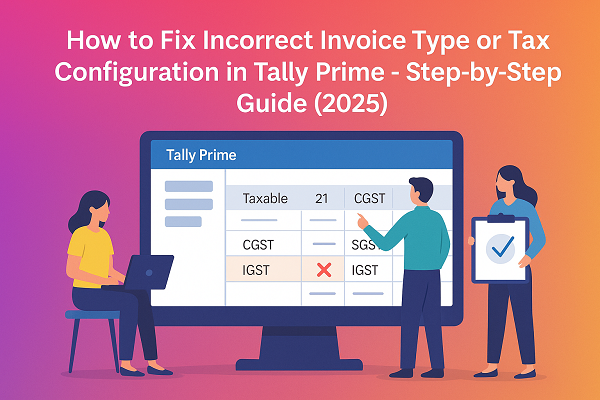
While preparing GST returns in Tally Prime, one of the most common issues users face is Incorrect Invoice Type or Wrong Tax Configuration. This issue often leads to mismatch errors in GSTR-1, incorrect classification of sales (B2B, B2C, Exports, etc.), or even wrong GST calculations.
If your invoices are showing under the wrong section or your taxes are not appearing correctly in GSTR reports, this guide will help you fix the problem step-by-step and ensure your Tally setup stays 100% GST compliant.
1. What Does Incorrect Invoice Type or Tax Configuration Mean?
Every sale or purchase transaction in Tally Prime must be classified correctly based on its invoice type and GST configuration.
Examples:
- A sale to a registered dealer should be marked as B2B.
- A sale to an unregistered customer should be marked as B2C.
- An export sale must be configured as Export – Zero Rated.
If the classification is incorrect or missing, Tally cannot determine where to place the invoice in your GSTR-1 report, and it may fall under “Uncertain Transactions” or appear in the wrong section altogether.
2. Common Causes of Incorrect Invoice Type or Tax Configuration
Here are the main reasons behind this issue:
- Wrong Party Type:
The customer’s GST registration type is incorrect (e.g., set as “Unregistered” for a registered dealer).
- Wrong Nature of Transaction:
The sales voucher was created under the wrong transaction type (e.g., “Sales Exempt” instead of “Sales Taxable”).
- Incorrect Ledger Configuration:
Tax ledgers (CGST, SGST, IGST) not mapped properly or used in the wrong transaction.
- Taxability Not Defined in Items:
Stock items or services don’t have tax rates assigned under GST details.
- State Mismatch:
The party’s state and GSTIN prefix do not match, leading to wrong tax (IGST instead of CGST/SGST or vice versa).
These mistakes cause Tally to misclassify the invoice, resulting in wrong reporting and GST calculation errors.
3. How to Identify Incorrect Invoice Type in Tally Prime
Follow these steps to find out which vouchers are misconfigured:
- Go to Gateway of Tally → Display More Reports → Statutory Reports → GST → GSTR-1.
- Press F5: Exceptions.
- Select “Invoices with Incorrect Tax Type or Classification.”
- Tally will display all vouchers that have inconsistent tax configurations or wrong invoice types.
This report makes it easy to identify errors before exporting your return.
4. How to Fix Incorrect Invoice Type or Tax Configuration
Step 1: Check Party Ledger Configuration
- Go to Gateway of Tally → Alter → Ledger → [Select Party Name].
- Under GST Registration Details, verify:
- Registration Type: Regular / Composition / Unregistered
- GSTIN: Correct and valid
- State: Matches the GSTIN’s state code
- Press Ctrl + A to save.
✅ Tip: For registered parties, ensure GSTIN is always filled; for unregistered customers, mark as “Unregistered.”
Step 2: Verify Nature of Transaction
- Open the Sales Voucher.
- Press F12: Configure → Provide GST Details → Yes.
- Choose the correct Nature of Transaction:
- Sales to Registered (B2B)
- Sales to Unregistered (B2C)
- Exports – Zero Rated
- Exempt / Nil Rated
- Save the voucher.
This ensures Tally classifies the sale in the correct section of GSTR-1.
Step 3: Check Stock Item GST Configuration
- Navigate to Inventory Info → Stock Items → Alter → [Select Item].
- Under GST Details, confirm:
- Taxability: Taxable, Nil Rated, or Exempt.
- GST Rates: 5%, 12%, 18%, or 28%.
- Save using Ctrl + A.
If items have no GST rates, Tally won’t calculate tax properly.
Step 4: Validate Tax Ledgers
- Ensure CGST + SGST are used for Intra-State sales.
- Use IGST for Inter-State sales.
- If necessary, create separate ledgers for each rate (e.g., CGST @9%, IGST @18%).
Step 5: Review GSTR-1 After Correction
Once changes are made:
- Reopen the GSTR-1 report.
- Verify all invoices are under correct sections (B2B, B2C, etc.).
- Export JSON again and validate using GST Offline Tool.
5. Preventing the Issue in Future
- Always verify party type and GSTIN before entering transactions.
- Maintain proper ledger and item GST mapping.
- Use separate ledgers for taxable and exempt sales.
- Regularly review GST Exception Reports before filing returns.
- Keep your Tally Prime updated through TSS (Tally Software Services) for latest GST schema updates.
6. Final Thoughts
Incorrect invoice type or tax configuration errors can lead to wrong tax liability, mismatched returns, or rejected filings. Thankfully, Tally Prime makes it simple to detect and fix these issues using its Exception Reports and GST tools.
By following the above steps, you can ensure your invoices are correctly classified, your GSTR reports remain accurate, and your business stays GST compliant at all times.
Powered by Binarysoft Technologies
Authorized Tally Partner
�� 1626/33, 1st Floor, Naiwala, Karol Bagh, New Delhi – 110005, INDIA
�� +91 7428779101, 9205471661, 8368262875
�� tally@binarysoft.com (10:00 AM – 6:00 PM, Mon–Fri)
CA. Rishubh Talrejaa specializes in GST, business accounting, and compliance advisory for growing enterprises. With experience in handling real-time transactional data and audits, he writes practical insights on inventory control, taxation, and digital transformation for Indian businesses operating in competitive markets.