How to Fix Nil-Rated or Exempted Sales Not Appearing in Tally Prime – Complete Guide (2025)

Call CA Tally HelpDesk +91 9205471661, 7428779101
How to Fix Nil-Rated or Exempted Sales Not Appearing in Tally Prime – Complete Guide (2025)
By CA. Sagar Singh   |   Published on: 09-10-2025 | 7 min read

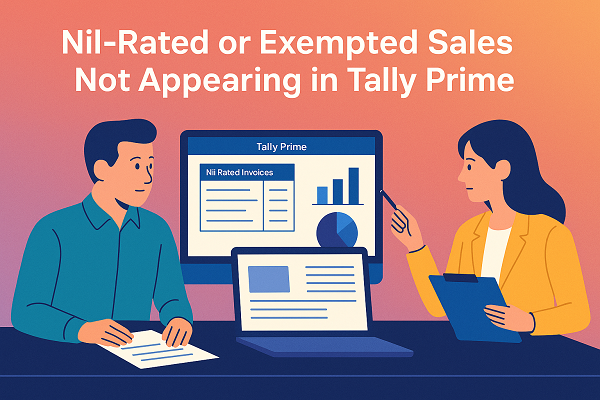
When filing your GSTR-1 or GSTR-3B from Tally Prime, you might notice that Nil-rated or Exempted Sales do not appear in your GST reports. This can cause confusion or even incomplete reporting during GST return filing.

These transactions are essential because they show sales made at 0% GST rate, including goods and services exempt from tax under GST law. If they don’t appear in the GSTR-1 or GSTR-3B summary, it usually means Tally hasn’t classified them correctly. Let’s explore the causes, solutions, and preventive steps to ensure Nil-rated supplies are always reflected properly.


1. Understanding Nil-Rated and Exempted Sales

Before fixing the issue, it’s important to understand what these transactions mean:

  • Nil-rated Supplies:
    Goods or services taxable under GST but with a 0% tax rate, like fresh fruits, cereals, or salt.
  • Exempted Supplies:
    Goods or services that are completely exempt from GST, like healthcare, education, and certain public services.

Both these categories must appear in your GSTR-1 (Table 8) and GSTR-3B (Section 3.1(c)) to represent total non-taxable turnover.


2. Why Nil-Rated or Exempted Sales Do Not Appear in Tally Prime

If your Nil-rated or exempted invoices are missing from GSTR reports, the issue usually falls under one of the following reasons:

  1. Wrong Tax Classification:
    The item or ledger is not marked as “Nil Rated” or “Exempt” under GST details.
  2. Tax Ledger Applied Incorrectly:
    You may have used a normal sales ledger with GST applied instead of creating a separate ledger for exempt sales.
  3. Incomplete GST Details in Item Master:
    The product doesn’t have correct GST taxability defined in its stock item master.
  4. Incorrect Nature of Transaction:
    The voucher is created under “Sales – Taxable” instead of “Sales – Exempt/Nil Rated.”
  5. Inconsistent Voucher Dates or States:
    Sales may belong to another filing period or the wrong place of supply.

3. How to Fix Nil-Rated/Exempted Sales Not Appearing in GSTR-1

Follow these steps carefully to ensure Nil-rated or exempted sales appear properly in your GST return reports:

Step 1: Check Stock Item GST Details

  1. Go to Gateway of Tally → Inventory Info → Stock Items → Alter → [Select Item].
  2. Under GST Details, set:
    • Taxability: Nil Rated or Exempt.
    • Leave GST rate fields blank.
  3. Press Ctrl + A to save.

This ensures Tally knows the item is non-taxable and should be shown in the Nil-rated category.


Step 2: Verify Sales Ledger

  1. Navigate to Accounts Info → Ledgers → Alter → [Select Sales Ledger].
  2. Under GST Details, set the “Type of Supply” as Goods or Services (as applicable).
  3. Ensure the ledger name clearly indicates the nature (e.g., Sales – Nil Rated or Sales – Exempt).

Avoid using the same ledger for both taxable and exempt supplies.


Step 3: Review Sales Voucher Entry

  1. Open each Nil-rated sales voucher.
  2. Press F12 → Enable ‘Provide GST details’ → Yes.
  3. Under Nature of Transaction, select:
    • “Sales Exempt” or
    • “Sales Nil Rated.”
  4. Save the voucher again with Ctrl + A.

This will ensure Tally classifies the sale correctly during report generation.


Step 4: Recheck in GSTR-1 Report

  1. Go to Display More Reports → Statutory Reports → GST → GSTR-1.
  2. Under Table 8 – Nil Rated, Exempted, Non-GST Supplies, verify that your transactions are now listed.
  3. If still missing, press F5 → Exceptions and review for incorrect tax setups or missing GST details.

4. Additional Tips to Ensure Accurate Reporting

  • Use Separate Ledgers: Maintain different sales ledgers for taxable and exempt supplies.
  • Validate Regularly: Before GSTR filing, use Error/Exception Reports to identify missing or wrongly classified entries.
  • Stay Updated: Always update Tally Prime to the latest version to get the newest GST schema updates.
  • Cross-Check Turnover: Compare Sales Register totals vs. GSTR-1 summary to ensure all sales (taxable and non-taxable) are included.

5. Final Thoughts

Nil-rated and exempted sales are an integral part of GST reporting. Even though these transactions don’t attract tax, they represent a legitimate part of your turnover. When they don’t appear in Tally Prime’s GSTR reports, it typically means your item or ledger setup is incorrect.

By following the above steps — properly defining GST taxability, using separate sales ledgers, and verifying transactions through exception reports — you can ensure all Nil-rated and exempted sales are accurately displayed in your GSTR-1 and GSTR-3B reports.

A few minutes of correction today can save hours of rework during monthly filing and help you maintain 100% GST compliance.


About the Author

Written by CA. Sagar Singh • 09-10-2025

CA. Sagar Singh advises MSMEs on accounting accuracy, GST compliance, and internal controls. With exposure to high-volume transaction environments, he writes practical guidance on inventory management, billing discipline, and compliance-ready accounting systems.

Verified Content 7 min read Support: +91 9205471661, 7428779101

Need Quick Support for Tally Prime?

For Tally Prime discount schemes and product inquiries, connect with our team.

+91 9205471661 | +91 7428779101

Subscribe For Product Updates

Opt-in Subscription

Tally Prime Auditor Renewal (One Year)

Applicable for CAs / Firms Using GOLD (Multi User ) Only
Renew your license now and upgrade from Tally ERP 9 to Tally Prime for Free!
Rs 6750 + 18% GST (Rs 1215)
Continue Here >>

Tally Prime Auditor Renewal (Two Years)

Applicable for CAs / Firms Using GOLD (Multi User ) Only
Renew your license now and upgrade from Tally ERP 9 to Tally Prime for Free!
Rs 12150 + 18% GST (Rs 2187)
Offer Continue Here >>

Tally Prime Gold Renewal (One Year)

Unlimited Multi-User Edition For Multiple PCs on LAN Environment
Renew your license now and upgrade from Tally ERP 9 to Tally Prime for Free!
Rs 13500 + 18% GST (Rs 2430)
Continue Here >>

Tally Prime Gold Renewal (Two Years)

Unlimited Multi-User Edition For Multiple PCs on LAN Environment
Renew your license now and upgrade from Tally ERP 9 to Tally Prime for Free!
Rs 24300 + 18% GST (Rs 4374)
Offer Continue Here >>

Tally Prime Silver Renewal  (One Year)

Single User Edition For Standalone PCs ( Not applicable for Rental License )
Renew your license now and upgrade from Tally ERP 9 to Tally Prime for Free!
Rs 4500 + 18% GST (Rs 810)
Continue Here >>

Tally Prime Silver Renewal  (Two Years)

Single User Edition For Standalone PCs ( Not applicable for Rental License )
Renew your license now and upgrade from Tally ERP 9 to Tally Prime for Free!
Rs 8100 + 18% GST (Rs 1458)
Offer Continue Here >>

Tally On Cloud

Tally On Cloud ( Per User Annual)
Now access Tally Prime anytime from anywhere – Just Deploy your Tally License and Tally Data on our Cloud Solution.
Rs 7000 + 18% GST (Rs 1260)
Continue Here >>

Tally Prime Gold

Unlimited Multi-User Edition
For EMI options, please Call: +91 742 877 9101 or E-mail: tally@binarysoft.com (10:00 am – 6: 00 pm , Mon-Fri)
Rs 67500 + 18% GST (Rs 12150)
Continue Here >>

Tally Prime Silver to Tally Prime Gold

Unlimited Multi-User Edition For Multiple PCs on LAN Environment
Renew your license now and upgrade from Tally ERP 9 to Tally Prime for Free!
Rs 45000 + 18% GST (Rs 8100)
Continue Here >>

Tally Prime Silver

Single User Edition For Standalone PCs
For EMI options, please Call: +91 742 877 9101 or E-mail: tally@binarysoft.com (10:00 am – 6: 00 pm , Mon-Fri)
Rs 22500 + 18% GST (Rs 4050)
Continue Here >>

Tally On AWS Cloud Personal (For 1 user)

(Per User/One Year)
TallyPrime latest release pre-installed
Rs 7200 + 18% GST (Rs 1296)
Continue Here >>

Tally On AWS Cloud Regular (Upto 2 users)

(Two Users/One Year)
TallyPrime latest release pre-installed
Rs 14400 + 18% GST (Rs 2592)
Continue Here >>

Tally On AWS Cloud Regular Plus (Upto 4 users)

(Four Users/One Year)
TallyPrime latest release pre-installed
Rs 21600 + 18% GST (Rs 3888)
Continue Here >>

Tally On AWS Cloud Regular Pro (Upto 8 users)

(Eight Users/One Year )
TallyPrime latest release pre-installed
Rs 43200 + 18% GST (Rs 7776)
Continue Here >>

Tally On AWS Cloud Performance (Upto 12 users)

(Twelve Users/One Year)
TallyPrime latest release pre-installed
Rs 64800 + 18% GST (Rs 11664)
Continue Here >>

Tally On AWS Cloud Performance Plus (Upto 16 users)

(Sixteen Users/One Year)
TallyPrime latest release pre-installed
Rs 86400 + 18% GST (Rs 15552)
Continue Here >>

Latest Articles

Inventory Management vs Accounting Software: Which One Does Your Business Really Need?
Compare inventory and accounting software for 2026 sellers, with practical TallyPrime and Amazon rec...
Read More →
Billing Software for Electronics and Mobile Shops in Gaffar Market, Palika Bazar and Nehru Place
TallyPrime billing guide for Delhi electronics sellers: GST, Amazon settlements, fees, TCS, TDS, ret...
Read More →
Better Business Control for Palika Bazaar & Shankar Market: Inventory and Accounting Software Compared
Compare inventory and accounting software for Palika Bazaar and Shankar Market sellers, with TallyPr...
Read More →
Schedule III Division I Financial Statements in TallyPrime for Kamla Nagar and Hudson Lane Companies
Learn how Kamla Nagar and Hudson Lane companies can prepare Schedule III Division I financial statem...
Read More →
Inventory Control vs Financial Management: Best Software for a Growing Business
Compare inventory control and financial management software for growing sellers, with TallyPrime tip...
Read More →
Why Textile Businesses Are Choosing TallyPrime on Cloud in India: Pricing, Inventory, GST, Remote Access, Reports and Data Safety
Guide for textile sellers using TallyPrime on Cloud for inventory, GST, Amazon reconciliation, remot...
Read More →
Get For Tally Discount Scheme and Inquiries
Call us at +91 7428779101, 8368262875.

Tally Query | Discounted Tally New License | Discounted Tally Renewal