Call CA Tally HelpDesk
+91 9205471661,
7428779101
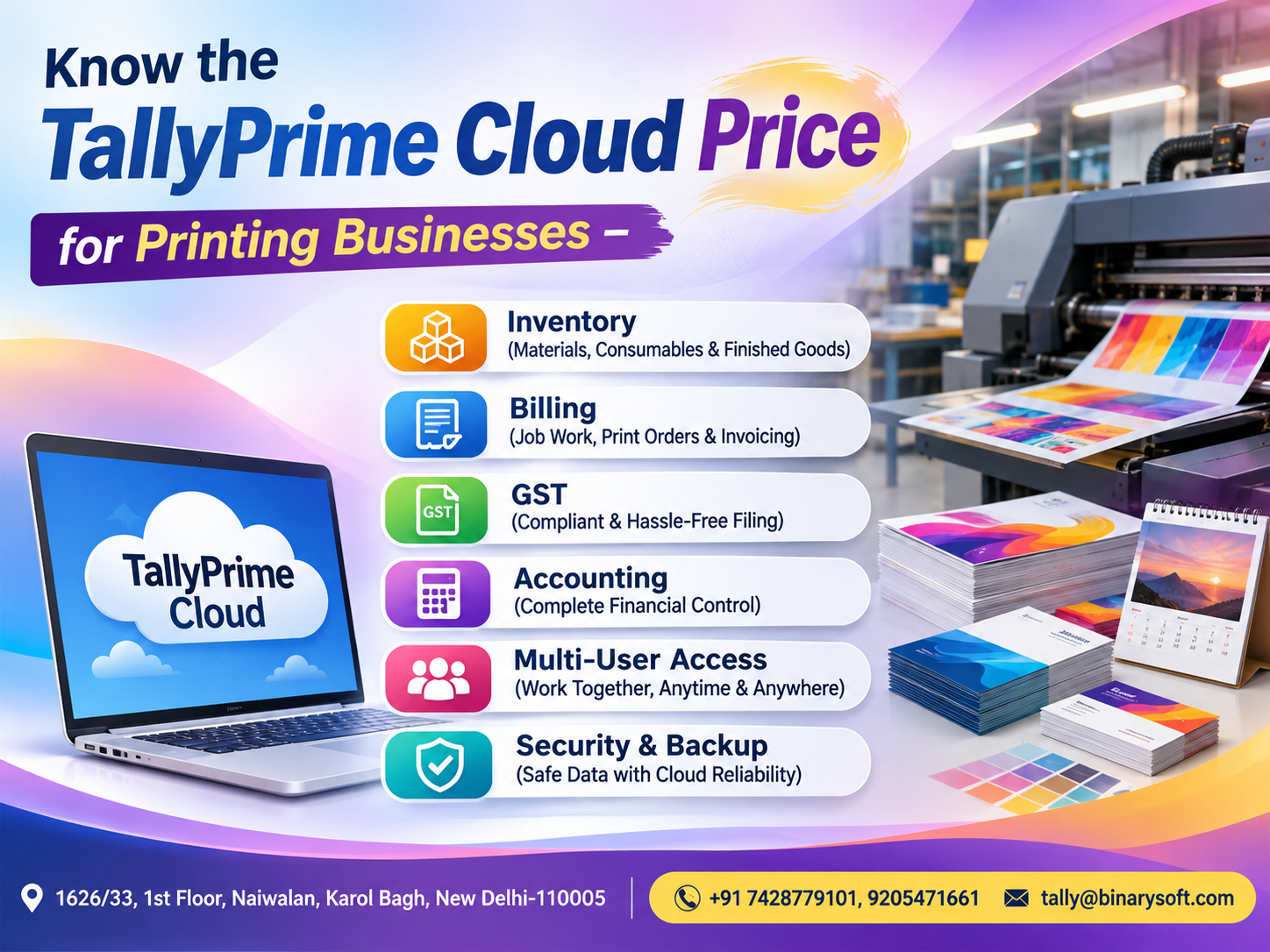
The printing industry is changing rapidly. From traditional offset printing presses to digital printing studios, packaging manufacturers, label printers, flex printing shops and commercial printing businesses, owners are expected to manage production costs, customer orders, raw materials, GST invoices and payments efficiently.
A printing business does not simply sell products. It often manages customized jobs, different paper sizes, ink consumption, printing plates, lamination, binding, finishing, labour charges and delivery schedules.
Every printing order may involve a different combination of materials, production processes and expenses.
For example, a commercial printer in Karol Bagh may receive an order for 10,000 brochures, while another customer requests 500 premium visiting cards. Both jobs have different material requirements, production costs and profit margins.
Managing these transactions through disconnected spreadsheets and manual registers can become difficult as business volume increases.
This is where TallyPrime Cloud for printing businesses can make a meaningful difference.
TallyPrime combines accounting, invoicing, inventory management, GST reporting and financial analysis. When hosted on a properly configured cloud environment, authorized employees can access the accounting system remotely, subject to licensing, hosting arrangements and security controls.
However, business owners often ask an important question:
What is the TallyPrime Cloud price for a printing business, and what features are included?
The answer depends on several factors, including the TallyPrime licence, hosting resources, number of users, security requirements, backup arrangements and additional business-specific configurations.
This guide explains the pricing structure, essential features, benefits, implementation considerations and practical applications of TallyPrime Cloud for printing businesses in 2026.
1. What Is TallyPrime Cloud for Printing Businesses?
TallyPrime Cloud refers to running a licensed TallyPrime installation in a remotely accessible hosting environment rather than relying exclusively on a computer located inside the printing office.
The hosting environment may be a dedicated virtual server, managed cloud desktop or another compatible remote infrastructure.
Authorized users can connect to the hosted environment through supported remote-access methods.
For printing businesses, this arrangement can help connect accounting activities across offices, production facilities and management locations.
For example, a printing company may operate its production unit in Naraina, maintain its sales office in Karol Bagh and have an accountant working from another location.
With an appropriately configured cloud setup, authorized staff can access the same centrally maintained company data, according to their permissions.
TallyPrime continues to provide the accounting and business management functions, while the cloud hosting provider supplies the underlying infrastructure and remote-access environment.
Cloud hosting is therefore a deployment arrangement, not a separate replacement for TallyPrime.
2. Understanding TallyPrime Cloud Pricing in 2026
TallyPrime Cloud pricing should be evaluated as a combination of software licensing, cloud hosting and optional support services.
There is no single universal cloud price suitable for every printing business.
A small digital printing shop with one accountant will have different requirements from a packaging manufacturer with multiple accounting users and large transaction volumes.
The main pricing components are:
TallyPrime software licence: The cost depends on the licence edition, subscription or renewal requirements, and applicable commercial terms.
Cloud server hosting: The hosting cost depends on computing resources, storage, operating system, remote-access arrangements and service level.
Number of concurrent users: Multi-user requirements can affect both TallyPrime licensing and cloud infrastructure costs.
Data storage and backup: Businesses with extensive accounting data may require additional storage, backup retention and recovery services.
Security and support: Managed security, monitoring, technical assistance and business continuity arrangements may influence the overall price.
Customization and implementation: Printing-specific reports, invoice formats, job costing workflows and data migration may involve separate implementation charges.
A business should request an itemized quotation rather than comparing providers only by their advertised monthly hosting fee.
3. TallyPrime Cloud Price in India: Indicative 2026 Cost Breakdown
The following published starting prices provide a useful benchmark for printing businesses evaluating TallyPrime Cloud.
|
Component
|
Indicative price
|
|---|
|
TallyPrime Silver lifetime licence
|
₹22,500 + GST
|
|
TallyPrime Gold lifetime licence
|
₹67,500 + GST
|
|
TallyPrime Silver monthly rental
|
₹750 + GST
|
|
TallyPrime Gold monthly rental
|
₹2,250 + GST
|
|
TallyPrime Cloud Access starting price
|
₹600 per user/month + GST
|
|
Cloud server hosting from other providers
|
Depends on quotation
|
|
Data migration and customization
|
Depends on requirements
|
Indicative published prices checked for November 2026. These are not a Binarysoft Technologies quotation. Cloud hosting and software licences are separately chargeable, and taxes, promotions and plan conditions may change.
A small printing business with one accounting user could consider a Silver licence with an appropriate single-user cloud plan.
A medium-sized printing press requiring simultaneous access for accounting, billing and management staff may need a Gold licence and a compatible multi-user hosting package.
A larger printing company with multiple production locations may require additional server resources, stronger access controls and more extensive backup arrangements.
The cheapest plan is not necessarily the most economical. Performance, reliability, technical support and recoverability should also influence the purchasing decision.
4. An Emotional Story: How a Printing Press Owner Recovered Control of His Business
The following story is fictional and illustrates common challenges experienced by printing business owners.
For nearly twenty years, Manoj operated a commercial printing press in West Delhi.
His father had established the business with one printing machine, a few workers and a reputation for delivering quality work.
Over time, Manoj expanded the business into brochure printing, packaging labels, catalogues and corporate stationery.
Orders increased, but so did the pressure.
Every evening, Manoj stayed at the office checking paper purchases, customer invoices, pending payments and production expenses.
His accountant worked on one computer, while production supervisors maintained separate handwritten registers.
Whenever Manoj travelled to meet a customer, he had to call the office to confirm payment balances or check whether sufficient paper stock was available.
One evening, his son called to remind him about a school function.
"Papa, you promised you would come this time."
Unfortunately, Manoj was still at the printing press, trying to resolve a mismatch between customer invoices and outstanding payments.
He realized that although his business had grown, his accounting processes had not kept pace.
After reviewing his requirements, Manoj decided to implement TallyPrime with a suitable cloud hosting arrangement.
His team organized customer ledgers, stock records, purchase transactions and sales invoices.
The accountant began maintaining financial records centrally, while Manoj received authorized access to business information when away from the office.
Production-related expenses were also recorded more systematically.
The transition required training and careful verification, but the improvement became noticeable.
Manoj no longer needed to visit the office merely to check every outstanding balance.
He could review important accounting reports remotely and discuss urgent issues with his accountant.
A few weeks later, he attended his son's school function.
As his son walked toward him smiling, Manoj understood that technology had helped him recover something more valuable than a few hours of accounting work.
It had given him more freedom to be present for his family.
The real value of cloud accounting is not simply remote access. It is the ability to manage business responsibilities with greater confidence and flexibility.
5. Inventory Management for Printing Businesses Using TallyPrime
Inventory management is one of the most important requirements for printing companies.
Unlike ordinary retailers, printing businesses often purchase raw materials that are consumed during customized production.
Common materials include printing paper, cardboard, ink, toner, plates, adhesive, lamination film, packaging supplies and binding materials.
TallyPrime allows businesses to create stock items, stock groups, units of measurement and godowns or locations.
For example, a printing company can maintain separate stock records for different paper sizes, GSM specifications and material categories.
A business may track 70 GSM paper, 130 GSM art paper, 300 GSM card stock and other commonly used materials separately.
When inventory vouchers are correctly recorded, management can review material availability and movement.
How inventory features help
Raw material monitoring: Track purchases, consumption and closing quantities.
Stock classification: Organize materials according to type, size, quality or department.
Multiple locations: Maintain stock records for separate stores or production facilities.
Stock valuation: Review inventory values using supported valuation methods.
Reorder planning: Use stock information to identify materials that may require replenishment.
Businesses should configure their production workflow carefully. Detailed machine-level consumption, wastage analysis or production scheduling may require additional processes or customization beyond standard accounting functions.
6. GST Billing and Invoicing for Printing Presses
Printing businesses often supply different products and services, including printed materials, design work, packaging, labels and finishing services.
The applicable GST treatment depends on the nature of the transaction, classification, place of supply and current tax rules.
TallyPrime can help create GST-compliant invoices when company settings, ledgers, stock items and tax classifications are correctly configured.
A printing company can maintain customer details, GSTIN information, invoice numbers, taxable values and applicable tax amounts.
For eligible transactions, relevant e-invoicing and e-way bill workflows may also be available, subject to applicable rules, version and service requirements.
Practical example
A commercial printer supplies printed promotional materials with a taxable value of ₹50,000.
If the applicable GST rate for that specific supply is 18%, the calculation would be:
|
Particulars
|
Amount
|
|---|
|
Taxable value
|
₹50,000
|
|
GST at assumed 18%
|
₹9,000
|
|
Invoice total
|
₹59,000
|
This is an illustrative calculation, not a classification recommendation.
TallyPrime helps record the transaction and calculate configured taxes, while the business remains responsible for verifying the correct GST treatment.
7. Printing Job Costing and Profitability Analysis
One of the biggest challenges in printing is determining whether an individual job is profitable.
A printing order may involve paper, ink, machine operation, labour, binding, lamination, transportation and other expenses.
TallyPrime's cost centres, cost categories and accounting reports can help allocate and review job-related costs when transactions are recorded consistently.
Consider a printing company completing an order for 5,000 product catalogues.
|
Cost component
|
Illustrative amount
|
|---|
|
Paper
|
₹18,000
|
|
Ink and consumables
|
₹5,000
|
|
Printing labour
|
₹7,000
|
|
Binding and finishing
|
₹4,000
|
|
Other allocated expenses
|
₹3,000
|
|
Total job cost
|
₹37,000
|
|
Selling value, excluding GST
|
₹48,000
|
|
Estimated job profit
|
₹11,000
|
The estimated job profit margin is approximately 22.9%, before any additional unallocated expenses.
By consistently allocating expenses to jobs, management can compare costs against sales revenue.
For complex production costing, specialized reports or integrations may be needed.
8. Multi-User Cloud Access for Printing Companies
A printing business may have separate employees responsible for billing, purchases, accounting and management.
With a suitable multi-user TallyPrime licence and compatible cloud arrangement, authorized users can work with centrally maintained accounting data.
For example, a billing employee may enter customer invoices while an accountant reviews ledger balances.
A purchase executive may record supplier bills, while the business owner reviews financial reports.
User permissions should be configured according to job responsibilities.
Multi-user cloud access can reduce dependence on a single office computer, but the number of supported simultaneous users depends on the purchased licences and hosting plan.
Businesses should also evaluate internet reliability and performance during peak working hours.
9. Data Security and Backup in TallyPrime Cloud
Printing businesses maintain sensitive information, including customer quotations, supplier balances, financial transactions and employee-related records.
Protecting this information is essential.
A properly managed cloud environment should include suitable authentication, access permissions, network protection, software updates and backup procedures.
Businesses should ask the hosting provider about encryption, administrator access, backup frequency, retention periods and recovery procedures.
Important security considerations
User access controls: Restrict accounting functions according to employee responsibilities.
Strong authentication: Use strong passwords and additional authentication methods where supported.
Scheduled backups: Maintain regular backups of company data.
Backup recovery testing: Confirm that backups can actually be restored.
Business continuity: Understand what happens during internet outages, server failures or service interruptions.
Data ownership: Ensure the business can retrieve its accounting data when changing providers.
Cloud hosting does not automatically eliminate the risk of data loss or unauthorized access.
Security depends on the combined responsibilities of the hosting provider, software administrator and business users.
10. Case Study One: Digital Printing Studio in Karol Bagh
Illustrative case study with hypothetical figures.
A digital printing studio in Karol Bagh specialized in visiting cards, brochures, posters and promotional materials.
The business maintained accounting records on a single office computer.
Whenever the accountant was absent, the owner struggled to access updated customer balances.
The company also maintained separate spreadsheets for paper and printing consumables.
The solution
The studio implemented a TallyPrime Cloud arrangement suitable for its accounting requirements.
Customer records, supplier ledgers and inventory masters were organized.
The business established a structured process for recording purchases, sales and material consumption.
Authorized remote access allowed the owner to review accounting information outside the office.
Illustrative benefits
The studio reduced dependence on one physical workstation and improved access to accounting reports.
The owner could monitor customer outstanding balances more conveniently.
Stock information became easier to review because inventory records were maintained in a central system.
The business also introduced scheduled backup verification.
The case demonstrates how a relatively small printing company can benefit from a carefully configured cloud accounting environment without requiring a complicated enterprise system.
11. Case Study Two: Packaging and Offset Printing Company in Naraina
Illustrative case study with hypothetical figures.
A packaging and offset printing company operated a production facility in Naraina and a sales office elsewhere in Delhi.
The company handled customized packaging orders for retailers, manufacturers and distributors.
Its accounting team experienced delays in receiving production-related purchase and expense information.
Management also found it difficult to compare job costs with customer billing amounts.
The solution
The company implemented a multi-user TallyPrime environment hosted on suitable cloud infrastructure.
It standardized customer ledgers, purchase records, inventory categories and cost centres.
Accounting employees were assigned permissions according to their responsibilities.
Production expenses were recorded against appropriate cost centres, enabling more structured job profitability reviews.
Illustrative results
The company improved coordination between its sales and accounting teams.
Management could review financial information without waiting for separate spreadsheet reports.
Job-related expenses became easier to analyze, while centralized accounting records supported more consistent reconciliation.
The business also established documented backup and recovery procedures.
The key lesson was that cloud hosting provided accessibility, while disciplined accounting configuration produced the operational benefits.
12. TallyPrime Cloud vs Traditional Desktop Accounting
Both cloud and local desktop installations can support printing businesses.
The appropriate choice depends on the company's working model.
|
Feature
|
Local desktop setup
|
Cloud-hosted setup
|
|---|
|
Office-based accounting
|
Yes
|
Yes
|
|
Remote access
|
Requires suitable setup
|
Available through hosting
|
|
Multi-user capability
|
Depends on licence and network
|
Depends on licence and plan
|
|
Internet dependency
|
Lower for local work
|
Generally required
|
|
Server maintenance
|
Managed locally
|
Managed according to hosting agreement
|
|
Data backup
|
Business-managed
|
Provider-managed or shared responsibility
|
|
Monthly hosting fee
|
Usually none
|
Usually applicable
|
A small printing shop operating entirely from one location may find a local installation sufficient.
A growing printing business with multiple offices, remote employees or frequent management travel may find cloud hosting more convenient.
13. How to Choose the Right TallyPrime Cloud Plan
Before purchasing cloud hosting, a printing business should assess its actual requirements.
Start by identifying the number of employees who need simultaneous access.
Next, review company data size, transaction volume, expected growth and any specialized printing workflows.
Consider whether the business requires inventory tracking, cost centre reporting, custom invoices, multiple locations or integration with other applications.
Ask the provider to explain the available CPU, RAM, storage, backup capacity and technical support arrangements.
Request clarity on migration charges, licence costs, renewal terms and additional user charges.
It is also advisable to test performance with representative company data before committing to a long-term hosting arrangement.
The best cloud plan is the one that meets operational requirements reliably, not necessarily the one with the lowest advertised monthly price.
14. How Binarysoft Technologies Can Help Printing Businesses
Binarysoft Technologies is an Authorized Tally Partner based in Karol Bagh, New Delhi.
Printing businesses evaluating TallyPrime Cloud can contact Binarysoft Technologies to discuss accounting requirements, software licensing, inventory configuration and suitable cloud access arrangements.
A requirements assessment can help determine whether the business needs a single-user or multi-user setup.
It can also identify whether standard TallyPrime features are sufficient or whether additional configuration, migration assistance or customization is required.
For printing presses, packaging manufacturers, digital printing studios and commercial printers, proper implementation is essential for reliable accounting results.
Businesses should request a written quotation covering software licensing, hosting, support, backup services and any applicable implementation charges.
Conclusion: Is TallyPrime Cloud Worth the Investment for Printing Businesses?
TallyPrime Cloud can be a valuable option for printing businesses seeking better accessibility, organized accounting and improved control over financial information.
Its usefulness extends beyond remote access.
When correctly configured, TallyPrime can support GST billing, inventory management, customer outstanding tracking, purchase accounting, cost allocation and financial reporting.
For printing businesses, these capabilities can help improve visibility into material consumption, customer payments and job profitability.
Cloud hosting adds the convenience of accessing centrally maintained accounting records from authorized locations.
However, the overall cost should be evaluated carefully.
Software licensing, hosting resources, user requirements, data security, backups and technical support all influence the total investment.
Whether you operate a small digital printing shop in Karol Bagh or a larger packaging unit in Naraina, choosing the right accounting environment can help create a more organized foundation for future growth.
A well-planned TallyPrime Cloud setup is not simply an IT expense. It can be an investment in operational efficiency, accounting visibility and business continuity.
Contact Binarysoft Technologies for TallyPrime Cloud Pricing
Powered by Binarysoft Technologies
Authorized Tally Partner
Location: 1626/33, 1st Floor, Naiwalan, Karol Bagh, New Delhi – 110005, INDIA
Contact Us: +91 7428779101, 9205471661
Email: tally@binarysoft.com
Business Hours: 10:00 AM – 6:00 PM, Monday to Friday
Contact Binarysoft Technologies to discuss TallyPrime Cloud pricing, printing business accounting, inventory management, GST billing, multi-user access and data backup requirements.
Frequently Asked Questions
What is the TallyPrime Cloud price for printing businesses in 2026?
Published TallyPrime Cloud Access plans start at approximately ₹600 per user per month plus GST. The TallyPrime software licence is charged separately. Final costs depend on the selected plan, user count and additional services.
Is the TallyPrime licence included in cloud hosting charges?
Generally, no. Cloud hosting and the TallyPrime software licence are separate components. Confirm the inclusions in the provider's written quotation.
Can TallyPrime manage printing paper, ink and other raw materials?
Yes. TallyPrime supports stock items, stock groups, units of measurement and inventory records that can be configured for printing materials.
CA. Rishaan Lodha focuses on accounting controls, taxation, and financial reporting for trading and service organizations. He helps businesses improve transaction recording, reconciliations, and documentation for efficient financial management.