Call CA Tally HelpDesk
+91 9205471661,
7428779101
Introduction: Why Restaurant Businesses Are Moving Towards Cloud Accounting in 2026
Running a restaurant in 2026 requires much more than preparing delicious food and delivering excellent customer service. Rising ingredient costs, fluctuating food prices, online delivery commissions, employee salaries, GST compliance and increasing competition are putting pressure on restaurant owners across India.
A restaurant may receive hundreds of orders daily, yet its owner might struggle to determine the actual profit earned after accounting for purchases, wastage, discounts, taxes and operating expenses.
Traditional accounting systems installed on a single office computer often make financial monitoring difficult, particularly when the business operates multiple restaurants or cloud kitchens.
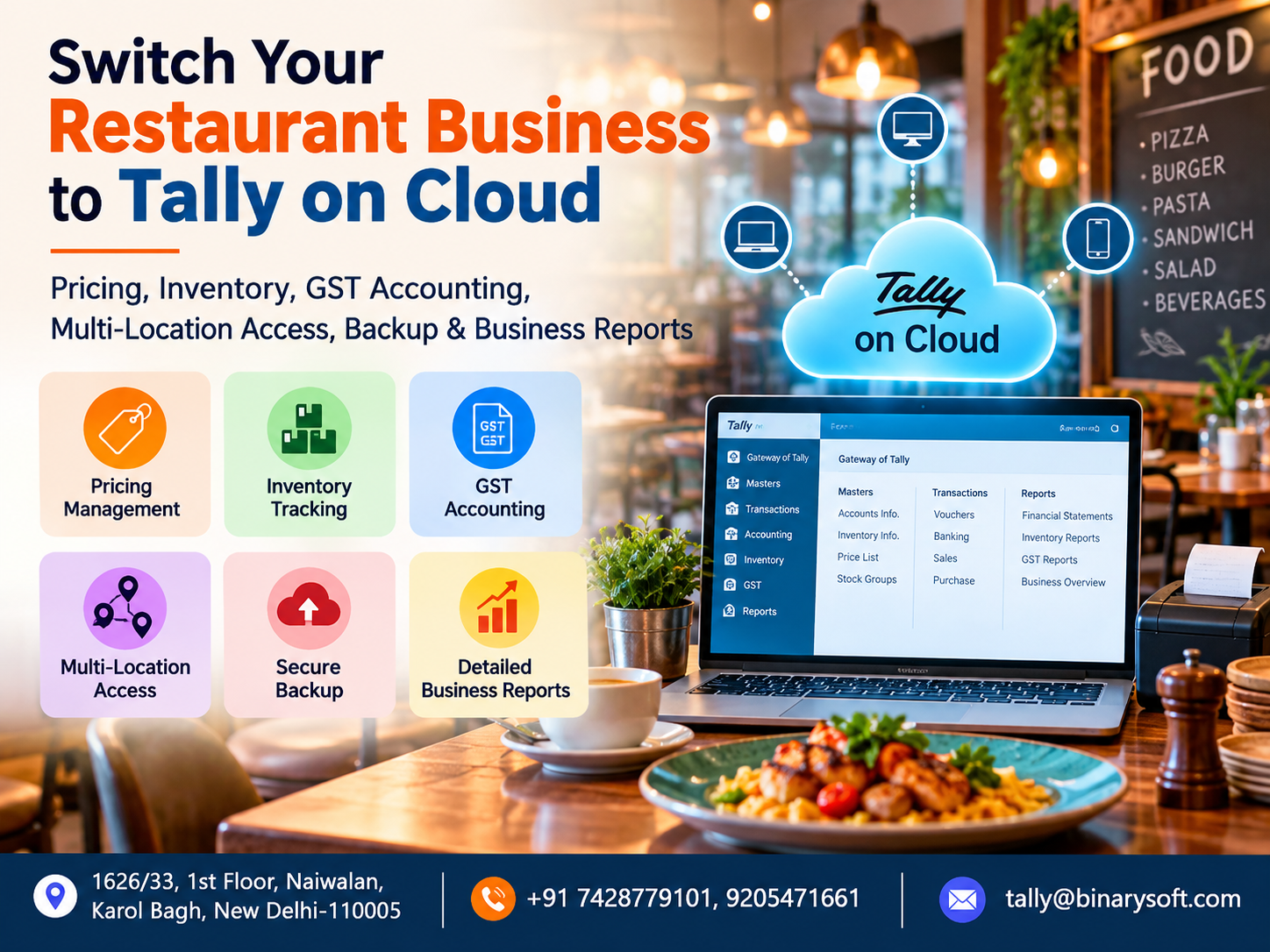
Tally on Cloud offers restaurant owners a practical way to access TallyPrime accounting data remotely, monitor financial performance, manage inventory records and maintain better control over business operations.
Whether you operate a small café in Delhi, a family restaurant, a fast-food outlet or a growing restaurant chain, cloud-based accounting can help you make informed decisions without being physically present at every location.
1. Understanding Tally on Cloud for Restaurant Businesses
Tally on Cloud is a hosting arrangement that allows businesses to run their licensed TallyPrime software on a remotely accessible server rather than depending entirely on a single local computer.
Restaurant owners, accountants and authorised managers can access the accounting environment through an internet connection, subject to their assigned permissions and the hosting configuration.
For example, a restaurant owner operating outlets in Karol Bagh, Connaught Place and Rohini may need consolidated financial information from all three locations.
Instead of collecting separate Excel files or waiting for accountants to email reports, the owner can access the hosted accounting environment and review updated information.
Tally on Cloud can support restaurant operations through:
-
Centralised accounting and financial record management.
-
GST-compliant sales and purchase accounting.
-
Ingredient purchases and inventory valuation.
-
Supplier payment and outstanding tracking.
-
Multi-location financial monitoring.
-
Secure remote access for authorised users.
-
Scheduled backups, depending on the hosting plan.
-
Profitability, cash flow and expense reporting.
However, Tally on Cloud is not automatically a restaurant POS, kitchen order management or recipe-costing solution. These functions may require compatible third-party applications, integrations or additional configurations.
2. The Emotional Story: A Restaurant Owner Who Almost Lost Control of His Business
For nearly fifteen years, Rajesh had operated a family restaurant in Delhi. His restaurant was known for its traditional North Indian meals, and many customers had been visiting since childhood.
Rajesh had built the business through long working hours, personal relationships and an unwavering commitment to food quality.
Eventually, he expanded to a second outlet.
Business appeared successful. Both restaurants were receiving regular orders, and online food delivery platforms brought additional customers.
Yet something was wrong.
Despite growing sales, Rajesh struggled to pay suppliers on time. His accountant maintained records on one office computer, while managers at the two outlets shared daily figures through messages and spreadsheets.
Every evening, Rajesh would sit at his dining table, surrounded by purchase bills and handwritten expense notes.
His daughter once asked, "Papa, if both restaurants are doing so well, why are you always worried?"
He had no simple answer.
One month, Rajesh discovered that ingredient purchases had increased significantly. He also found that some supplier invoices were recorded twice, while several delivery-platform settlements had not been reconciled.
The business was generating revenue, but he lacked reliable financial visibility.
Rajesh decided to reorganise his accounting operations using TallyPrime hosted on a cloud server.
He established consistent purchase recording, supplier reconciliation, outlet-wise accounting and controlled access for his accountant.
Gradually, he could review expenses and outstanding payments without waiting until the end of the month.
More importantly, he began understanding where his money was going.
One evening, instead of reviewing piles of invoices, Rajesh returned home early and enjoyed dinner with his family.
His restaurant had not become successful simply because he adopted cloud accounting. It became easier to manage because he finally had clearer information to guide his decisions.
This is an illustrative story representing common financial challenges faced by restaurant owners.
3. Why Restaurants Need Better Accounting and Financial Control
Restaurant businesses operate differently from many conventional trading businesses.
They purchase perishable ingredients, prepare food, manage daily cash collections, accept digital payments and often sell through multiple channels.
A small accounting mistake can affect profitability.
Daily sales from multiple channels
Restaurants may receive payments through cash, UPI, debit cards, credit cards, food delivery platforms and corporate catering arrangements.
These transactions must be recorded correctly to avoid differences between sales reports, bank deposits and actual collections.
Rising ingredient costs
Prices of vegetables, dairy products, edible oils, grains and other ingredients can change frequently.
Without accurate purchase records and inventory monitoring, restaurant owners may fail to identify increasing food costs.
Supplier payment management
Restaurants often purchase from multiple vendors offering different credit periods.
Tracking supplier balances helps avoid duplicate payments, overdue invoices and disruptions to ingredient supplies.
Expense control
Rent, electricity, salaries, packaging, maintenance, marketing and delivery commissions can consume a substantial portion of restaurant revenue.
TallyPrime helps organise these transactions into appropriate accounting ledgers so management can examine expenses systematically.
4. How TallyPrime Helps Restaurant Businesses Manage Accounting
TallyPrime provides accounting, inventory and financial reporting capabilities that can be adapted to restaurant requirements.
Sales accounting and GST invoices
Restaurants can record sales transactions using appropriate accounting vouchers and GST configurations.
Where a restaurant uses separate POS billing software, daily sales summaries or transaction-level records may be transferred into TallyPrime through supported imports or compatible integrations.
This helps maintain structured financial records without unnecessarily replacing an existing restaurant billing system.
Purchase accounting
Restaurant accountants can record purchases of ingredients, beverages, packaging materials, cleaning supplies and other consumables.
Supplier invoices can be linked to the relevant party ledgers and outstanding balances.
Expense tracking
Separate ledgers can be created for expenses such as:
-
Kitchen gas and fuel.
-
Staff salaries and wages.
-
Restaurant rent.
-
Electricity and water.
-
Delivery-platform commissions.
-
Packaging and takeaway materials.
-
Repairs and maintenance.
This classification helps management understand operating costs and identify areas requiring attention.
Financial statements
TallyPrime supports important reports including the Profit & Loss Account, Balance Sheet, Trial Balance, cash and bank books, and outstanding statements.
These reports help restaurant owners examine financial performance and plan future expenditure.
5. Restaurant Inventory Management with TallyPrime
Inventory management is essential for controlling food costs and reducing unnecessary wastage.
Restaurants frequently purchase vegetables, rice, flour, cooking oil, spices, dairy products, beverages and packaging materials.
TallyPrime allows businesses to create stock items, stock groups, units of measurement and inventory locations.
For example, a restaurant may create the following stock records:
|
Inventory item
|
Unit
|
Tracking purpose
|
|---|
|
Basmati Rice
|
Kilograms
|
Purchases and consumption
|
|
Cooking Oil
|
Litres
|
Kitchen stock
|
|
Paneer
|
Kilograms
|
Daily ingredient usage
|
|
Soft Drinks
|
Bottles
|
Sales and stock
|
|
Packaging Boxes
|
Pieces
|
Takeaway expenses
|
Managing ingredient consumption
Restaurants can use inventory vouchers and configured manufacturing or consumption processes to record ingredients used in food preparation.
For example, preparing 100 portions of a particular dish requires predetermined quantities of ingredients.
A properly configured Bill of Materials can support standard ingredient consumption calculations. Actual wastage, substitutions and preparation losses must still be recorded separately.
Managing multiple storage locations
TallyPrime's godown functionality can help track ingredients stored in different kitchens, warehouses or restaurant branches.
Restaurant owners can examine stock availability, transfers and inventory values by location.
Reducing food wastage
By comparing purchases, recorded consumption, physical stock and sales, management can investigate unusual differences.
For perishable ingredients, expiry monitoring and food safety controls may require additional operational systems and physical verification.
6. GST Accounting for Restaurants and Cloud Kitchens
GST compliance is an important responsibility for restaurants operating in India.
Restaurant transactions may involve dine-in services, takeaway orders, online delivery platforms and catering activities.
The applicable GST treatment depends on the nature of supply, restaurant category, premises classification and relevant legal provisions.
Many restaurant services are subject to 5% GST without input tax credit, while certain specified restaurant services may attract different treatment.
For qualifying restaurant services supplied through an e-commerce operator, special GST payment provisions may apply.
Therefore, businesses should configure their accounting system according to the applicable rules rather than applying one GST rate to every transaction.
How TallyPrime supports GST accounting
TallyPrime can help restaurant accountants:
-
Record taxable sales and purchases.
-
Maintain GST-related ledgers.
-
Review tax classifications.
-
Generate GST reports.
-
Identify accounting differences.
-
Prepare information required for return filing.
-
Maintain supporting transaction records.
Restaurants should also distinguish GST accounting from tax collection responsibilities.
For example, online food delivery transactions may require separate accounting for gross order values, commissions, deductions, taxes and settlement receipts.
Regular reconciliation helps ensure that revenue is not confused with the net amount received from delivery platforms.
7. Tally on Cloud Pricing for Restaurant Businesses in India
Restaurant owners frequently ask how much it costs to use TallyPrime on Cloud.
The final price depends on the hosting provider, software licence, number of users, server resources and additional services.
A small café requiring one accounting user will generally have different infrastructure requirements from a restaurant chain employing multiple accountants.
Illustrative monthly cloud hosting budgets
The following amounts are planning examples, not confirmed Binarysoft Technologies quotations.
|
Restaurant requirement
|
Illustrative monthly hosting budget
|
|---|
|
Small café or takeaway outlet
|
₹800–₹1,500
|
|
Single restaurant with growing accounting needs
|
₹1,500–₹3,000
|
|
Restaurant with multiple accounting users
|
₹3,000–₹6,000
|
|
Multi-branch restaurant operation
|
₹6,000+
|
Actual prices may be lower or higher depending on the selected service, resources and contractual terms.
Important pricing components
Software licence: A valid TallyPrime licence is required. Single-user and multi-user licensing must match the intended usage.
Cloud hosting: Covers the hosted computing environment, subject to the provider's plan.
Storage: Requirements depend on accounting data, attachments and other files.
Backup: Backup frequency, retention and restoration services should be clearly specified.
Technical support: Restaurants should confirm support availability and expected response times.
Additional integrations: POS connections, custom reports, automation and data migration may involve separate charges.
Before choosing a plan, restaurant owners should request a detailed quotation covering all recurring and one-time expenses.
8. Multi-Location Access for Restaurant Chains
Managing multiple outlets can become difficult when each branch maintains disconnected financial records.
Tally on Cloud allows authorised personnel to access a centrally hosted accounting environment.
A restaurant chain may operate locations in Delhi, Gurugram, Noida and Faridabad while maintaining centralised financial supervision.
TallyPrime can support branch-wise analysis using cost centres, inventory locations or separate company records, depending on the business structure.
Branch-wise profitability
Cost centres can help allocate revenue and expenses to individual restaurant locations.
Management can compare operating costs, sales contributions and financial performance.
Centralised supplier accounting
Where appropriate, central purchasing teams can maintain supplier accounts and monitor outstanding payments across the organisation.
Better coordination
Accountants working from different locations can collaborate through a properly licensed multi-user environment.
However, hosting alone does not automatically merge independent branch databases. Businesses must establish a suitable data structure or integration process.
9. Secure Backup and Data Protection for Restaurants
Restaurant accounting records contain sensitive business information, including sales, supplier balances, bank transactions and financial statements.
A damaged office computer, accidental deletion or cyberattack can interrupt accounting operations.
Cloud hosting can reduce dependence on one physical computer, provided the service includes appropriate safeguards.
Important security measures include encrypted connections, strong authentication, restricted user permissions, monitored infrastructure and regularly tested backups.
Restaurant owners should ask their hosting provider about:
-
Daily or more frequent backup schedules.
-
Backup retention periods.
-
Offsite backup storage.
-
Data restoration procedures.
-
Recovery time expectations.
-
Security monitoring.
-
Data ownership and export rights.
A backup is useful only when it can be restored successfully.
Businesses should also maintain an independent backup policy and periodically verify that their accounting data remains recoverable.
10. Business Reports That Help Restaurant Owners Make Better Decisions
Reliable reporting can help restaurant management identify operational problems before they become serious.
TallyPrime provides financial reports that support routine business analysis.
Profit and Loss Account
This report shows revenue and recorded expenses over a selected period.
It helps owners understand whether the restaurant is operating profitably.
Cash and Bank Reports
These reports help track collections, payments, bank balances and cash transactions.
Supplier Outstanding Reports
Restaurant accountants can monitor unpaid purchase invoices and plan supplier payments.
Stock Summary
Inventory reports provide information about recorded stock quantities and values.
Cost Centre Reports
Where cost centres are configured correctly, management can analyse expenses and revenue allocations for individual branches or departments.
Budget and Variance Analysis
Restaurant owners can compare planned expenses with actual recorded expenditure using suitable budgeting configurations and reports.
These insights support decisions about menu pricing, staffing, procurement and expansion.
11. Case Study One: A Delhi Restaurant Improves Purchase and Inventory Control
Illustrative case study based on a typical restaurant accounting scenario.
A mid-sized restaurant in Karol Bagh operated a dine-in kitchen and takeaway counter.
Its monthly ingredient purchases were approximately ₹4.5 lakh.
The restaurant maintained purchase bills in spreadsheets and relied on manual stock checks.
Management frequently discovered differences between recorded purchases and available ingredients.
The challenge
The owner could not easily identify whether the differences resulted from wastage, incorrect entries or unrecorded consumption.
Supplier balances were also difficult to reconcile.
The solution
The restaurant implemented structured purchase accounting in TallyPrime and moved its accounting environment to cloud hosting.
Stock items were created for major ingredients, purchase invoices were recorded systematically, and inventory consumption procedures were introduced.
The accountant reviewed stock and supplier balances weekly.
Illustrative outcome
After three months, the restaurant's internal example showed monthly unexplained inventory differences declining from ₹35,000 to ₹12,000.
This represented an improvement of ₹23,000 per month in the recorded variance.
The figures are hypothetical and demonstrate how improved recordkeeping could help management investigate stock differences. They do not establish actual cash savings or guarantee similar results.
12. Case Study Two: A Multi-Outlet Cloud Kitchen Improves Financial Visibility
Illustrative case study for a growing food delivery business.
A cloud kitchen operator managed three outlets across Delhi NCR.
Orders arrived through multiple delivery channels, and each kitchen maintained separate operational sales records.
The owner struggled to compare profitability between locations.
The challenge
Delivery commissions, promotional discounts, packaging expenses and supplier payments were recorded inconsistently.
Management could see sales growth but could not clearly identify the most profitable kitchen.
The solution
The business introduced a centralised accounting process using TallyPrime on Cloud.
Separate cost centres were configured for each outlet, and daily sales summaries were reconciled with delivery-platform settlements.
Expenses were classified consistently, while accountants received controlled remote access.
Illustrative outcome
The management reporting exercise revealed that one kitchen had significantly higher packaging and delivery-related expenses than the others.
The owner reviewed supplier contracts, packaging purchases and promotional spending.
Instead of expanding immediately, the business focused on improving operating margins.
The important lesson was that revenue growth alone did not establish profitability. Accurate outlet-wise financial information helped management evaluate its options.
13. How to Switch Your Restaurant to Tally on Cloud
Moving restaurant accounting to a hosted environment requires proper planning.
Step 1: Review existing accounting records. Examine current TallyPrime data, POS reports, outstanding balances and inventory records.
Step 2: Identify user requirements. Determine how many accountants, managers and owners require access.
Step 3: Select a hosting configuration. Choose appropriate processing resources, storage, backup arrangements and security controls.
Step 4: Prepare accounting data. Correct major ledger inconsistencies, verify opening balances and create a secure backup before migration.
Step 5: Configure TallyPrime. Set up GST details, stock masters, cost centres, supplier ledgers and relevant reports.
Step 6: Migrate and test. Transfer the accounting environment, verify balances and test remote access.
Step 7: Train employees. Establish consistent procedures for sales entries, purchases, expense recording and reconciliation.
Step 8: Monitor performance. Review accounting reports, backup status and system access regularly.
Restaurants should ideally schedule migration outside peak operating hours to minimise disruption.
14. Why Restaurant Owners Should Consider Tally on Cloud
Tally on Cloud can be valuable for restaurants that need flexible accounting access and improved financial coordination.
Its usefulness becomes particularly clear when an owner manages multiple locations or works with an external accountant.
A centralised accounting environment can reduce dependence on individual office computers and support faster access to updated reports.
However, successful implementation depends on disciplined bookkeeping.
Cloud hosting cannot automatically correct inaccurate purchase invoices, missing sales records or poorly configured GST ledgers.
Restaurants achieve better results when technology is combined with regular reconciliation, inventory verification, staff training and management review.
Conclusion: Build a More Profitable and Better-Controlled Restaurant Business
Restaurant success depends on more than attracting customers and increasing daily orders.
Owners must also understand ingredient costs, employee expenses, supplier obligations, tax liabilities, stock movements and actual profitability.
TallyPrime provides accounting, inventory and reporting capabilities that can help restaurant businesses organise this information.
Hosting TallyPrime on Cloud adds remote accessibility and can make financial coordination easier for restaurants operating across multiple locations.
From small cafés and takeaway counters to growing restaurant chains and cloud kitchens, the right accounting setup can improve financial visibility and support more informed decisions.
The objective is not simply to move accounting software to the cloud. It is to give restaurant owners clearer control over their business, reduce avoidable administrative difficulties and create a stronger foundation for sustainable growth.
For restaurants considering cloud accounting, Binarysoft Technologies can assist with understanding TallyPrime requirements, hosting options, accounting configurations and implementation planning.
Powered by Binarysoft Technologies Authorized Tally Partner
Location: 1626/33, 1st Floor, Naiwalan, Karol Bagh, New Delhi – 110005, INDIA
Contact us: +91 7428779101, 9205471661
Email us: tally@binarysoft.com
Business Hours: 10:00 AM – 6:00 PM, Monday to Friday
Frequently Asked Questions
What is Tally on Cloud for restaurants?
Tally on Cloud allows restaurants to access their licensed TallyPrime accounting software through a hosted server. It helps authorised users work with accounting, inventory and financial information remotely.
How much does Tally on Cloud cost for a restaurant in India?
Cloud hosting costs depend on the number of users, server resources, storage and backup requirements. Smaller businesses may require basic hosting, while multi-branch restaurants may need higher-capacity plans. Software licensing and additional services may be charged separately.
Can TallyPrime manage restaurant inventory?
Yes. TallyPrime supports stock items, stock groups, units of measurement, inventory locations and stock movement records. Detailed recipe costing or automated POS-based ingredient deduction may require additional configuration or integration.
Is TallyPrime suitable for restaurant GST accounting?
Yes. TallyPrime supports GST-related accounting and reporting. Restaurant businesses must configure tax treatment according to their specific supplies and applicable GST regulations.
CA. Arnav Kankaria focuses on accounting automation, GST reconciliations, and financial record management. He helps businesses streamline routine accounting activities while maintaining reliable records for reporting and review.