Call CA Tally HelpDesk
+91 9205471661,
7428779101
Introduction: Why Excel to TallyPrime Bulk Sales Import Matters for Businesses in 2026
In 2026, businesses operating in Tilak Nagar and Uttam Nagar are managing increasing volumes of sales invoices, GST transactions, customer records, and inventory movements. Retailers, wholesalers, distributors, and trading companies frequently maintain billing information in Excel, but manually entering hundreds of transactions into TallyPrime can consume valuable accounting hours. Even a small mistake in GST classification, invoice numbering, customer ledgers, or stock quantities can create reconciliation problems during return preparation and financial reporting. As businesses expand across offline counters, wholesale networks, and digital sales channels, accurate data migration has become increasingly important. TallyPrime bulk sales data import from Excel offers a practical way to reduce repetitive entry, improve consistency, and accelerate accounting workflows. With properly structured spreadsheets, compatible import configurations, and careful validation, businesses can transfer sales transactions into TallyPrime while maintaining control over GST invoices, customer balances, inventory records, and financial reports.
1. Understanding TallyPrime Bulk Sales Data Import from Excel
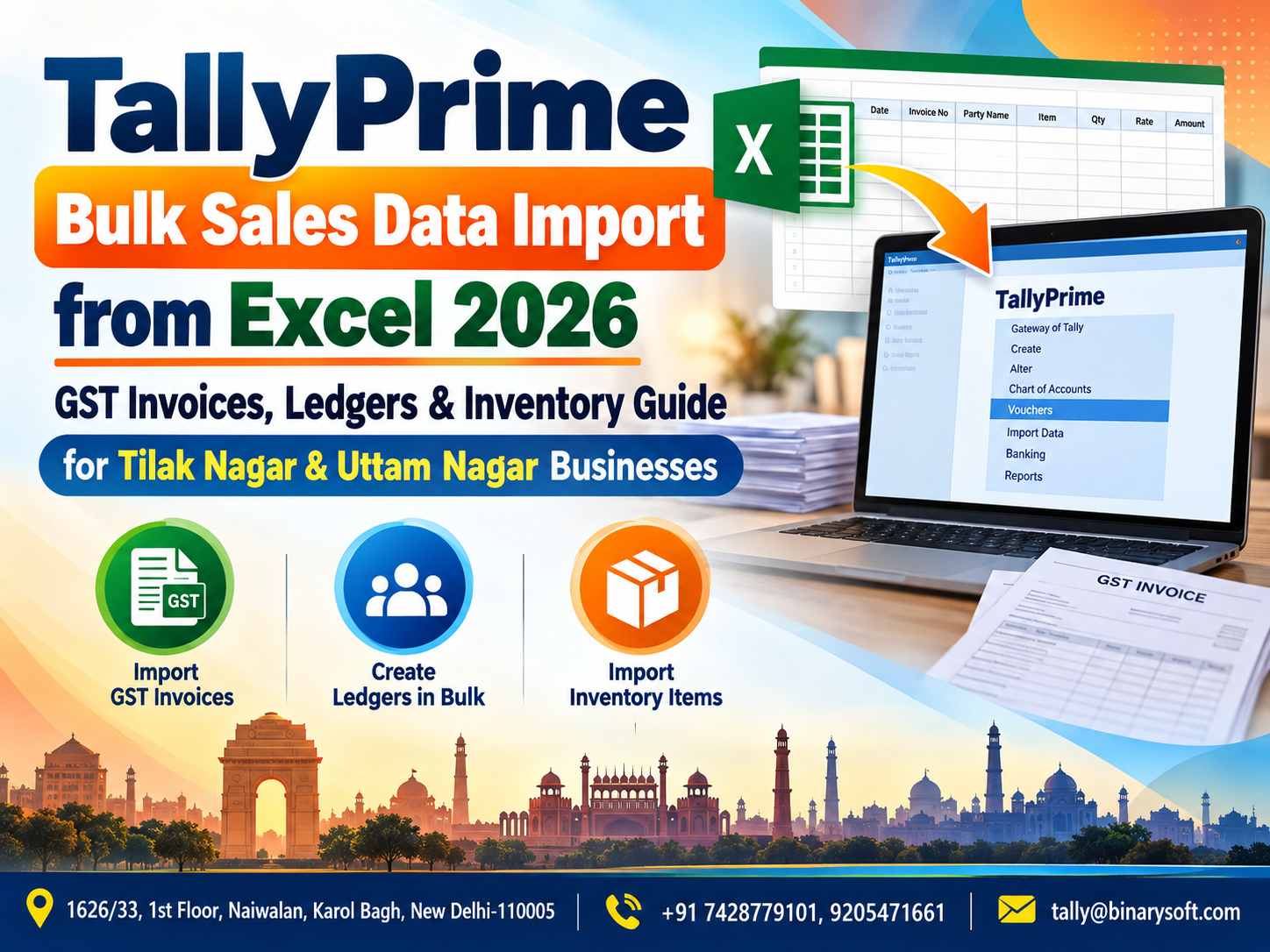
TallyPrime bulk sales data import is a process through which businesses transfer multiple sales transactions from Excel spreadsheets into their TallyPrime accounting system.
Instead of entering every invoice manually, accounting teams can prepare structured transaction data and import it using supported TallyPrime functionality or compatible integration solutions.
This process is especially useful for businesses that generate large numbers of invoices every day.
For example, a wholesale trader in Tilak Nagar may generate 150 sales invoices daily. Entering each invoice individually could take several hours, depending on the complexity of the transactions.
With an appropriately configured import process, the business can prepare the sales information in Excel and transfer it into TallyPrime in batches.
The import process can involve:
-
Sales invoice numbers and dates
-
Customer names and ledger references
-
GSTIN and tax classifications
-
Product names and stock items
-
HSN and SAC details
-
Quantities and units
-
Selling rates and taxable values
-
CGST, SGST, and IGST amounts
-
Discounts and additional charges
-
Invoice totals and payment details
However, successful import depends on the software release, supported import format, field mapping, and existing master data.
A spreadsheet containing ordinary sales data cannot necessarily be imported directly without formatting or mapping.
Businesses should verify the import method supported by their installed TallyPrime version before processing live accounting data.
2. Why Tilak Nagar and Uttam Nagar Businesses Need Excel to TallyPrime Automation
Tilak Nagar and Uttam Nagar are important commercial areas in West Delhi, with businesses operating across retail trading, wholesale distribution, electronics, garments, hardware, groceries, and various service sectors.
Many businesses maintain sales records through billing software, Excel spreadsheets, point-of-sale systems, or online marketplaces.
Although these systems help capture transactions, accounting teams often face challenges when transferring the data into TallyPrime.
High Daily Invoice Volumes
A busy retail store may generate hundreds of invoices during promotional periods or festive sales.
Manual accounting entry becomes increasingly difficult as transaction volumes grow.
Multiple Sales Channels
Businesses may receive orders through physical stores, distributors, websites, and online marketplaces.
Each channel may generate different data formats.
GST Reporting Requirements
Accurate invoice classification is necessary for reliable GST reporting.
Errors in GSTIN, tax rates, invoice dates, or transaction categories can create reconciliation difficulties.
Inventory Management
Sales invoices may also affect stock quantities.
Incorrect product mapping can result in inaccurate inventory balances.
Limited Accounting Staff
Small and medium-sized businesses may not have large accounting departments.
Automation can reduce repetitive data entry, allowing employees to focus on reconciliation and financial review.
3. How Bulk Sales Import Works in TallyPrime
A reliable bulk sales import process generally follows a structured workflow.
Step 1: Prepare Excel Sales Data
Invoice numbers, customers, GST, products, quantities and amounts
Step 2: Validate and Map Fields
Check masters, tax details, voucher structure and duplicates
Step 3: Import into TallyPrime
Use a supported import format or compatible integration
Step 4: Reconcile Imported Records
Verify invoices, GST totals, customer balances and stock
The objective is not simply to move information from one system to another.
A properly designed import process must preserve the accounting meaning of every transaction.
For example, an interstate sale and an intrastate sale may require different GST treatment.
Similarly, an inventory invoice and an accounting-only invoice may require different voucher structures.
4. Preparing Excel Data for TallyPrime Sales Import
Excel preparation is one of the most important stages of successful bulk import.
Businesses should organize their sales information in a consistent format before importing.
Sample Excel Sales Data Format
|
Invoice No.
|
Date
|
Customer
|
GSTIN
|
Item
|
Qty
|
Rate
|
Taxable Value
|
|---|
|
INV001
|
01-10-2026
|
ABC Traders
|
Valid GSTIN
|
LED Light
|
10
|
₹500
|
₹5,000
|
|
INV002
|
01-10-2026
|
XYZ Enterprises
|
Valid GSTIN
|
Ceiling Fan
|
5
|
₹2,000
|
₹10,000
|
|
INV003
|
02-10-2026
|
Retail Customer
|
Unregistered
|
Switch Board
|
20
|
₹150
|
₹3,000
|
|
INV004
|
02-10-2026
|
PQR Distributors
|
Valid GSTIN
|
Electrical Cable
|
15
|
₹800
|
₹12,000
|
Illustrative records. “Valid GSTIN” is a placeholder, not an importable GSTIN value. Tax rates and product classifications must be verified separately.
The exact spreadsheet columns will depend on the import format and mapping method.
Important Excel Preparation Rules
Maintain consistent date formats. Dates should be stored consistently and interpreted correctly by the import utility.
Avoid duplicate invoice numbers. Invoice numbering must follow the company's voucher configuration and applicable requirements.
Use consistent customer names. Ledger references should match the intended customer masters.
Verify GSTIN details. Registered customer GSTINs should be checked for accuracy.
Maintain correct stock item names. Product references must map to the intended stock items.
Check quantities and rates. Negative quantities, incorrect decimal values, and missing rates should be reviewed.
Remove unnecessary formatting. Merged cells, blank rows, formulas with unexpected results, and inconsistent data types can create import problems.
Validate invoice totals. The taxable amount, tax, discounts, and other charges should reconcile with the final invoice amount.
5. Importing GST Sales Invoices from Excel into TallyPrime
GST invoice import is particularly important for businesses that issue tax invoices to registered and unregistered customers.
The imported data must correctly represent the original transaction.
B2B Sales Invoices
Business-to-business transactions generally involve registered customers.
Relevant information may include:
Incorrect GSTIN or place-of-supply information may affect return reporting.
B2C Sales Invoices
Business-to-consumer transactions involve customers who may not be registered under GST.
The import process must distinguish B2C transactions from B2B transactions where required.
B2C reporting categories depend on applicable GST rules, including invoice value, place of supply, and other relevant conditions.
Interstate Sales
Where IGST applies, the imported invoice must reflect the correct tax treatment.
Intrastate Sales
Where CGST and SGST apply, the invoice must contain the appropriate tax components.
Credit Notes and Sales Returns
Sales returns should not automatically be imported as ordinary positive sales invoices.
They may require separate credit-note voucher structures, depending on the transaction and the accounting configuration.
GST Validation
After importing sales invoices, businesses should review the relevant GST reports and reconcile them with source invoices.
Import completion alone does not establish that the transactions are GST-compliant.
6. Customer Ledger Management During Bulk Import
Customer ledgers are essential for maintaining accurate receivables and transaction histories.
When importing sales data from Excel, businesses must ensure that invoices are posted to the correct customer accounts.
Existing Customer Ledgers
If a customer already exists in TallyPrime, the import process should map the invoice to the appropriate ledger.
For example, invoices belonging to ABC Electrical Traders should not accidentally be assigned to a similarly named customer.
New Customer Ledgers
New customers may need to be created before invoice import.
Depending on the supported import workflow, master creation may be performed separately or through a compatible integration.
GSTIN Mapping
Registered customer ledgers should contain the relevant GST registration details.
Credit Sales
Credit invoices must correctly update customer receivables.
Cash Sales
Cash sales should be posted according to the business's accounting and voucher configuration.
Outstanding Balance Verification
After import, customer balances should be compared against the original billing records.
This is especially important for businesses that offer credit periods to wholesale buyers.
7. Inventory Management Through Excel Sales Import
Inventory management is another major reason businesses import sales invoices into TallyPrime.
A correctly configured inventory invoice can affect both accounting and stock records.
For a retailer or distributor, this helps maintain more consistent sales and inventory information.
Stock Item Mapping
Each product in the Excel file should correspond to the correct stock item in TallyPrime.
For example:
|
Excel product name
|
Intended TallyPrime stock item
|
|---|
|
LED Bulb 9W
|
LED Bulb 9 Watt
|
|
Ceiling Fan 1200MM
|
Ceiling Fan 1200 MM
|
|
Copper Wire 1.5MM
|
Copper Wire 1.5 Sq MM
|
|
Modular Switch 6A
|
Modular Switch 6 Amp
|
Inconsistent naming may result in mapping errors or unintended master creation.
Units of Measurement
Units must be configured correctly.
Examples include pieces, boxes, kilograms, metres, and litres.
A mismatch between boxes and pieces can significantly distort inventory balances.
Stock Quantity Updates
Where inventory vouchers are correctly imported and posted, stock balances can reflect the recorded sales quantities.
Godown or Location Tracking
Businesses using multiple stock locations may need additional mapping for godowns or inventory locations.
Batch and Serial Details
Certain products may require batch numbers, expiry dates, or serial-number-related tracking.
These requirements must be supported by the selected voucher structure and integration method.
8. A Tilak Nagar Business Owner's Story: From Late-Night Data Entry to Better Financial Control
Consider a fictional example of a wholesale electrical goods trader named Amit, who operated a growing business in Tilak Nagar, West Delhi.
His shop supplied electrical fittings, switches, cables, and lighting products to retailers and contractors.
For several years, Amit relied on a combination of Excel billing sheets and manual TallyPrime entries.
Initially, the process was manageable.
However, as the business expanded, the number of daily invoices increased.
During one particularly busy month, Amit's team generated more than 2,500 sales invoices.
His accountant struggled to enter all the transactions before GST return preparation.
Every evening, after the shutters closed and the sales team went home, Amit remained at his desk reviewing Excel files.
He worried about missing invoices, incorrect stock quantities, and customer balances that did not match the billing records.
One day, a long-standing customer called to question an outstanding payment reminder.
The customer's records showed that the invoice had already been settled.
Amit checked TallyPrime and discovered that a payment entry had been recorded, but several recent invoices had not yet been entered.
The customer was frustrated, and Amit felt embarrassed.
He had spent years building relationships through trust and reliable service. Now, accounting delays were beginning to affect that trust.
Amit decided to improve the process.
He worked with an accounting technology specialist to standardize the Excel sales format, organize customer ledgers, map inventory items, and implement a tested bulk import workflow.
The team first imported a small batch of invoices into a test company.
After verifying invoice totals, GST details, stock movements, and customer balances, they gradually expanded the process.
Within a few weeks, routine data entry became more organized.
The accountant could spend more time checking exceptions and reconciling transactions instead of repeatedly typing invoice details.
Amit no longer had to stay late simply to supervise manual invoice entry.
Most importantly, he regained confidence that the accounting team could provide timely information when customers asked questions.
The experience taught him that automation was not only about saving time.
It was about protecting customer relationships, improving financial control, and creating room for business growth.
9. Step-by-Step Guide to Bulk Sales Import in TallyPrime
The exact steps vary depending on the installed TallyPrime release and whether the business uses native Excel import, an XML-based workflow, or a third-party integration.
The following procedure describes a practical implementation approach.
Step 1: Take a Complete Backup
Before importing sales transactions, create a verified backup of the existing company data.
For large migrations, work initially with a separate test company or restored copy.
Step 2: Check TallyPrime Version
Confirm the installed software release and available import capabilities.
TallyPrime releases that support Excel import may provide mapping templates or mapping configuration options.
Older releases or specialized workflows may require conversion to a supported format.
Step 3: Prepare Sales Data in Excel
Organize the invoices into the structure required by the selected import method.
Include all mandatory fields.
Step 4: Verify Masters
Check that customer ledgers, sales ledgers, tax ledgers, stock items, units, and other required masters exist or can be created through the supported workflow.
Step 5: Configure Field Mapping
Map Excel columns to the appropriate TallyPrime fields.
For example, the Excel invoice number should map to the correct voucher-number field.
Step 6: Test a Small Batch
Import approximately five to ten representative invoices into a test company.
Include different transaction types, such as B2B, B2C, interstate, and inventory invoices.
Step 7: Review Import Results
Check import messages, errors, rejected records, and successful transactions.
Step 8: Verify Accounting Entries
Open imported vouchers and confirm that ledger postings, taxes, quantities, and totals are correct.
Step 9: Reconcile Reports
Compare the imported transactions with the Excel source.
Step 10: Import the Remaining Data
Once the test is successful, proceed with the approved import batches.
Maintain an import log to prevent duplicate processing.
10. Common Excel to TallyPrime Import Errors and Their Solutions
Even well-prepared spreadsheets can contain errors.
|
Common problem
|
Possible cause
|
Recommended action
|
|---|
|
Customer ledger not found
|
Missing or mismatched ledger
|
Verify or create the correct ledger
|
|
Stock item mismatch
|
Different product naming
|
Standardize item mapping
|
|
GST amount mismatch
|
Incorrect rate or tax classification
|
Verify transaction tax details
|
|
Duplicate invoice
|
Previously imported transaction
|
Check existing voucher records
|
|
Invalid date
|
Unsupported or ambiguous date format
|
Standardize and validate dates
|
|
Quantity mismatch
|
Incorrect units
|
Verify unit conversion and mapping
|
|
Voucher rejection
|
Missing mandatory information
|
Review import error details
|
|
Incorrect outstanding
|
Wrong customer or bill allocation
|
Reconcile ledger and bill references
|
Businesses should correct the source data or mapping and then reprocess only the appropriate records.
Repeatedly importing the entire file without checking previously accepted vouchers can create duplicate transactions.
11. Benefits of Bulk Excel Sales Import for Uttam Nagar Retailers
Retail businesses in Uttam Nagar may handle frequent transactions involving clothing, footwear, electronics, groceries, hardware, and household products.
For these businesses, bulk sales import can provide several operational advantages.
Reduced Manual Entry
Employees do not need to retype every invoice when a reliable import process is available.
Improved Data Consistency
Standardized templates help maintain consistent invoice structures and master references.
Faster Accounting Updates
Large batches of sales data can be processed more efficiently than individual manual entries, subject to system performance and validation requirements.
Better Stock Visibility
Correctly imported inventory transactions can update stock records.
Easier Reconciliation
Structured source files make it easier to compare imported records with billing-system totals.
Improved Reporting
Timely accounting updates can help management review sales, receivables, and inventory information.
These benefits depend on data quality and proper implementation. Automation cannot compensate for inaccurate source records.
12. Importing Sales Data from Different Business Systems
Businesses may maintain sales information in several external systems.
A compatible import workflow can help consolidate supported transaction data into TallyPrime.
POS Billing Software
Retail businesses may export daily sales from point-of-sale systems.
The exported data must be transformed into a supported import structure where necessary.
E-Commerce Platforms
Online sellers may download order, invoice, refund, and settlement reports.
However, marketplace settlement records should not be confused with ordinary sales invoices.
Commission charges, refunds, taxes, TCS, TDS, and settlement adjustments may require separate accounting treatment.
Wholesale Billing Applications
Distributors may generate sales invoices using specialized billing systems.
Excel exports can be used as a source for integration.
Custom ERP Systems
Businesses operating custom applications may require field mapping, data transformation, or API-based integration.
Multiple Branches
Sales data from several branches may be consolidated, provided invoice numbering, GST registrations, inventory locations, and company structures are handled correctly.
13. GST Reconciliation After Importing Sales Invoices
GST reconciliation is essential after bulk sales data migration.
The accounting team should not assume that imported transactions are correct merely because they appear in TallyPrime.
Invoice Count Verification
Compare the number of source invoices with the number of successfully imported vouchers.
Taxable Value Comparison
The total taxable value in Excel should reconcile with the relevant TallyPrime sales records.
GST Amount Comparison
Compare CGST, SGST, IGST, and cess, where applicable.
GSTIN Verification
Check that B2B invoices contain the intended customer GSTINs.
Credit Note Reconciliation
Verify that returns and adjustments are accounted for separately and correctly.
GSTR-1 Review
Review the applicable GSTR-1 information generated from the accounting records.
E-Invoicing Considerations
Businesses subject to e-invoicing requirements must follow the applicable rules for generating and reporting invoices.
Importing an invoice into TallyPrime does not automatically establish that a valid Invoice Reference Number has been generated or that e-invoicing obligations have been fulfilled.
14. How Bulk Import Supports Financial Reporting
Once sales transactions are correctly recorded, businesses can use TallyPrime reports to understand financial performance.
Sales Register
The Sales Register helps review sales transactions for a selected period.
Customer Outstanding Reports
Businesses can identify unpaid invoices and customer balances.
Stock Summary
Inventory-enabled companies can review available quantities and stock values.
Profit and Loss Account
The Profit and Loss Account reflects the relevant recognized income and expenses.
Balance Sheet
Sales transactions can affect receivables, cash or bank balances, taxes, and other accounts.
GST Reports
GST reports can assist in reviewing tax-related transactions and preparing applicable returns.
These reports are only as reliable as the underlying accounting data.
15. Manual Sales Entry vs Excel Bulk Import in TallyPrime
|
Comparison
|
Manual sales entry
|
Excel bulk sales import
|
|---|
|
Invoice processing
|
Entered individually
|
Multiple invoices processed in batches
|
|
Repetitive work
|
Higher
|
Potentially lower
|
|
Initial setup
|
Usually straightforward
|
Requires preparation and mapping
|
|
Error risk
|
Manual typing errors
|
Mapping and source-data errors
|
|
Large data volumes
|
More time-consuming
|
Often more efficient
|
|
GST validation
|
Required
|
Required
|
|
Inventory mapping
|
Selected during entry
|
Must be configured in import
|
|
Duplicate prevention
|
Manual review
|
Requires import controls
|
|
Best suited for
|
Low invoice volumes
|
Repetitive, high-volume transactions
|
The right method depends on the number of invoices, available data formats, and accounting complexity.
16. How Much Time Can Businesses Save with Excel Sales Import?
Time savings vary according to the invoice structure, number of items, source-data quality, and import workflow.
Consider an illustrative example.
A business generates 1,000 sales invoices per month.
If manual entry takes an average of three minutes per invoice, the total entry time would be approximately 50 hours.
A bulk import workflow may reduce repetitive entry time substantially, although spreadsheet preparation, mapping, testing, exception handling, and reconciliation still require staff effort.
The business should measure actual savings during a pilot project rather than assuming a fixed percentage.
For example, a company might compare the total time required for 100 manual entries with the total time required to prepare, import, and reconcile the same 100 invoices.
This provides a more realistic basis for evaluating automation.
17. Data Security and Backup During Bulk Import
Sales data often contains customer details, GSTINs, transaction values, and other commercially sensitive information.
Businesses should apply appropriate safeguards during import.
Backup Before Import
Maintain a recoverable copy of the accounting data before processing large batches.
Access Restrictions
Only authorized employees should be allowed to import or modify accounting records.
Controlled Spreadsheet Storage
Avoid unnecessarily sharing customer and invoice files through unsecured channels.
Import Logs
Maintain records of import dates, source files, successful vouchers, and rejected transactions.
Duplicate Checks
Check whether a transaction has already been imported before reprocessing it.
Post-Import Verification
Reconcile invoice counts and totals before treating the batch as complete.
Recovery Testing
Businesses should periodically verify that backups can actually be restored.
18. Best Practices for High-Volume Sales Import in 2026
A reliable import process should be repeatable, documented, and easy to audit.
Businesses can improve results by adopting the following practices:
-
Maintain one approved Excel template for each transaction structure.
-
Standardize customer and stock item names.
-
Validate GSTINs and tax classifications before import.
-
Maintain a unique identifier for each source transaction.
-
Import a small test batch before large migrations.
-
Separate sales invoices, returns, and other voucher types where necessary.
-
Keep an import log and exception report.
-
Reconcile invoice counts, taxable values, tax amounts, and totals.
-
Verify inventory movement and customer outstanding balances.
-
Maintain regular backups and documented recovery procedures.
These controls can reduce avoidable errors and make the import process easier to manage as the business expands.
19. Can Excel Sales Import Be Automated Daily?
Businesses that generate invoices every day may benefit from a repeatable import schedule.
For example, a wholesale distributor may export sales data from its billing software at the end of each working day.
A defined process can then validate the file, map the records, and import eligible transactions into TallyPrime.
Depending on the software environment, this process may be performed manually, through scheduled integration tools, or through a custom automation solution.
However, unattended automation requires additional safeguards.
The system should identify duplicate transactions, handle rejected records, maintain logs, and alert responsible employees when discrepancies occur.
A daily import process should also distinguish between new invoices, modified invoices, cancelled invoices, and credit notes.
Without these controls, automation may create accounting inconsistencies.
20. Choosing the Right Excel to TallyPrime Import Solution
Not every Excel import solution supports every accounting requirement.
Businesses should evaluate the following capabilities before purchasing or implementing a solution.
Supported Voucher Types
Confirm whether the solution supports accounting invoices, inventory invoices, credit notes, debit notes, receipts, and other required vouchers.
GST Field Mapping
Verify support for the necessary GST-related fields and classifications.
Inventory Details
Check whether the solution can handle stock items, quantities, units, godowns, and other required inventory attributes.
Customer Master Handling
Determine how existing and new customer ledgers are managed.
Error Reporting
The solution should clearly identify rejected records and validation failures.
Duplicate Protection
Businesses should understand how repeated imports are handled.
Software Compatibility
Confirm compatibility with the installed TallyPrime release and intended company configuration.
Technical Support
Reliable implementation support is particularly important during the initial migration and testing period.
21. Why Tilak Nagar and Uttam Nagar Businesses Can Consider Binarysoft Technologies
Businesses looking to improve Excel-based sales accounting can contact Binarysoft Technologies, an Authorized Tally Partner, to discuss their TallyPrime requirements.
A suitable implementation should begin with an assessment of the company's existing sales data, invoice formats, accounting structure, and GST requirements.
Areas to evaluate may include:
-
Excel sales data structure
-
TallyPrime software compatibility
-
Customer and supplier ledger mapping
-
GST invoice classification
-
Inventory and stock item configuration
-
Sales voucher import requirements
-
Duplicate invoice controls
-
Data backup and migration planning
-
Reconciliation and reporting procedures
-
Training and operational support requirements
Businesses should confirm the availability, compatibility, scope, and pricing of any proposed import utility or customization before implementation.
For traders in Tilak Nagar and Uttam Nagar, a well-designed workflow can help connect existing billing practices with more organized TallyPrime accounting.
22. Future of Excel to TallyPrime Accounting Automation
As businesses generate more digital transaction data, the need for reliable accounting integration continues to grow.
Excel remains widely used because it is familiar, flexible, and convenient for organizing transaction information.
However, the real value of automation lies in reducing unnecessary manual processing while maintaining accounting accuracy.
Businesses may increasingly evaluate workflows that connect billing systems, inventory applications, e-commerce platforms, and accounting software.
For TallyPrime users, successful integration will continue to depend on supported software functionality, structured data, accurate field mapping, and reconciliation controls.
Companies should prioritize reliability and auditability over simply importing the largest possible number of transactions.
Conclusion
TallyPrime bulk sales data import from Excel in 2026 can provide an effective way for businesses in Tilak Nagar and Uttam Nagar to manage large volumes of GST invoices, customer ledgers, and inventory transactions.
Retailers, wholesalers, distributors, and trading companies frequently face difficulties when transferring billing information into their accounting systems manually.
A properly designed bulk import workflow can reduce repetitive data entry, improve consistency, and help accounting teams update financial records more efficiently.
However, successful implementation requires careful Excel preparation, accurate customer and stock item mapping, correct GST classification, appropriate voucher structures, and thorough post-import reconciliation.
Businesses should also maintain backups, duplicate controls, and documented procedures before processing large transaction volumes.
Whether a company handles a few hundred invoices or several thousand invoices each month, the objective should remain the same: maintain reliable accounting records while reducing unnecessary administrative work.
For businesses seeking guidance on TallyPrime licensing, Excel data import, GST accounting, and inventory configuration, Binarysoft Technologies can be contacted to discuss suitable requirements and available solutions.
Powered by Binarysoft Technologies
Authorized Tally Partner
Location: 1626/33, 1st Floor, Naiwalan, Karol Bagh, New Delhi – 110005, INDIA
Contact Us: +91 7428779101, 9205471661
Email: tally@binarysoft.com
Business Hours: 10:00 AM – 6:00 PM, Monday to Friday
Contact Binarysoft Technologies to discuss TallyPrime bulk sales import requirements, Excel accounting workflows, GST invoice management, customer ledgers, inventory integration, and accounting support.
Frequently Asked Questions
Can I import bulk sales invoices from Excel into TallyPrime?
Yes. Supported TallyPrime releases and compatible integration solutions can import sales data from structured Excel files. The available method depends on the installed version, import format, and required voucher structure.
How can Tilak Nagar businesses import Excel sales data into TallyPrime?
Businesses can prepare a structured Excel file, verify customer and stock masters, configure the required mapping, test a small batch, and import the remaining transactions after successful reconciliation.
CA. Praneet Bansaal is a Chartered Accountant with experience in taxation, accounting controls, and financial process reviews. He has advised businesses on aligning inventory movement with accounting and GST requirements. His content focuses on compliance, accuracy, and long-term sustainability.