Call CA Tally HelpDesk
+91 9205471661,
7428779101
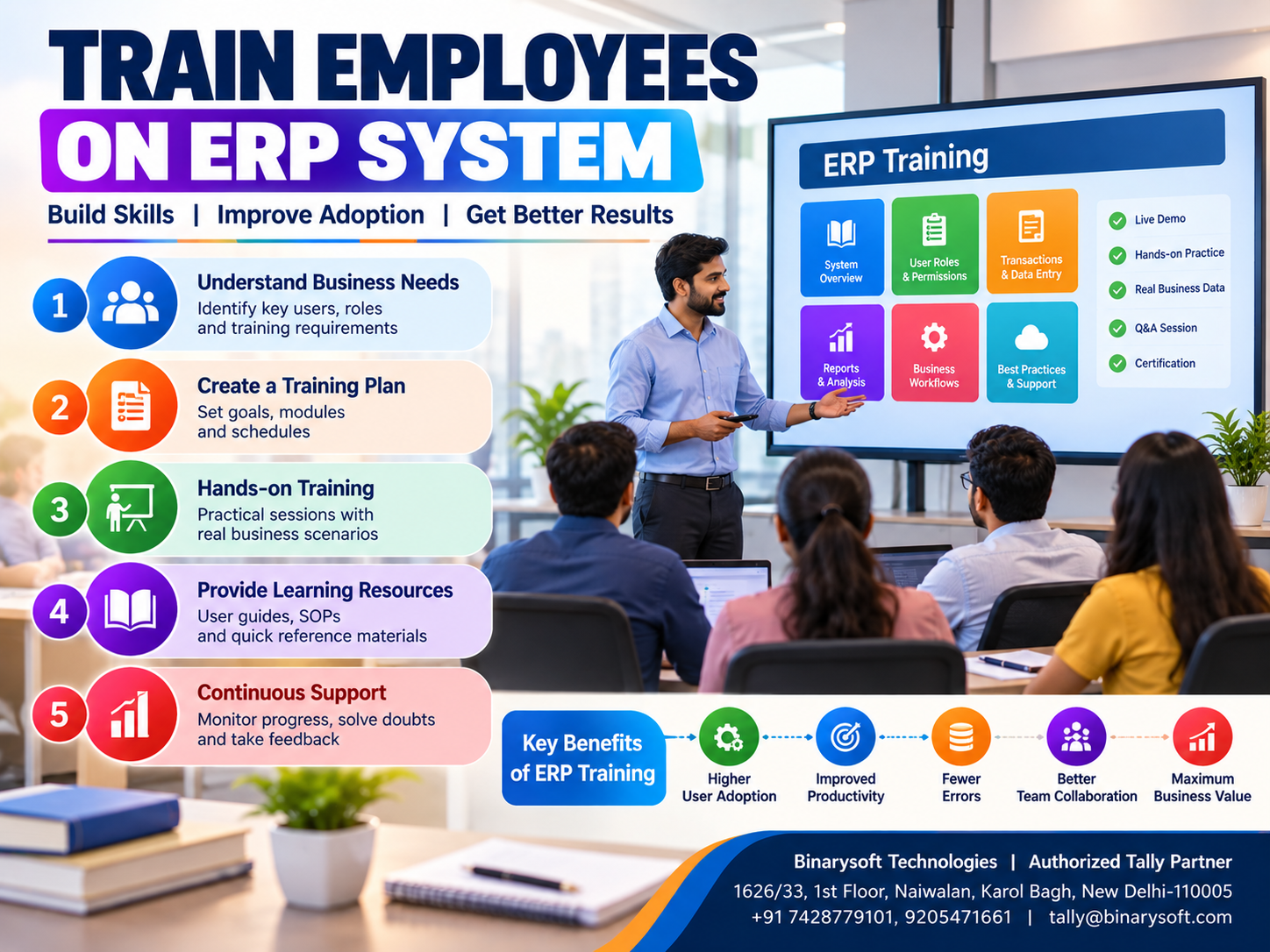
How to Train Employees on an ERP System: A Complete Guide to Successful ERP Training and Implementation
Introduction: Why Employee Training Determines ERP Success
Investing in Enterprise Resource Planning (ERP) software is an important step toward modernizing business operations. However, purchasing software alone does not guarantee better productivity, accurate accounting or improved business performance.
The real transformation begins when employees understand how to use the system correctly.
Many small and medium businesses invest in accounting and ERP applications expecting immediate improvements in efficiency. Yet employees may continue maintaining spreadsheets, recording transactions incorrectly or avoiding unfamiliar software features.
The result is disappointing. Management invests in technology, but the organization continues operating through inefficient processes.
Successful ERP implementation requires structured employee training, clear responsibilities and continuous learning.
Employees need to understand not only which buttons to click but also how their work affects accounting, inventory, taxation and financial reporting.
For Indian businesses using Tally Prime, practical training can help accountants, billing executives, warehouse employees and business owners use the software more effectively.
From creating ledgers and recording vouchers to managing inventory, preparing GST invoices and reviewing outstanding payments, every department requires appropriate knowledge.
This guide explains how organizations can develop an ERP training program, reduce employee resistance and build a confident workforce capable of supporting business growth.
A Business Owner's Story: When New Software Created More Confusion Than Confidence
Amit owned a wholesale electrical equipment business in Bhagirath Palace, Delhi.
His company had grown steadily over fifteen years.
What began as a small shop had expanded into a distribution operation employing twelve people.
As transaction volumes increased, Amit decided to replace several manual processes with integrated accounting and inventory software.
He expected employees to prepare invoices faster, maintain accurate stock records and generate financial reports without unnecessary delays.
The software was installed successfully.
However, problems began almost immediately.
The billing executive struggled to select the correct ledgers.
Warehouse employees entered stock quantities inconsistently.
The accountant spent additional hours correcting vouchers.
Some employees continued maintaining separate Excel files because they were uncomfortable with the new system.
Within a few weeks, Amit became frustrated.
He had invested in technology to reduce workload, but employees appeared more stressed than before.
One evening, his senior accountant explained the problem.
The software was not necessarily unsuitable.
Employees had simply never received proper training.
Amit realized that he had expected his team to learn an unfamiliar system while simultaneously managing their regular responsibilities.
He introduced a structured training program.
Employees attended short practical sessions focused on their actual work.
Billing staff practiced sales invoices.
Warehouse employees learned stock movements.
Accountants reviewed ledgers, reconciliations and reports.
Mistakes were discussed constructively.
Gradually, employees became more confident.
The business began using its software more consistently, and management received more reliable information.
This illustrative story highlights an important lesson:
Technology becomes valuable when employees understand how to use it with confidence and accuracy.
What Is ERP Employee Training?
ERP employee training is the process of teaching staff how to use an Enterprise Resource Planning system for their assigned responsibilities.
Training may cover software navigation, transaction entry, business workflows, reporting, security and troubleshooting.
The objective is to ensure that employees can perform their work correctly using the organization's chosen ERP environment.
ERP training is different from general computer training.
It focuses on business processes and the relationship between different departments.
For example, a sales invoice may affect customer balances, sales accounts, taxation records and inventory quantities.
Employees should understand these connections rather than viewing each transaction as an isolated activity.
Why ERP Training Is Important for SMEs
1. Reduces Data Entry Errors
Incorrect transactions can affect accounting balances, stock quantities and financial reports.
Practical training helps employees understand the correct procedures.
2. Improves Employee Productivity
Employees familiar with the software can complete routine tasks more efficiently.
3. Supports Better Inventory Accuracy
Warehouse and inventory staff need to understand stock items, units, locations and movement records.
4. Strengthens Financial Control
Accounting employees must understand ledger classifications, voucher entries and reconciliation procedures.
5. Improves GST-Related Recordkeeping
Billing and accounting staff should understand applicable tax details and transaction requirements.
6. Encourages Software Adoption
Employees are more likely to use a system consistently when they feel comfortable with it.
7. Reduces Dependence on Individual Employees
Documented processes and cross-training can help businesses continue operating when experienced staff members are unavailable.
8. Supports Future Business Expansion
A trained workforce can adapt more easily to additional branches, increased transaction volumes and new responsibilities.
Step 1: Identify Employee Training Requirements
Before conducting ERP training, management should identify the responsibilities of different employees.
Not everyone needs to learn every software feature.
A billing executive may require sales invoice training.
An accountant needs knowledge of ledgers, vouchers, taxation and financial reporting.
A warehouse employee may primarily work with inventory records.
A business owner may focus on dashboards, outstanding reports and financial analysis.
Conduct a Skills Assessment
Businesses can assess employee knowledge through short discussions and practical exercises.
Questions may include:
-
Can the employee navigate the ERP interface?
-
Can they complete their assigned transactions independently?
-
Do they understand the impact of incorrect entries?
-
Can they identify and correct common mistakes?
-
Do they know when to seek assistance?
This assessment helps organizations develop a realistic training plan.
Step 2: Create a Role-Based ERP Training Program
Role-based training focuses on the features employees use during daily work.
Accounting Team Training
Accounting employees may need training in:
Sales and Billing Team Training
Sales employees should learn customer selection, item details, invoice preparation, discounts, tax information and invoice verification.
Purchase Department Training
Purchase employees may require instruction on supplier records, purchase orders, purchase invoices and related inventory processes.
Warehouse Team Training
Warehouse employees should understand stock items, stock groups, units of measurement, godowns and stock movement procedures.
Management Training
Business owners and managers should learn how to review profitability, receivables, payables, inventory reports and other performance information.
Role-based training prevents employees from becoming overwhelmed by unnecessary features.
Step 3: Explain ERP Business Processes Before Software Features
One common training mistake is teaching software commands without explaining the underlying business process.
Employees may learn how to record a transaction but fail to understand why it is necessary.
For example, a purchase transaction may influence inventory records, supplier balances and financial accounts.
If an employee selects the wrong ledger or inventory item, multiple reports may become inaccurate.
Training should explain the complete workflow.
Example: Purchase-to-Payment Process
A business identifies a product requirement.
The purchase department places an order.
Goods are received and verified.
The purchase invoice is recorded.
The supplier balance is updated.
Payment is made and reconciled.
Employees should understand how their responsibilities fit into this process.
This improves coordination between departments.
Step 4: Use Practical ERP Training Sessions
Practical exercises are more effective than relying entirely on presentations.
Employees should work with sample transactions in a training environment.
For example, a billing employee can practice preparing invoices for different customers.
An accountant can record receipts, payments and journal vouchers.
A warehouse employee can practice stock transfers between locations.
Recommended Training Approach
Begin with a short explanation of the business process.
Demonstrate the relevant software activity.
Allow employees to complete the same task independently.
Review the results and explain mistakes.
Repeat the exercise until employees become comfortable.
Using realistic business examples makes training more relevant.
Step 5: Provide Tally Prime Training for Daily Accounting
Tally Prime supports many accounting and business management activities used by Indian SMEs.
A practical training program should begin with essential operations.
Company and Master Creation
Employees should understand how company information, ledgers and inventory masters are organized.
Accounting Vouchers
Accounting staff should practice sales, purchase, receipt, payment, contra and journal transactions where applicable.
GST Invoicing
Billing employees should learn to prepare invoices with correct customer, item and tax information.
Inventory Management
Relevant employees should understand stock items, stock groups, units and godowns.
Outstanding Management
Accounts teams should learn to review customer and supplier outstanding balances.
Financial Reporting
Managers should understand profit and loss statements, balance sheets, trial balances and relevant operational reports.
The training program should reflect the Tally Prime release and configuration used by the organization.
Step 6: Teach Employees How to Avoid Common Errors
ERP training should include examples of mistakes employees may encounter.
Incorrect Ledger Selection
Selecting the wrong ledger can affect financial reporting.
Employees should understand the organization's chart of accounts.
Duplicate Transactions
Repeatedly recording the same invoice or payment can create accounting discrepancies.
Staff should verify transaction references before entering records.
Incorrect Stock Quantities
Inventory employees must check quantities and units of measurement.
Wrong GST Details
Tax classifications and transaction details should be reviewed according to applicable requirements.
Incorrect Dates
Wrong voucher dates can affect reporting periods and reconciliation.
Unauthorized Changes
Employees should understand approval procedures and access restrictions.
Training should encourage verification rather than hurried transaction entry.
Step 7: Develop Simple Training Manuals
Employees should have access to clear instructions after training sessions end.
A useful training manual may include screenshots, workflow explanations and practical examples.
For instance, the sales department can maintain a short guide explaining how to prepare and verify invoices.
The accounting department can maintain instructions for reconciliation and month-end reporting.
Training materials should reflect the organization's actual configuration.
Generic instructions may not match customized workflows.
Manuals should also be updated when software versions or business procedures change.
Step 8: Assign ERP Champions Within Departments
An ERP champion is an employee who receives additional training and helps colleagues with routine questions.
For example, the senior accountant may become the accounting team's ERP champion.
A warehouse supervisor may assist inventory employees.
These individuals can help reinforce standard procedures and identify recurring problems.
However, businesses should avoid making one employee the only person capable of operating critical processes.
Cross-training and documented procedures remain important.
Step 9: Conduct ERP Training in Phases
Training every feature simultaneously can overwhelm employees.
A phased approach is usually more practical.
Phase 1: Basic Navigation
Introduce the interface, company selection, menus and common functions.
Phase 2: Master Data
Explain customer ledgers, supplier records, stock items and relevant classifications.
Phase 3: Daily Transactions
Practice sales, purchases, receipts, payments and inventory movements.
Phase 4: Reporting
Teach employees to review transaction records and relevant reports.
Phase 5: Advanced Workflows
Introduce features such as godown management, cost centres, bill-wise accounting and other configured capabilities.
Phase 6: Evaluation
Assess whether employees can complete their assigned tasks accurately.
This approach helps employees build confidence progressively.
Step 10: Measure ERP Training Effectiveness
Training should produce observable improvements.
Businesses can evaluate progress using practical performance indicators.
These may include transaction accuracy, completion time, correction frequency and employee independence.
Example Training Measurements
A company can compare the number of invoice corrections before and after training.
It can also monitor whether employees complete daily transaction entry on time.
Warehouse teams can be assessed through periodic stock reconciliation.
Accounting teams can be evaluated through ledger verification and month-end closing procedures.
Measurements should focus on improving processes rather than punishing employees for learning mistakes.
Case Study 1: ERP Training for a Wholesale Trading Business in Sadar Bazar
Business Type: Household products wholesale distribution
Location: Sadar Bazar, New Delhi
Employees: 15
Primary Challenges: Incorrect invoices, inconsistent stock records and limited software knowledge.
Business Background
Consider a wholesale distributor supplying household products to retailers across Delhi NCR.
The company introduces Tally Prime to improve accounting and inventory management.
However, employees have different levels of computer knowledge.
Billing staff struggle with item selection, while warehouse employees are unfamiliar with location-wise inventory records.
Training Strategy
Management divides employees into three groups.
The accounting team receives training in ledgers, vouchers and financial reporting.
The sales team practices customer invoices and outstanding verification.
Warehouse employees learn stock items, quantities and godown-related processes.
Employees work with realistic sample transactions.
Supervisors review errors and provide additional guidance.
Illustrative Outcomes
Employees become more confident in routine software activities.
The company develops more consistent transaction procedures.
Management spends less time explaining basic processes repeatedly.
Accounting and inventory information becomes easier to verify.
Key Learning
Role-based training helps employees focus on the software functions relevant to their responsibilities.
This is an illustrative case study, not a verified customer implementation.
Case Study 2: ERP Employee Training for a Manufacturing SME in Faridabad
Business Type: Industrial components manufacturing
Location: Faridabad, Haryana
Employees: 28
Primary Challenges: Inconsistent material records, delayed reporting and employee resistance.
Business Background
Consider a manufacturing company producing industrial machine components.
The organization uses accounting software alongside manual inventory registers.
Management introduces more structured accounting and inventory processes.
Some employees are concerned about learning unfamiliar software.
Training Strategy
The company begins by explaining why the new system is being introduced.
Employees receive practical demonstrations of the relevant workflows.
Accounts staff learn financial transactions and reporting.
Inventory employees practice raw material and finished goods records.
Supervisors review applicable manufacturing-related inventory procedures.
Management introduces short follow-up sessions to address difficulties.
Illustrative Outcomes
Employees develop greater confidence in the new processes.
Material-related records become more consistent.
Accounting staff can review information with less manual consolidation.
Management receives more reliable operational reports.
Key Learning
ERP training works best when employees understand both the software and the business reasons behind the change.
How Tally Prime Training Helps Different Business Departments
Retail Businesses
Retail employees can benefit from training in sales invoicing, stock items, discounts and customer records.
Wholesale Distributors
Wholesale businesses may prioritize purchase transactions, inventory tracking, customer outstanding reports and godown management.
Manufacturing Companies
Manufacturers may require training in raw materials, finished goods, bills of materials and relevant manufacturing vouchers.
Service Providers
Service businesses may focus on accounting, invoicing, expense management and financial reporting.
Multi-Branch Organizations
Employees may require training in location-wise inventory records, branch-related accounting procedures and appropriate access controls.
The exact curriculum should reflect each organization's requirements.
Common Challenges During ERP Employee Training
Resistance to Change
Employees may worry that new technology will make their work more difficult.
Management should explain the practical benefits and provide sufficient learning time.
Different Skill Levels
Some employees may learn quickly, while others require additional practice.
Training should accommodate these differences.
Limited Training Time
Small businesses cannot always remove employees from daily operations for long periods.
Short, focused sessions can be easier to manage.
Lack of Practice
Employees may forget instructions when they do not use the software regularly.
Practical exercises and follow-up sessions help reinforce learning.
Inadequate Training Materials
Employees need clear instructions that match actual business workflows.
Insufficient Management Support
Business owners should encourage consistent software usage and allocate time for training.
ERP Training Checklist for Business Owners
Before launching an ERP training program, management should confirm the following:
-
Employee responsibilities have been identified.
-
Existing software knowledge has been assessed.
-
Role-based training topics have been defined.
-
A suitable training environment is available.
-
Sample transactions have been prepared.
-
Training schedules have been communicated.
-
Employees understand the relevant business workflows.
-
Training manuals are available.
-
Department supervisors can provide assistance.
-
Practical assessments have been planned.
-
Feedback procedures are established.
-
Follow-up training sessions are scheduled.
A structured checklist helps organizations avoid overlooking essential training activities.
Sample 30-Day ERP Employee Training Plan
Week 1: Introduction and Basic Operations
Introduce the ERP system and explain its purpose.
Train employees in navigation, company information and relevant master records.
Week 2: Daily Business Transactions
Provide practical training in sales, purchases, receipts, payments and inventory transactions.
Employees should practice activities related to their roles.
Week 3: Reporting and Error Prevention
Teach employees how to review transaction information and identify common mistakes.
Introduce financial and inventory reports appropriate to their responsibilities.
Week 4: Practical Evaluation
Ask employees to complete realistic tasks independently.
Review accuracy, identify knowledge gaps and provide additional training where required.
This is a sample schedule. Businesses with complex operations may require longer implementation and training periods.
How Much Does ERP Employee Training Cost?
Training costs depend on several factors.
These include the number of employees, software complexity, training duration and required customization.
Businesses may also incur costs for employee time, training materials and technical assistance.
On-site training and remote sessions may have different commercial arrangements.
Organizations should evaluate training as part of the overall ERP implementation budget.
A lower-cost training program is not necessarily better if employees remain unable to use the software correctly.
The objective should be practical competence and reliable business operations.
The Future of ERP Employee Training
Employee training methods are evolving alongside business technology.
Interactive tutorials, online learning environments and guided software demonstrations can make training more accessible.
Some organizations may also use AI-assisted learning tools to explain workflows and answer routine questions.
However, training materials must be verified against the actual software version and business configuration.
AI-generated instructions can contain errors.
For accounting and taxation activities, employees should follow approved procedures and current statutory requirements.
The most effective future training programs will combine digital learning resources with practical exercises and human guidance.
Conclusion
Employee training is one of the most important factors in successful ERP implementation.
Even advanced business software cannot deliver its full value when employees lack the knowledge or confidence to use it correctly.
A structured ERP training program helps businesses improve transaction accuracy, strengthen financial control and develop consistent operational processes.
For Indian SMEs, Tally Prime training can support essential accounting, inventory, billing, GST-related and reporting activities.
Role-based learning ensures that employees concentrate on the features relevant to their responsibilities.
Practical exercises, training manuals, departmental support and regular evaluation help employees develop lasting skills.
Business owners should view training as an ongoing investment rather than a one-time activity.
When employees understand the software and the processes behind it, technology becomes a practical tool for productivity and sustainable growth.
Successful ERP implementation begins with software, but lasting success depends on people.
Powered by Binarysoft Technologies
Authorized Tally Partner
Location: 1626/33, 1st Floor, Naiwalan, Karol Bagh, New Delhi – 110005, INDIA
Contact: +91 7428779101, 9205471661
Email: tally@binarysoft.com
Business Hours: 10:00 AM – 6:00 PM, Monday to Friday
Frequently Asked Questions
How can Binarysoft Technologies help with Tally Prime training?
Binarysoft Technologies, an Authorized Tally Partner, can assist businesses with Tally Prime implementation guidance, practical training, accounting and inventory configuration, and related software support.
Can businesses train employees remotely?
Yes. Remote demonstrations and guided practice can support learning when suitable software access and communication tools are available.
How can businesses measure ERP training success?
Organizations can review transaction accuracy, error frequency, task completion and employee independence.
Is Tally Prime difficult to learn?
Learning requirements depend on the employee's accounting knowledge and responsibilities. Structured demonstrations and practice can make adoption easier.
CA. Harshit Gaurwaadi is a practicing Chartered Accountant with hands-on experience in accounting systems, GST compliance, and MSME advisory. He regularly works with small and mid-sized businesses to streamline inventory, billing, and statutory processes using modern accounting software. His articles focus on practical, ground-level challenges faced by Indian traders and professionals.