Call CA Tally HelpDesk
+91 9205471661,
7428779101
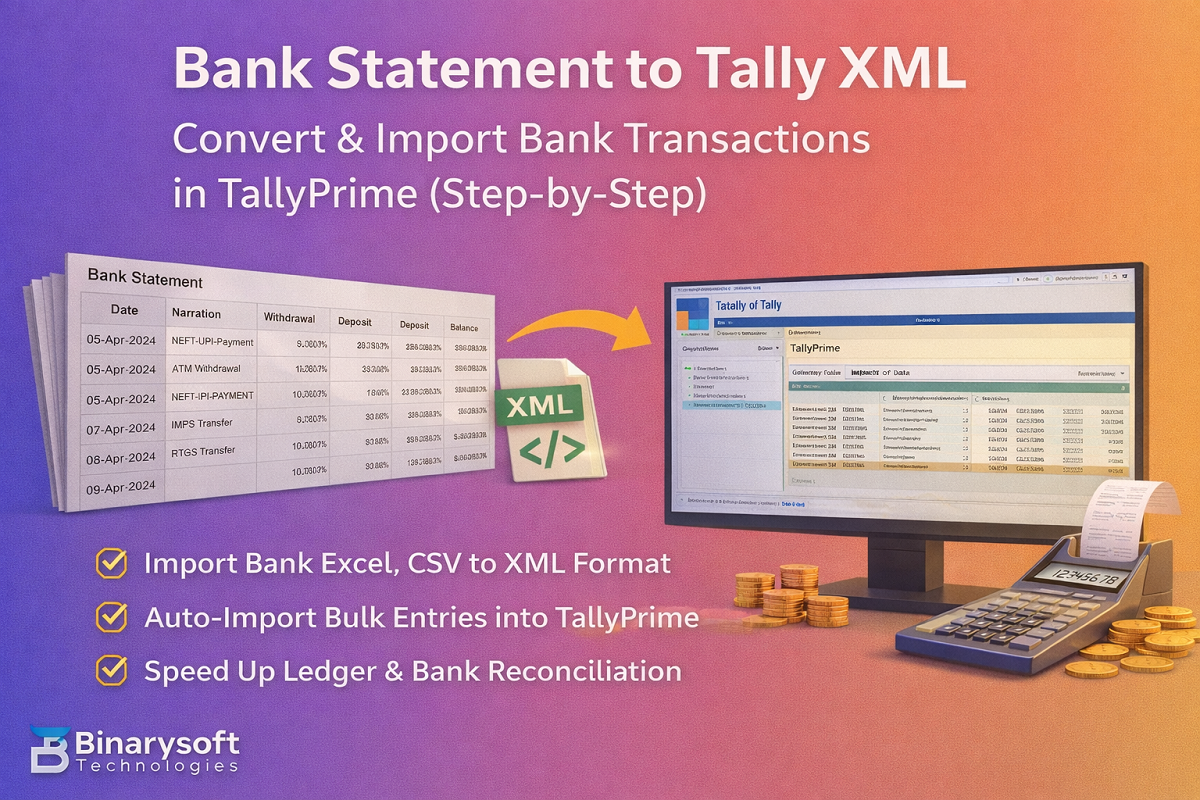
If you’re searching for “bank statement to Tally XML”, you likely want to convert a bank statement (Excel/CSV) into Tally XML so you can import transactions into TallyPrime / Tally.ERP 9 without manual entry. This method helps businesses and CAs save time, reduce errors, and keep bank books updated faster.
Below is a clear guide on how the conversion works, what fields are required, and how to import the XML into Tally.
Why Convert Bank Statement to Tally XML?
Converting a bank statement to XML helps you:
Import bulk bank entries in minutes
Avoid manual voucher entry
Maintain accurate bank ledger posting
Speed up reconciliation (Bank Reco)
Handle high-volume transactions (collections, payments, UPI, NEFT, IMPS)
What You Need Before Converting to XML
Before you generate the XML file, keep these ready:
1) Bank Statement File
Usually available in:
Excel (.xlsx)
CSV (.csv)
PDF (PDF requires conversion to Excel first)
2) Required Columns (Recommended)
Your statement data should ideally have:
Date
Narration / Description
Amount
Dr/Cr (Debit/Credit) OR Withdrawal/Deposit
Cheque/UTR/Reference No. (if available)
3) Tally Masters Readiness
In Tally, ensure:
Bank Ledger exists (e.g., HDFC Bank, SBI Bank)
Party ledgers exist (or decide to post to Suspense / Bank Charges / Sales / Purchase ledgers)
Bank Statement to Tally XML: Conversion Flow
Step 1: Clean Your Bank Statement
Keep one header row
Remove blank lines and totals
Use a consistent date format (dd-mm-yyyy recommended)
Ensure debit/credit is clear
Step 2: Decide the Voucher Type in Tally
For bank transactions, commonly used vouchers are:
Receipt (Money received in bank)
Payment (Money paid from bank)
Contra (Transfer between cash and bank / bank to bank)
Journal (Charges, adjustments, interest)
Step 3: Map Columns to Tally XML Fields
Typical mapping:
Bank Statement Column Tally XML Field / Usage
Date Voucher Date
Narration Narration
Deposit/Credit Receipt Amount
Withdrawal/Debit Payment Amount
Ref/UTR Reference in narration or bill ref
Bank Ledger Ledger Entry (Bank)
Party Ledger Ledger Entry (Party/Expense/Income)
Step 4: Generate Tally XML
Your converter tool (or script) will generate XML vouchers like:
One voucher per transaction
Two ledger lines:
Bank Ledger (Dr/Cr)
Party/Expense/Income Ledger (Opposite entry)
Important: Tally XML must follow Tally’s import structure; otherwise you’ll see Import Exceptions.
How to Import XML in TallyPrime
TallyPrime Steps
Open your company in TallyPrime
Go to Gateway of Tally
Press Alt + O (Import)
Select Masters / Vouchers (choose Vouchers for transactions)
Choose Import File → Select your generated .xml
Set Import Options:
Behaviour: Create / Alter
Import and review Exceptions if shown
Common Errors While Importing Bank Statement XML in Tally
1) “Masters Missing”
Fix: Create required ledgers before import (or map unknown entries to Suspense ledger)
2) Date Format Error
Fix: Use correct date format and ensure XML date tags are valid
3) Wrong Debit/Credit Posting
Fix: Verify Dr/Cr logic (Bank ledger entry must reflect actual bank movement)
4) Duplicate Import
Fix: Use unique voucher numbers or set import rule to ignore duplicates
Best Practice for CA Firms & Businesses
Create a Suspense / Bank Clearing ledger for unknown narrations
Always import month-wise to avoid duplicate confusion
Keep a backup of company data before bulk import
Use TallyPrime’s Bank Reconciliation after import for matching
XML import works without TSS, but advanced connected banking features may require active services depending on your edition and setup.
Disclaimer
Bank statement formats differ across banks. The XML structure and ledger mapping must be validated before import. Always take a backup before importing bulk transactions.
Powered by Binarysoft Technologies
Authorized Tally Partner
Location : 1626/33, 1st Floor, Naiwalan, Karol Bagh, New Delhi – 110005, INDIA
Contact us : +91 7428779101, 9205471661, 8368262875
Email us : tally@binarysoft.com (10:00 AM – 6:00 PM, Mon–Fri)
Frequently Asked Questions
Can I convert PDF bank statement to Tally XML?
Yes, but first convert PDF → Excel/CSV, then generate XML.
Is XML import supported in TallyPrime?
Yes, TallyPrime supports XML import for vouchers and masters through the Import menu.
Which voucher type is best for bank statement import?
Usually Receipt and Payment. For bank-to-bank transfers, use Contra.
Will this help in bank reconciliation?
Yes, once imported, you can reconcile in TallyPrime using Bank Reco.
CA. Arvindh Khetwaani is a Chartered Accountant with experience in financial reporting, compliance management, and accounting software implementation. He has assisted businesses in adopting structured inventory and billing practices, and his articles focus on accuracy, controls, and sustainable business growth.