Call CA Tally HelpDesk
+91 9205471661,
7428779101
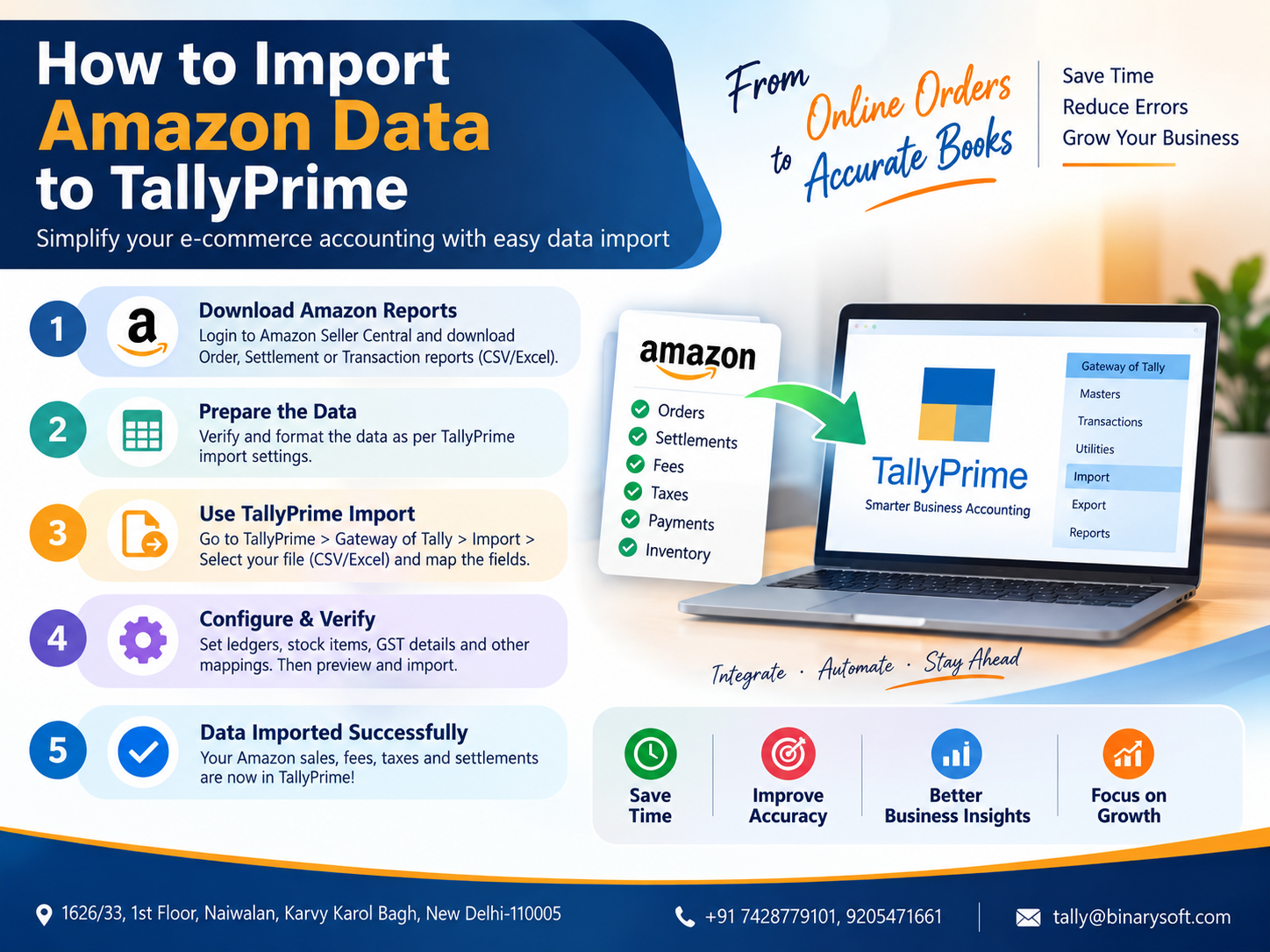
Amazon to TallyPrime: What Changed in 2026?
In 2026, importing Amazon seller transactions into TallyPrime has become significantly easier for businesses handling hundreds or thousands of marketplace orders every month. Instead of manually recording every Amazon sale, refund, settlement, TDS, TCS and GST-related entry, eligible TallyPrime users can use the Amazon Data Import Plug-In to bring marketplace data into their books through predefined mapping templates. This matters because Amazon accounting is rarely as simple as matching an order value with a bank receipt. Seller fees, refunds, deductions, taxes and settlement cycles can create major reconciliation pressure, especially during GST filing and month-end closing. With TallyPrime Release 7.1 or later and an active TSS subscription, businesses can streamline this process, reduce repetitive data entry and maintain more structured marketplace accounts. For growing Amazon sellers, faster data import can mean fewer accounting delays, better reconciliation and more time to focus on sales instead of spreadsheets.
What Is Amazon Data Import in TallyPrime?
Amazon Data Import in TallyPrime is designed to help Amazon sellers bring their marketplace transaction data into TallyPrime without manually entering every transaction.
TallyPrime Release 7.1 and later supports an Amazon Data Import Plug-In that can process B2B and B2C marketplace data using predefined mapping templates.
According to TallyHelp, the Amazon Data Import Plug-In can create different accounting vouchers depending on the Amazon transaction being imported. Amazon shipment data can create Sales Vouchers, refunds can create Credit Notes, settlement receipts can create Receipt Vouchers, while TDS and TCS components of settlements can be recorded through Journal Vouchers.
This gives sellers a structured way to convert marketplace reports into accounting transactions.
Why Amazon Sellers Need TallyPrime Integration
Running an Amazon business creates accounting complexity very quickly.
Imagine receiving 500 orders during a busy week. Those 500 orders may not result in 500 straightforward bank receipts.
Some orders could be:
B2B sales
B2C sales
Cancelled orders
Returned products
Refunded transactions
Interstate sales
Intrastate sales
Transactions involving discounts
Transactions involving marketplace deductions
Transactions affected by TDS
Transactions affected by TCS
Amazon settlement transactions
The final amount transferred to the seller's bank account may therefore be quite different from the gross value of orders placed by customers.
This is where proper Amazon-to-TallyPrime accounting becomes important.
A Seller's Story: When Growing Sales Created a Bigger Accounting Problem
Consider the example of a small electronics seller who started selling through Amazon alongside his physical store.
At first, he was excited.
Orders were coming in every morning. Sales notifications kept increasing, and within a few months his Amazon business had grown beyond what he had expected.
But there was another side to that success.
Every month, his accountant received multiple spreadsheets and settlement reports. Sales had to be checked against refunds. Returns had to be separated. Amazon settlements had to be matched with bank receipts. TDS and TCS needed correct accounting treatment.
The business owner began asking the same question every month:
"If my sales are this much, why is the amount received in my bank different?"
His accountant knew the answer was hidden across sales, returns, marketplace deductions and settlements—but manually reconciling thousands of rows was consuming valuable time.
More sales had created more accounting work.
Once the business moved toward a structured Amazon data import and reconciliation workflow in TallyPrime, the focus changed from typing individual entries to reviewing imported transactions and resolving exceptions.
That difference matters.
Automation does not eliminate the need for accounting judgment. It allows the accountant to spend more time checking accuracy instead of repeatedly entering the same data.
What Do You Need to Import Amazon Data into TallyPrime?
For the official Amazon Data Import Plug-In, you should have:
- TallyPrime Release 7.1 or later
- An active Tally Software Services (TSS) subscription
- Amazon seller transaction reports
- Required ledgers in TallyPrime
- Required stock items
- Correct Amazon-to-TallyPrime item mapping
- Appropriate mapping templates
TallyHelp states that customers using TallyPrime Release 7.1 or later with active TSS can enable and use the Amazon Data Import Plug-In without an additional charge.
Before making major changes or importing large transaction volumes, taking a current backup of your TallyPrime company is strongly recommended.
What Amazon Transactions Can Be Imported?
The Amazon Data Import Plug-In is designed around key e-commerce accounting activities.
1. Amazon Shipments
Amazon shipment data can be converted into Sales Vouchers in TallyPrime.
This helps businesses maintain their Amazon sales inside the accounting system instead of manually recording individual marketplace sales.
2. Amazon Refunds
Refund transactions can be imported as Credit Note Vouchers.
This is especially important for Amazon sellers because product returns and refunds can be frequent.
3. Amazon Settlement Receipts
When Amazon settles an amount payable to the seller, settlement data can be used to create Receipt Vouchers.
This makes marketplace settlement reconciliation more systematic.
4. Amazon TDS and TCS
Tax values appearing in settlement data can be accounted for through Journal Vouchers using the relevant Amazon settlement mapping.
This helps maintain a clearer separation between actual receipts and statutory deductions.
How to Enable the Amazon Data Import Plug-In in TallyPrime
Before importing transactions, the Amazon Plug-In must be enabled for your eligible TallyPrime license.
The general official process includes enabling the Amazon Plug-In using your Tally serial number and completing verification.
After enabling it, open TallyPrime and refresh/update your license.
In TallyPrime:
Press F1
Go to Settings
Select License
Select Manage License
Press F5 (Update)
Enter the required Tally.NET credentials when prompted.
You can then go to:
F1 > Tally Plug-Ins
and check whether the Amazon Plug-In is available.
After successful enablement, TallyPrime provides supporting files inside the Amazon Data Import plug-in folder.
The installation path includes:
appresources > plugins > AmazonDataImport
The files include resources such as Sample Ledgers.xls, StockItem.xls and Read Me.pdf.
Step 1: Prepare Amazon Ledgers in TallyPrime
Before transaction import, your company must contain the required accounting masters.
TallyPrime provides a Sample Ledgers Excel file with the plug-in.
Open:
TallyPrime Installation Folder > appresources > plugins > AmazonDataImport
Locate the Sample Ledgers Excel file.
Review the ledgers carefully.
If a ledger already exists in your TallyPrime company, check it before importing. TallyHelp specifically advises reviewing the sample file and removing ledgers that already exist from the Excel file before import so that existing ledgers are not unintentionally overwritten.
Then import the ledger masters.
In TallyPrime:
Alt+O > Masters
Choose Excel (Spreadsheet) as the file format.
Select the Sample Ledgers Excel file.
Choose the appropriate worksheet.
Select the Default Template.
Select Ledger as the Type of Master.
Review the import behaviour for masters that already exist.
Enable Preview Import Summary.
Accept the configuration and review the summary before importing.
Step 2: Prepare Stock Items
Amazon product names and the stock item names maintained inside TallyPrime need to correspond correctly.
The Amazon Data Import folder provides a StockItem.xls file.
Enter the required product details into this file and import the stock items into TallyPrime.
There is another useful option when the product name in Amazon is different from the name used in TallyPrime.
You can use Amazon item names as aliases for the corresponding TallyPrime stock items.
For example:
TallyPrime Stock Item:
Wireless Bluetooth Headphones Black
Amazon Product Name:
ABC Wireless Headphones Black Model X1
Instead of unnecessarily creating duplicate stock items, an appropriate alias/mapping strategy can help identify that both names refer to the same inventory item.
Correct stock-item mapping is extremely important.
Poor mapping can create duplicate stock masters and make inventory reporting unreliable.
Step 3: Download Amazon Sales and Return Data
Sign in to your Amazon Seller Central account and download the required sales, shipment, refund or return data for the accounting period you want to import.
Keep different periods organised.
For example:
Amazon Sales April 2026
Amazon Refunds April 2026
Amazon Settlement April 2026
Using a consistent folder structure makes reconciliation much easier later.
If the downloaded sales data is not already in the required Excel format, prepare/convert it into the format required by the TallyPrime Amazon import workflow.
Do not randomly delete columns or change values unless you understand the impact on the predefined mapping.
Step 4: Import Amazon B2B Sales into TallyPrime
Once your masters and Amazon data are ready, open your TallyPrime company.
Go to:
Alt+O > Transactions
Select:
Excel (Spreadsheet)
Select the Amazon sales Excel file.
For the worksheet, use the worksheet required by the Amazon template, such as:
Amazon_Sales
For B2B shipments, select the predefined mapping template:
Amazon_B2B_Shipments
Review the import summary.
Once everything appears correct, proceed with the import.
The eligible shipment records will be converted into Sales Vouchers according to the plug-in's mapping and transaction logic.
Step 5: Import Amazon B2C Sales into TallyPrime
For B2C Amazon sales, follow a similar process.
Go to:
Alt+O > Transactions
Choose Excel (Spreadsheet).
Select your Amazon sales file.
Select the relevant Amazon sales worksheet.
Then choose:
Amazon_B2C_Shipments
as the mapping template for B2C shipment data.
Review the import summary carefully before completing the import.
Separating B2B and B2C treatment is particularly important for businesses that need accurate GST reporting.
Step 6: Import Amazon Sales Returns and Refunds
Returns are one of the most important areas of e-commerce accounting.
A business may have strong gross sales but also significant returns.
If returns are ignored or recorded incorrectly, several reports can become misleading.
The Amazon Plug-In provides mapping templates for refund transactions.
For B2B refunds, use the applicable:
Amazon_B2B_Refunds
template.
For B2C refunds, use:
Amazon_B2C_Refunds
The imported refund data can create Credit Note Vouchers.
The plug-in is also designed to handle negative values appearing in sales-return transactions.
Step 7: Import Amazon Settlement Data into TallyPrime
Sales import is only one part of Amazon accounting.
You also need to account for the amount Amazon actually settles.
According to the current TallyHelp process, Amazon settlement data may be downloaded as a .txt file.
Download the required settlement file from Amazon.
Open the .txt data and copy the required data into an Excel workbook.
Save the workbook.
Then open TallyPrime and go to:
Alt+O > Transactions
Choose:
Excel (Spreadsheet)
Select your settlement Excel file.
Choose the relevant worksheet, such as Sheet1.
For settlement receipts, select:
Amazon_Settlement_Receipt
For tax-related settlement entries, select:
Amazon_Settlements_TDS_TCS_GST
Review the summary before importing.
This process can create the necessary Receipt and Journal Vouchers from the relevant settlement information.
How Amazon Data Flows into TallyPrime
A simplified accounting flow looks like this:
Amazon Shipment Data → Sales Voucher
Amazon Refund Data → Credit Note
Amazon Settlement Amount → Receipt Voucher
Amazon TDS/TCS Settlement Data → Journal Voucher
This separation is useful because gross sales, returns, taxes and actual bank receipts represent different accounting events.
Understanding Amazon Settlement Reconciliation
One of the most common mistakes made by new marketplace sellers is expecting:
Amazon Sales = Bank Receipt
Usually, marketplace accounting is more complicated.
A conceptual reconciliation may look like:
Gross Amazon Sales
Less: Customer Refunds/Returns
Less: Applicable Marketplace Charges/Deductions
Less: TDS/TCS or other applicable deductions
Plus/Minus: Settlement adjustments
= Amount payable/settled by Amazon
The exact composition depends on the seller's Amazon reports and transactions.
Therefore, accounting should not be based only on the amount credited to the bank account.
Sales, returns, taxes, fees and settlement transactions should be reviewed separately.
B2B vs B2C Amazon Transactions
Correct classification is essential for GST accounting.
B2B Sales
B2B transactions generally involve sales to registered business customers where GSTIN and other tax information may be relevant.
Important data can include:
Customer name
GSTIN
Invoice number
Invoice date
Taxable value
GST rate
Place of supply
CGST
SGST
IGST
Item information
B2C Sales
B2C transactions involve sales to consumers rather than GST-registered business customers.
Their GST treatment and reporting requirements can differ depending on the nature and place of supply.
Because GST rules can change and transaction circumstances differ, businesses should have their GST treatment reviewed by their accountant or tax professional.
Interstate and Intrastate Amazon Sales
Marketplace sellers frequently ship products across state borders.
That makes Place of Supply important.
For a typical taxable transaction:
Seller and place of supply in the same state may involve CGST and SGST.
Seller and place of supply in different states may involve IGST.
However, actual GST treatment depends on applicable GST law and the transaction circumstances.
Incorrect state or place-of-supply information can cause GST reports in accounting software to show exceptions or uncertain transactions.
How TallyPrime Handles Amazon Discounts
Amazon marketplace transactions can include discounts, making direct spreadsheet accounting difficult.
The Amazon Data Import Plug-In includes preprocessing for marketplace transaction data, including tax treatment relating to discounts.
This is useful because a discount can affect taxable values and tax calculations depending on how the transaction has been structured.
Even with automated import, users should review their GST reports after import rather than assuming every transaction is automatically compliant.
Do You Need to Modify Amazon Data Before Import?
One major advantage of the official Amazon Plug-In is that it performs required preprocessing for supported Amazon data.
Therefore, users generally should not need to manually restructure every supported transaction before importing it.
You still need to ensure that you have selected the correct file, worksheet, transaction type and mapping template.
If the source file is required in Excel format, it must also be prepared in the required format.
What Happens When a Ledger or Stock Item Is Missing?
TallyPrime depends on masters while importing transactions.
Suppose an Amazon transaction contains a product called:
Premium Cotton Shirt Blue XL
but TallyPrime cannot identify the required stock item.
Instead of ignoring such problems, TallyPrime can record import exceptions depending on your configuration.
You can review the Exceptions Report and resolve issues such as missing masters or incompatible values.
This is why masters should ideally be prepared before transaction import.
Use the Exceptions Report After Every Major Import
Never treat the message "Import Completed" as the final accounting check.
Review your imported data.
Check:
Day Book
Sales Register
Credit Notes
Receipt Vouchers
Journal Vouchers
Stock Summary
GST Reports
Bank Reconciliation
Exceptions Report
Compare totals against the Amazon reports for the same period.
The objective is not merely to import data.
The objective is to import accurate accounting data.
Configure Import Behaviour Carefully
TallyPrime provides import configurations that determine how exceptions and other import situations should be handled.
Depending on your TallyPrime release and import method, configuration options can include recording exceptions, stopping an import when an exception occurs, handling invalid characters and enabling detailed logs.
For businesses importing thousands of marketplace transactions, detailed logging can be especially useful when troubleshooting differences.
Avoid Duplicate Amazon Transactions
Duplicate marketplace vouchers can cause serious problems.
For example, suppose you import Amazon transactions for:
1 April to 30 April
and later accidentally import the same report again.
You could potentially create duplicate accounting records depending on your import setup.
This could inflate:
Sales
GST liability
Receivables
Returns
Settlement values
Revenue reports
Always maintain a proper record of imported periods and source files.
A simple folder structure can help:
Amazon Data
2026-27
April
Sales
Returns
Settlements
After successfully processing a file, mark it internally as imported.
Take a Backup Before Amazon Data Import
Before importing a large volume of Amazon transactions, create a backup of your TallyPrime company.
For example:
Company backup before Amazon April import
Import April sales
Verify totals
Import April returns
Verify credit notes
Import April settlement
Verify bank amount
Check TDS/TCS
Review GST reports
Close the period
This approach gives your accounting team a clear audit trail and makes troubleshooting easier.
Amazon Product Name vs TallyPrime Stock Item Name
This is a common challenge.
Your internal stock item may be:
Men's Sports Shoes – Black – Size 9
while the Amazon listing could contain a much longer marketplace title.
If the Amazon item name and TallyPrime stock master do not match, configure the required item mapping or alias.
Do not create a new stock item for every marketplace naming variation unless those items are genuinely different.
Otherwise, your Stock Summary can become fragmented.
SKU-Based Inventory Management for Amazon Sellers
For businesses selling on multiple marketplaces, maintaining a consistent SKU structure is extremely useful.
For example:
Product: Men's Running Shoes
SKU: SHOE-RUN-BLK-09
That SKU can become the common reference across:
Amazon
Warehouse
TallyPrime
Internal ERP
Barcode system
Order management system
A consistent product code dramatically reduces mapping confusion as transaction volume increases.
Amazon Data Import and GST Compliance
Automating marketplace data entry can support GST compliance, but automation should not replace verification.
After importing Amazon data, review:
GSTIN
Place of Supply
Taxable value
GST rate
CGST
SGST
IGST
B2B/B2C classification
Credit Notes
TCS
TDS
Invoice dates
Voucher dates
State information
GST reporting status
Pay particular attention to interstate sales, returned goods and adjustments.
Amazon TCS and TDS Accounting
Marketplace settlements may contain statutory tax deductions.
These should not simply disappear into a difference between sales and bank receipts.
For example, conceptually:
Amazon amount due: ₹100,000
Applicable deductions and adjustments: ₹8,000
Amount received in bank: ₹92,000
Recording only ₹92,000 as sales would not properly represent a ₹100,000 sales figure in this simplified example.
Instead, sales and the various deductions/settlement components should be recorded under their appropriate accounting heads.
The Amazon settlement mapping in TallyPrime is intended to help structure these entries.
Consult your CA or tax adviser for the exact ledger classification applicable to your business.
Can Amazon Data Be Imported Using Normal Excel Import?
Yes.
TallyPrime's broader Excel Import functionality can import business data from Excel using Mapping Templates.
This can be useful if:
You have a customised Amazon report.
You receive consolidated marketplace data.
You have your own e-commerce middleware.
You sell through multiple marketplaces.
You want to transform Amazon reports before accounting.
You have a customised accounting workflow.
However, if your requirements fit the official Amazon Data Import Plug-In, using its predefined templates can reduce manual mapping work.
TallyPrime Excel Import for Custom Amazon Reports
TallyPrime supports importing data from user-defined Excel files by mapping spreadsheet columns to TallyPrime fields.
A custom Amazon import workflow could involve mapping fields such as:
Order ID
Invoice Number
Invoice Date
Customer Name
GSTIN
State
Place of Supply
SKU
Stock Item
Quantity
Rate
Taxable Amount
GST Rate
CGST
SGST
IGST
Discount
Shipping
Refund Amount
Settlement ID
TDS
TCS
Net Settlement
Once a suitable Mapping Template has been created and tested, similar files can be imported more efficiently.
Advanced Amazon-to-TallyPrime Automation
Businesses processing very large transaction volumes may eventually need more than periodic Excel imports.
A more advanced architecture can involve:
Amazon marketplace data
↓
Integration/middleware application
↓
Data validation and transformation
↓
TallyPrime-compatible structure
↓
Automated TallyPrime integration
↓
Exception monitoring and reconciliation
TallyPrime 7.0 and later also supports JSON-based data exchange and integration in addition to XML and Excel-based import capabilities.
This creates opportunities for businesses and developers to build more automated marketplace accounting workflows where appropriate.
Amazon to TallyPrime Through JSON or XML
TallyPrime supports importing masters and transactions through structured formats.
In TallyPrime Release 7.0 and later, JSON is supported alongside XML for applicable data exchange and import scenarios.
For transaction import:
Alt+O > Import > Transactions
Select the required file.
Review the import settings.
Take a backup when prompted/recommended.
Import the transactions.
For JSON/XML integrations, the external system must provide data according to the structures expected by TallyPrime.
This is more relevant for custom integration projects than for sellers who simply want to use the official Amazon Plug-In.
Manual Entry vs Amazon Data Import
Manual accounting may work when an Amazon seller has only a handful of transactions.
As volume grows, the limitations become obvious.
Manual entry requires accountants to repeatedly:
Open Amazon reports
Identify transactions
Create vouchers
Enter invoice information
Enter item details
Calculate or verify taxes
Record returns
Record settlements
Post TDS/TCS
Check bank receipts
With structured import, much of the repetitive transaction creation can be reduced.
The accountant can then focus more heavily on:
Exceptions
Reconciliation
Compliance
Incorrect mappings
Tax treatment
Period closing
Management reporting
Benefits of Importing Amazon Data into TallyPrime
Faster Accounting
Bulk transaction import can dramatically reduce repetitive voucher entry.
Reduced Data Entry Errors
Automation reduces mistakes caused by repeatedly typing invoice numbers, values and product details.
Better Settlement Reconciliation
Separate settlement accounting helps explain differences between marketplace sales and bank receipts.
Better GST Review
Structured sales and return data makes GST reporting easier to review.
Better Inventory Tracking
Correctly mapped Amazon products can update inventory through relevant sales and return transactions.
Better Scalability
The accounting workflow can handle increasing order volumes more efficiently than purely manual bookkeeping.
Improved Month-End Closing
Sales, returns and settlements can be processed systematically rather than reconstructed at the end of the month.
Common Problems During Amazon Data Import
Missing Ledger
Create or correctly map the required ledger and resolve the exception.
Missing Stock Item
Create the item or configure the Amazon item name as an appropriate alias/mapping.
Duplicate Stock Items
Standardise SKU and item naming before repeated imports.
Incorrect GST Classification
Check GST registration information, state and Place of Supply.
Sales Do Not Match Settlement
Do not compare only gross sales against bank receipts. Review returns, tax deductions, fees and settlement adjustments.
Duplicate Vouchers
Maintain strict date ranges and track which Amazon reports have already been imported.
Import Exceptions
Use TallyPrime's Exceptions Report and detailed import information to identify and correct problems.
Recommended Monthly Amazon Accounting Workflow
A disciplined monthly process can look like this:
Download Amazon B2B shipment data.
Download Amazon B2C shipment data.
Download Amazon refund data.
Download settlement reports.
Create a TallyPrime backup.
Verify ledgers and stock items.
Import B2B sales.
Import B2C sales.
Import B2B refunds.
Import B2C refunds.
Import settlement receipts.
Import TDS/TCS/GST settlement entries.
Review the Exceptions Report.
Compare Sales Register with Amazon sales data.
Compare Credit Notes with Amazon refunds.
Reconcile settlement receipts with the bank.
Review GST reports.
Correct exceptions.
Take a final backup after reconciliation.
Daily Import or Monthly Import: Which Is Better?
The best frequency depends on transaction volume.
A small Amazon seller may find weekly or monthly import sufficient.
A growing seller processing hundreds of daily orders may prefer daily or more frequent processing.
High-volume sellers may benefit from custom integration or automated data processing.
The important point is consistency.
Do not import transactions irregularly without tracking the reporting period.
Why Reconciliation Still Matters After Automation
Automation speeds up accounting, but it does not guarantee that the business's books are correct.
A marketplace transaction can be affected by:
Returns
Refunds
Price adjustments
Tax deductions
Settlement timing
Order cancellation
Inventory mapping
Incorrect GST information
Previous-period adjustments
Therefore, Amazon data import should always be followed by reconciliation.
Think of import as the first stage.
Verification is the second stage.
Reconciliation is the final stage.
How Binarysoft Technologies Can Help
Businesses selling through Amazon often need more than a basic software installation.
They may require assistance with:
TallyPrime setup
Amazon Data Import Plug-In configuration
Amazon sales import
B2B and B2C transaction mapping
Amazon refund import
Settlement import
TDS/TCS accounting setup
GST configuration
Stock-item mapping
SKU standardisation
Excel import configuration
Mapping Templates
TallyPrime customisation
JSON/XML integration
Marketplace reconciliation
Inventory management
Multi-user accounting
TallyPrime support and training
A well-planned setup can help an Amazon seller move from spreadsheet-heavy bookkeeping toward a more organised accounting workflow.
Who Should Use Amazon Data Import in TallyPrime?
The workflow can be especially useful for:
Amazon sellers
Online retailers
D2C brands
Electronics sellers
Fashion sellers
FMCG businesses
Home and kitchen sellers
Book sellers
Mobile accessory sellers
Manufacturers selling directly online
Wholesalers operating Amazon stores
Multi-channel e-commerce businesses
Accountants managing marketplace clients
Businesses with high order volumes
Best Practices Before Going Live
Do not start by importing an entire financial year.
First test a smaller date range.
For example, import one day or a few days of transactions.
Then verify:
Number of Sales Vouchers
Sales value
GST value
Stock quantity
Refund value
Credit Notes
Settlement amount
TDS/TCS entries
Bank receipts
GST reports
Once your accountant confirms that the mapping is correct, proceed with larger batches.
This small test can prevent a large clean-up exercise later.
Future of Amazon Accounting with TallyPrime
Marketplace accounting is gradually moving away from manual voucher creation toward structured data exchange.
TallyPrime's support for Excel, XML and JSON data exchange, combined with marketplace-specific tools such as the Amazon Data Import Plug-In, reflects this shift.
For sellers, the objective is not simply faster bookkeeping.
The bigger objective is to create a connected financial workflow in which:
Orders become accounting transactions.
Returns become Credit Notes.
Settlements become receipts.
Tax deductions are accounted for separately.
Inventory remains updated.
GST data can be reviewed.
Bank settlements can be reconciled.
Management can understand the real financial position of the marketplace business.
That is where Amazon-to-TallyPrime automation can deliver its greatest value.
Conclusion
Importing Amazon data into TallyPrime can transform the accounting process for e-commerce businesses dealing with large transaction volumes. With TallyPrime Release 7.1 or later, an active TSS subscription and the Amazon Data Import Plug-In, supported Amazon B2B and B2C shipments, refunds and settlement information can be converted into appropriate accounting vouchers through predefined mapping templates.
The biggest advantage is not simply saving data-entry time. A structured import workflow can make sales, returns, settlement receipts, TDS, TCS, GST and inventory easier to review and reconcile.
However, businesses should always prepare masters carefully, maintain consistent stock-item and SKU mapping, take backups, review import summaries and check the Exceptions Report after processing data.
For growing Amazon sellers, the combination of automation and proper reconciliation can turn marketplace accounting from a monthly burden into a controlled and scalable business process.
Frequently Asked Questions
Can I import Amazon sales directly into TallyPrime?
Yes. TallyPrime Release 7.1 and later supports an Amazon Data Import Plug-In for importing supported Amazon B2B and B2C sales, sales returns and settlement data using predefined mapping templates.
What TallyPrime version is required for the Amazon Data Import Plug-In?
According to TallyHelp, you need TallyPrime Release 7.1 or later along with an active TSS subscription.
CA. Sagar Singh advises MSMEs on accounting accuracy, GST compliance, and internal controls. With exposure to high-volume transaction environments, he writes practical guidance on inventory management, billing discipline, and compliance-ready accounting systems.