Call CA Tally HelpDesk
+91 9205471661,
7428779101

What Changed in 2026? Choosing the Right TallyPrime License Matters More Than Ever
In 2026, Indian businesses are under growing pressure to manage accounting, GST compliance, inventory, invoicing, banking, and financial reporting faster and with fewer errors. At the same time, buyers searching for the cheapest TallyPrime license often discover that the lowest upfront price is not necessarily the most economical option for their business. The right choice depends on how many people need access, whether TallyPrime will be used from one computer or across a network, whether remote or cloud access is required, and which ongoing services the business needs. Recent improvements in digital accounting and connected business workflows have also made it important to compare plans carefully before purchasing. A properly selected TallyPrime license can reduce unnecessary expenditure while giving accountants, traders, manufacturers, distributors, professionals, and growing businesses a dependable platform for everyday financial management.
Why Are Businesses Searching for the Cheapest TallyPrime License in India?
For a small business, every software investment matters. A shop owner may need TallyPrime only on one computer, while a wholesaler with several billing and accounting employees may require simultaneous access for multiple users.
This is why searching only for "Tally price" is not enough.
A business should compare:
- Single-user and multi-user requirements
- New license versus existing license upgrade
- Current subscription or renewal requirements
- Number of employees who need access
- Local network versus cloud-based working
- GST and statutory requirements
- Remote working requirements
- Support and implementation costs
- Future business expansion
- Genuine versus unauthorized software
The cheapest option is the one that meets your actual requirements without forcing you to pay for capacity you do not need.
Understanding TallyPrime Before Comparing Prices
TallyPrime is business management and accounting software widely used by businesses and accounting professionals in India. It can help businesses maintain books of accounts, create invoices, monitor outstanding payments, manage inventory and generate business reports.
Depending on configuration and applicable features, businesses may use TallyPrime for areas such as:
Accounting and bookkeeping
Sales and purchase management
GST-related accounting and reports
Inventory management
Receivables and payables
Banking-related workflows
Financial statements
Cost centres
Order management
Business reports
Multi-company accounting
User-level access and security
The right license therefore depends considerably on the size and operating structure of the organization.
TallyPrime License Options: Which One Should You Choose?
For many Indian businesses, the most important decision is between a single-user and multi-user setup.
TallyPrime Silver – Suitable for Single-Computer Usage
TallyPrime Silver is generally the natural choice when TallyPrime needs to be activated and operated primarily from a single computer.
It can be suitable for:
Small retailers
Individual business owners
Freelancers
Consultants
Small accounting offices
Startups
Service providers
Home-based businesses
Businesses with one primary accounting computer
If only one system needs to run TallyPrime, buying a larger multi-user license may create unnecessary expenditure.
For such businesses, Silver can therefore be one of the most economical ways to start using genuine TallyPrime.
TallyPrime Gold – Designed for Multi-User Environments
TallyPrime Gold is intended for businesses that need multiple users to work with TallyPrime in a networked environment, subject to the applicable licensing conditions.
It may be more appropriate for:
Wholesalers
Distributors
Manufacturers
Large retailers
Accounting departments
Companies with multiple accounting staff
Organizations with simultaneous users
Growing SMEs
Suppose one employee creates sales invoices while another records purchases and an accountant reviews ledgers and reports. A multi-user setup can make considerably more sense than restricting the entire accounting workflow to one computer.
TallyPrime Silver vs Gold – Quick Comparison
| Requirement | TallyPrime Silver | TallyPrime Gold |
|---|
| Typical requirement |
Single-user setup |
Multi-user setup |
| Suitable for |
Small businesses and individual users |
Teams and growing organizations |
| Network usage |
Limited compared with Gold |
Designed for multi-user network environments |
| Initial investment |
Lower |
Higher |
| Best value when |
One primary computer needs TallyPrime |
Several users need simultaneous access |
| Upgrade requirement |
Can become necessary as the team grows |
Better suited to larger teams |
| Business profile |
Freelancer, shop, consultant, small office |
Distributor, manufacturer, wholesaler, larger office |
The cheapest TallyPrime license therefore cannot be determined purely by looking at the purchase price.
A Silver license may be cheaper initially, but Gold may provide better value for a business that genuinely requires several simultaneous users.
What Is the Cheapest TallyPrime License for a Small Business?
For a small business operating TallyPrime from one primary computer, a genuine single-user license is usually the first option worth evaluating.
Consider a small trader where the owner or accountant handles:
Sales entries
Purchase entries
GST accounting
Bank entries
Outstanding payments
Stock records
Profit and loss reports
If all these tasks are performed from one computer, the business may not need a multi-user setup immediately.
The money saved can instead be invested in implementation, employee training, data backup, hardware or other business requirements.
However, businesses should think at least 12–24 months ahead.
If several employees are expected to require simultaneous Tally access shortly, discuss the upgrade path before purchasing.
The Story of a Business Owner Who Almost Bought the Wrong License
Imagine a small wholesale trader named Rajesh.
His business had grown steadily, and manual spreadsheets were becoming difficult to manage. Purchase bills were piling up, customer outstanding amounts were difficult to track, and stock figures never seemed to match when he needed them most.
Rajesh decided to buy TallyPrime.
He initially assumed that purchasing the cheapest available option would solve everything. But before placing the order, he discussed how his office actually worked.
His accountant handled entries from one computer. Rajesh mainly needed reports and business information, while his billing team was still working through a separate process.
At that stage, paying immediately for a larger setup would have increased his software investment without delivering enough additional benefit.
He started with a license appropriate for his existing requirements and planned an upgrade when simultaneous users became necessary.
Several months later, as his team expanded, he already knew what the next step would be.
The important saving wasn't simply the difference in license price. It was avoiding a purchase that didn't match the way his business actually operated.
That is the question every TallyPrime buyer should ask:
What does my business need today, and what will it realistically need tomorrow?
Don't Choose TallyPrime Only by Price
Searching for the "cheapest TallyPrime license in India" is understandable, but purchasing accounting software purely on price can create problems later.
A better comparison considers the total cost of ownership.
1. Number of Users
Determine how many employees actually need to work in TallyPrime.
One primary user may justify Silver.
Several simultaneous users may justify Gold.
2. Number of Computers
A business with only one accounting system has different requirements from an organization where accounts, billing and management teams need access.
3. Local or Remote Working
Do employees work only from the office?
Does the owner want access while travelling?
Do accountants work from another location?
Does the business plan to use cloud infrastructure?
These questions should be answered before deciding on a configuration.
4. Future Growth
Buying purely for today's requirement can sometimes create additional upgrade work later.
Consider your expected team size and business growth over the next one or two years.
5. Support Requirements
Businesses new to TallyPrime may require assistance with:
Installation
Company creation
GST configuration
Ledger setup
Inventory configuration
User management
Backup processes
Migration
Training
Troubleshooting
The quality of implementation can be just as important as the software license itself.
TallyPrime License Price: Why You Should Verify the Current Quote
Software pricing, taxes, promotional offers, renewal terms, upgrade eligibility and commercial policies can change.
Therefore, instead of relying on an old article, screenshot, social-media post or marketplace listing, buyers should obtain a current quotation from an authorized source before making payment.
Ask for a quotation that clearly identifies:
License type
Applicable price
GST/taxes
Subscription or renewal terms
Upgrade options
Any applicable offer
Cloud charges, if required
Support scope
Payment terms
This prevents confusion between license price and optional services.
New License vs Upgrade – Which Is More Economical?
Existing Tally users should not automatically purchase another new license when their requirements increase.
For example, a business already operating a Silver license may later need a multi-user environment.
In such a situation, ask whether the existing license can be upgraded to the appropriate plan.
An upgrade can be more logical than maintaining an unnecessary additional license, depending on the organization's requirements and the commercial terms available at the time.
Before buying, provide your existing license details to the authorized Tally partner so eligibility and available options can be checked.
Is TallyPrime Rental Cheaper Than Buying a License?
Businesses should compare rental or subscription-style access, where available, with longer-term licensing based on their use case.
A short-duration option may make sense for:
Temporary projects
Seasonal businesses
Short accounting assignments
Testing before a longer commitment
Organizations with a limited-duration requirement
However, a business expecting to use TallyPrime continuously for years should compare the long-term cost carefully.
The lowest monthly payment does not automatically mean the lowest overall cost.
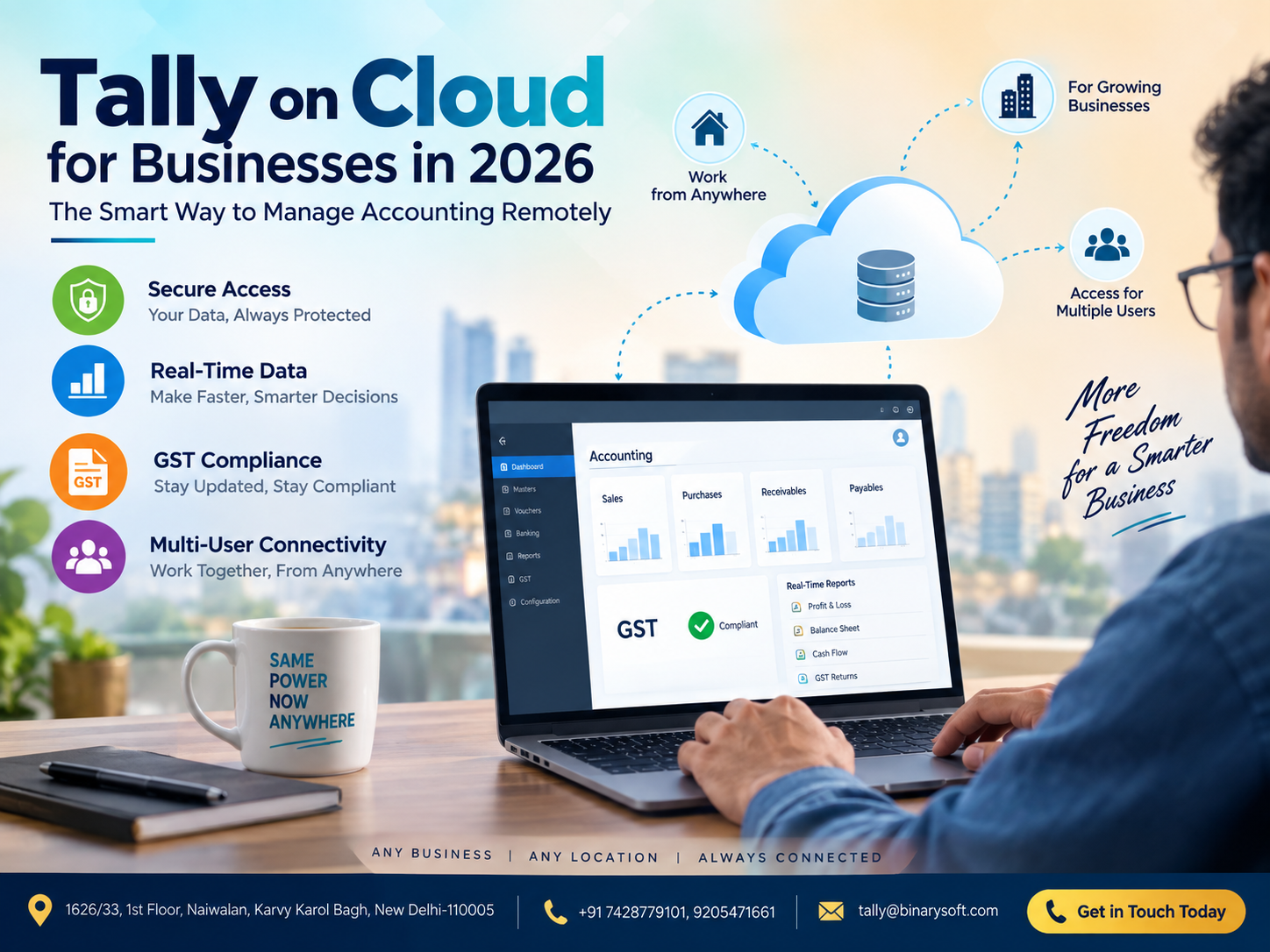
TallyPrime on Cloud – Is It Included in the License?
This is an important question because buyers sometimes confuse a TallyPrime software license with cloud hosting.
They are not necessarily the same expense.
Cloud deployment may involve additional hosting or service charges depending on the solution selected.
Cloud access can be useful when:
Owners travel frequently
Employees work remotely
Accountants need access from different locations
Businesses operate distributed teams
Management needs flexible access
Before purchasing, request a clear breakup between:
TallyPrime license cost
Applicable subscription/renewal cost
Cloud hosting cost
Number of cloud users
Implementation charges, if any
Support charges, if applicable
This makes the actual cost easier to understand.
Avoid Pirated or "Cracked" Tally Software
A suspiciously cheap offer can become an expensive mistake.
Unauthorized or modified accounting software may expose a business to security, reliability, compliance and data-loss risks.
Accounting databases can contain sensitive information such as:
Customer balances
Supplier details
Sales information
Purchase records
Banking-related records
Tax information
Inventory valuation
Profitability data
Saving money by using unauthorized software is rarely worth putting critical business records at risk.
Always choose a genuine license obtained through legitimate channels.
How to Find the Best TallyPrime Deal in India
Before purchasing TallyPrime in 2026, follow a requirement-first buying process.
Step 1: Count Actual Users
Don't count every employee in the company. Count the people who genuinely need to operate TallyPrime.
Step 2: Identify Simultaneous Usage
Three employees may use accounting information, but if only one person actually operates TallyPrime, the requirement can differ from three employees who need simultaneous access.
Step 3: Decide Whether Remote Access Is Required
Determine whether TallyPrime will be used only inside the office or whether remote/cloud working is necessary.
Step 4: Check Existing License Eligibility
If you already own Tally, share the existing license details with an authorized partner and check available renewal or upgrade options.
Step 5: Ask for the Complete Cost
Don't ask only:
"How much is Tally?"
Instead ask:
"What is my complete cost, including license, applicable taxes, subscription/renewal, cloud and any optional services I require?"
Step 6: Compare Long-Term Cost
Calculate your expected expense over one, two and three years.
This provides a much more realistic comparison than looking only at today's payment.
Step 7: Buy from an Authorized Source
An authorized Tally partner can help assess requirements, explain licensing options and assist with implementation and support.
Who Should Choose TallyPrime Silver?
TallyPrime Silver may be worth considering when:
Only one primary computer requires TallyPrime
You are starting a new business
You are an individual professional
Your accounting team is very small
Simultaneous multi-user operation isn't required
You want a lower initial software investment
For many micro and small businesses, this can provide a practical entry point into organized accounting.
Who Should Choose TallyPrime Gold?
Consider TallyPrime Gold when:
Several employees need simultaneous access
Billing and accounts teams work together
The company has a dedicated accounting department
Your transaction volume is increasing
A multi-user network environment is required
Your business is expanding beyond a single accounting operator
Gold costs more than Silver, but buying Silver solely because it is cheaper can be a false economy when the business actually requires multi-user functionality.
TallyPrime for Traders
Trading businesses can use TallyPrime to organize daily transactions and monitor inventory and outstanding amounts.
For wholesalers and retailers, important requirements can include:
Purchase recording
Sales invoicing
Stock management
Customer outstanding tracking
Supplier payable monitoring
GST accounting
Profitability reports
The license should be selected according to how many people manage these operations.
TallyPrime for Manufacturers
Manufacturing businesses often have more complex accounting and inventory requirements.
Depending on business processes, they may need to monitor:
Raw materials
Finished goods
Stock movement
Purchases
Sales
Receivables
Payables
Cost information
GST-related records
A growing manufacturing company may therefore benefit from evaluating multi-user requirements early.
TallyPrime for Accountants and Professionals
Chartered accountants, tax professionals, consultants and accounting service providers may manage multiple business accounts.
Their buying decision should consider:
Number of operators
Number of computers
Work location
Client data management
Remote access requirements
Applicable professional plans or eligibility, where available
Eligible professionals should check current official commercial terms before purchasing rather than relying on outdated online pricing.
TallyPrime for Startups
Startups often want to minimize fixed costs, which makes the cheapest license attractive.
But startups can grow quickly.
A founder should ask:
How many accounting users do we have now?
How many will we have next year?
Will our accountant work remotely?
Will billing happen from multiple systems?
Do we need inventory management?
Will we open another office?
Planning these requirements early can prevent unnecessary software changes later.
Cheapest TallyPrime Doesn't Mean the Lowest Advertised Price
Suppose Business A buys the cheapest possible configuration but needs to upgrade shortly afterwards.
Business B spends slightly more initially but chooses the correct configuration for the next three years.
Business B may ultimately spend less time and money.
Therefore, a useful formula is:
Best TallyPrime Value = Correct License + Genuine Software + Suitable Configuration + Required Support + Future Scalability
Price is only one part of the equation.
Questions to Ask Before Buying TallyPrime in 2026
Before making payment, ask your Tally partner:
Which license is suitable for my business?
Do I need Silver or Gold?
Can my existing license be upgraded?
What taxes apply?
What are the current subscription or renewal terms?
Are there any eligible offers?
Is cloud hosting included or separate?
How much will additional cloud users cost?
What support will I receive?
Can my existing company data be used?
What happens when my business needs more users?
A few minutes spent answering these questions can prevent an incorrect purchase.
Why Buy Through Binarysoft Technologies?
Binarysoft Technologies is an Authorized Tally Partner helping businesses understand TallyPrime licensing and select solutions according to their operational requirements.
Instead of recommending a license solely according to its headline price, the objective is to understand factors such as:
Business size
Number of users
Existing Tally license
Accounting workflow
Multi-user requirements
Cloud requirements
Future expansion
Implementation and support needs
This can help businesses avoid unnecessary expenditure and choose a more appropriate TallyPrime setup.
Need the Latest TallyPrime Price and Eligibility?
Because pricing, offers and eligibility can change, businesses should confirm the current commercial terms before making a purchase.
If you already have a Tally license, keep your license details available so that applicable upgrade, renewal or other eligible options can be checked.
New customers can explain their number of users and working requirements to receive guidance on an appropriate configuration.
Powered by Binarysoft Technologies
Authorized Tally Partner
Location:
1626/33, 1st Floor, Naiwalan, Karol Bagh, New Delhi – 110005, INDIA
Contact Us:
+91 7428779101, 9205471661
Email Us:
tally@binarysoft.com
Business Hours:
10:00 AM – 6:00 PM, Monday to Friday
Contact Binarysoft Technologies for current TallyPrime licensing information, purchase guidance, upgrades, renewals, cloud requirements and implementation assistance.
Conclusion
Finding the cheapest TallyPrime license in India in 2026 is not simply about locating the smallest price on the internet. The real objective should be finding the lowest-cost configuration that fully supports your business.
For a small business with one primary accounting computer, a single-user option may be sufficient. For a growing company where multiple employees need simultaneous access, a multi-user solution may offer better long-term value.
Businesses should also separate the software license cost from subscription, renewal, cloud hosting, implementation and optional support costs when comparing quotations.
Most importantly, avoid unauthorized or cracked versions simply to reduce the initial investment. Business accounting data is too important to expose to unnecessary risk.
Before purchasing, identify your users, understand your workflow, consider future growth and obtain a current quotation from an authorized source.
The cheapest TallyPrime license is ultimately not the one with the lowest price tag. It is the one that gives your business what it needs without making you pay for what it doesn't.
Frequently Asked Questions
What is the cheapest TallyPrime license in India?
For businesses requiring TallyPrime on a single primary computer, a single-user configuration is generally the first option to evaluate. The exact current price and commercial terms should be confirmed before purchase.
Is TallyPrime Silver cheaper than Gold?
Silver generally has a lower initial cost because it is intended for a different usage requirement. Gold is designed for multi-user environments. Compare them based on users and business requirements rather than price alone.
CA. Darshit Malhotraa has hands-on experience in GST compliance, accounting reviews, and MSME consulting. He regularly works with businesses transitioning from manual systems to digital accounting platforms. His content emphasizes real-world problem solving and operational efficiency.