Call CA Tally HelpDesk
+91 9205471661,
7428779101
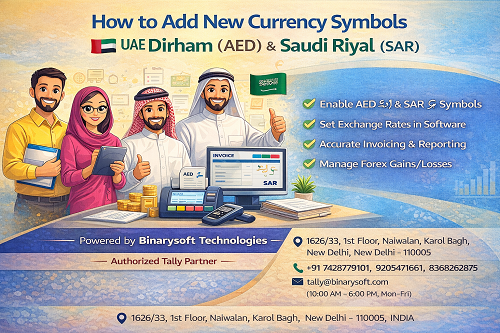
Introduction
With Indian businesses expanding globally, many traders, exporters, consultants, and accounting professionals now deal with foreign currencies, especially UAE Dirham (AED) and Saudi Riyal (SAR).
Businesses involved in:
- Import–export
- UAE VAT accounting
- Saudi business transactions
- Overseas clients
- NRI trading activities
often require new currency symbols to be added in their accounting or billing systems.
This article explains in simple language:
- What are currency symbols
- Why UAE Dirham and Saudi Riyal symbols are required
- How to add new currency symbols step by step
- Common mistakes and best practices
This guide is suitable for accountants, businesses, and Tally users.
What Are Currency Symbols?
A currency symbol is a sign used to represent money value in invoices, reports, and accounting records.
Examples:
- ₹ → Indian Rupee
- $ → US Dollar
- € → Euro
For Middle East transactions:
- AED → UAE Dirham
- SAR → Saudi Riyal
Using correct currency symbols improves:
- Invoice clarity
- International professionalism
- Accounting accuracy
Why Do Businesses Need UAE Dirham & Saudi Riyal Symbols?
Many Indian businesses work with Gulf countries due to:
- Export to UAE & Saudi Arabia
- Construction and manpower services
- Trading and consultancy
- E-commerce sellers
- Accounting firms handling overseas clients
Adding proper currency symbols ensures:
- Accurate invoices
- Correct foreign currency accounting
- Professional documentation
Understanding UAE Dirham & Saudi Riyal
UAE Dirham (AED)
- Currency used in United Arab Emirates
- Common code: AED
- Usually shown as AED or د.إ
Saudi Riyal (SAR)
- Currency used in Saudi Arabia
- Currency code: SAR
- Symbol commonly written as SAR or ﷼
Most accounting software supports these currencies but requires proper configuration.
How to Add UAE Dirham & Saudi Riyal Currency Symbols
Below is the general method used in accounting systems like Tally and similar software.
Step 1: Open Currency Configuration
Go to:
Gateway → Create → Currency
(or Accounting Masters → Currency)
Step 2: Create UAE Dirham (AED)
Fill details as:
- Currency Name: UAE Dirham
- Symbol: AED or د.إ
- Formal Name: Dirham
- International Code: AED
- Number of Decimal Places: 2
Save the currency.
Step 3: Create Saudi Riyal (SAR)
Enter:
- Currency Name: Saudi Riyal
- Symbol: SAR or ﷼
- Formal Name: Riyal
- International Code: SAR
- Decimal Places: 2
Save configuration.
Step 4: Enable Multi-Currency Option
Go to:
Features → Accounting Features → Enable Multi-Currency
This allows:
- Foreign currency transactions
- Exchange rate entry
- Automatic conversion
Step 5: Set Exchange Rates
For each currency, define:
- Buying rate
- Selling rate
- Date-wise exchange rate
This helps in accurate accounting and valuation.
Step 6: Use Currency in Ledgers
Create or alter party ledger:
- Enable “Set/Alter Foreign Currency”
- Select AED or SAR
Now invoices can be generated in foreign currency.
Where Currency Symbols Appear
After setup, currency symbols appear in:
- Sales invoices
- Purchase invoices
- Ledger statements
- Outstanding reports
- Balance sheet (converted value)
Common Uses of UAE & Saudi Currency Setup
- Export billing
- Overseas service invoices
- Client accounting
- Foreign remittances
- Advance receipts
- GST zero-rated supplies
Important Points to Remember
- Exchange rate must be updated regularly
- Maintain INR equivalent entries
- Foreign currency gains/loss must be recorded
- Proper configuration avoids audit issues
Common Mistakes to Avoid
- Using wrong currency code
- Not enabling multi-currency
- Incorrect exchange rate
- Mixing INR and foreign values
- Manual conversion errors
Proper professional setup prevents these problems.
Why Professional Setup Is Recommended
Foreign currency accounting is sensitive.
Incorrect setup may lead to:
- Wrong profit calculation
- Exchange difference errors
- Audit mismatch
- Compliance issues
That’s why expert guidance is important.
Powered by Binarysoft Technologies – Authorized Tally Partner
Binarysoft Technologies is a trusted Authorized Tally Partner, providing professional accounting and foreign currency setup services.
We help businesses with:
- UAE Dirham (AED) setup
- Saudi Riyal (SAR) configuration
- Multi-currency accounting
- Import-export accounting
- Tally customization
- Tally on Cloud solutions
- Professional training & support
Contact Details
Powered by Binarysoft Technologies – Authorized Tally Partner
�� Location:
1626/33, 1st Floor, Naiwalan, Karol Bagh,
New Delhi – 110005, INDIA
�� Contact Us:
+91 7428779101
+91 9205471661
+91 8368262875
�� Email:
tally@binarysoft.com
�� Business Hours:
10:00 AM – 6:00 PM (Mon–Fri)
Conclusion
Adding new currency symbols like UAE Dirham (AED) and Saudi Riyal (SAR) is essential for businesses dealing with Middle East clients.
With correct currency configuration, exchange rate management, and proper ledger setup, businesses can maintain accurate foreign currency accounts without errors.
With expert assistance from Binarysoft Technologies – Authorized Tally Partner, businesses can ensure smooth, compliant, and professional multi-currency accounting.
Frequently Asked Questions
Can UAE Dirham and Saudi Riyal be used in invoices?
Yes, after currency setup, invoices can be generated in AED and SAR.
Does GST apply on foreign currency invoices?
GST depends on transaction type (export/service). Currency setup only handles accounting.
Can exchange rate be changed daily?
Yes, exchange rates can be updated date-wise.
Will reports show INR value also?
Yes, reports show both foreign value and INR equivalent.
CA. Priya Tanvi specializes in accounting compliance, GST advisory, and business reporting for small and growing enterprises. She works with business owners to improve record-keeping and financial clarity. Her articles focus on practical compliance solutions and operational discipline.