Call CA Tally HelpDesk
+91 9205471661,
7428779101
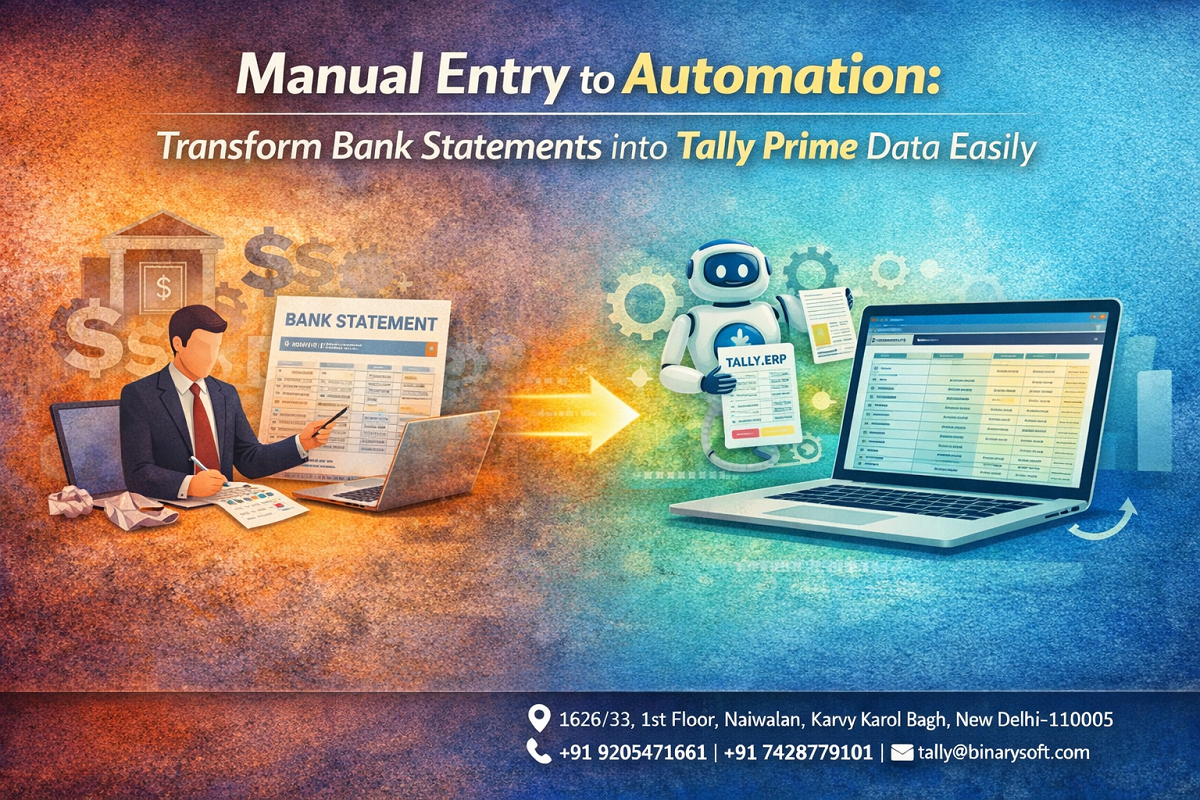
Manual data entry from bank statements is quickly becoming outdated—and risky. With increasing transaction volumes, tighter GST compliance, and the need for real-time financial reporting, businesses can no longer afford delays and errors caused by manual accounting. What changed in recent months is the shift toward automated bank data integration, where statements are directly converted into accounting entries with accuracy and speed. Businesses still relying on copy-paste or manual voucher entry are facing reconciliation issues, missed transactions, and wasted hours every week. The pressure is clear—but so is the solution. Automated bank statement conversion into Tally Prime data ensures faster bookkeeping, accurate reconciliation, and better financial control. The benefit is immediate: save time, reduce errors, and focus on growing your business instead of managing spreadsheets.
A Real Story: From Late Nights to Real-Time Accounting
A CA firm in Delhi handled multiple clients and spent hours every week entering bank transactions manually into Tally. Month-end closing was stressful, often stretching late into the night.
One mistake—just a misplaced entry—caused a major mismatch in client accounts, leading to delays and frustration.
That’s when they switched to automated bank statement import.
Within days, their workflow transformed. Bank data was converted into Tally vouchers instantly, reconciliation became faster, and the team finally had time to focus on advisory services instead of data entry.
Today, they close books on time—and with confidence.
Automation didn’t just save time—it changed how they work.
What is Bank Statement Automation in Tally?
Bank statement automation is the process of importing bank transaction data (Excel, CSV, or PDF converted files) directly into accounting software like Tally, where entries are automatically created as vouchers.
Why Manual Entry is No Longer Practical
1. High Volume of Transactions
Modern businesses handle hundreds of transactions daily.
2. Increased Risk of Errors
Manual entry leads to duplication, missing entries, and incorrect amounts.
3. Time-Consuming Process
Hours are wasted on repetitive data entry.
4. Delayed Reconciliation
Mismatch between bank and books causes delays in closing accounts.
5. Compliance Pressure
Accurate financial records are essential for GST and audits.
Key Features of Automated Bank Statement Conversion
Direct Import of Bank Statements
Upload Excel or CSV files and convert them into accounting entries.
Smart Mapping of Transactions
Automatically map narration, ledger names, and transaction types.
Bulk Voucher Creation
Generate multiple vouchers in seconds.
Bank Reconciliation Automation
Match bank entries with books quickly and accurately.
Error Detection
Identify duplicates, mismatches, and missing data instantly.
Multi-Bank Support
Import statements from multiple bank accounts seamlessly.
Benefits of Automating Bank Entries in Tally
Save Time
Reduce hours of manual work to just minutes.
Improve Accuracy
Eliminate human errors in data entry.
Faster Book Closing
Complete monthly and yearly closing on time.
Better Financial Visibility
Access real-time financial data for decision-making.
Increased Productivity
Allow your team to focus on strategic tasks.
Supported File Formats for Import
- Excel (.xls, .xlsx)
- CSV files
- Bank-specific export formats
- Converted PDF statements (via tools)
Step-by-Step Implementation Guide
Step 1: Prepare Bank Statement
Download your bank statement in Excel or CSV format.
Step 2: Clean & Format Data
Ensure columns like date, amount, narration are properly structured.
Step 3: Import into Tally
Use import tools or add-ons to upload the file.
Step 4: Map Ledgers
Assign correct ledger names for transactions.
Step 5: Verify Entries
Check for duplicates or mismatches.
Step 6: Finalize & Reconcile
Complete bank reconciliation quickly.
Common Challenges Solved by Automation
- Duplicate entries
- Missing transactions
- Incorrect ledger mapping
- Time-consuming reconciliation
- Manual calculation errors
Why Businesses in 2026 Prefer Automated Bank Integration
- Real-time accounting updates
- Faster GST compliance and reporting
- Reduced dependency on manual processes
- Integration with billing and inventory systems
- Improved audit readiness
Best Practices for Smooth Implementation
- Standardize bank statement formats
- Maintain proper ledger naming conventions
- Regularly reconcile accounts
- Train staff on automation tools
- Use reliable import utilities compatible with Tally
Contact Details
Powered by Binarysoft Technologies – Authorized Tally Partner
1626/33, 1st Floor, Naiwalan, Karol Bagh,
New Delhi – 110005, INDIA
Contact Us:
+91 9205471661
+91 7428779101
Email:
tally@binarysoft.com
Working Hours:
10:00 AM – 6:00 PM (Mon–Fri)
Conclusion
The shift from manual entry to automation is transforming accounting practices in 2026. Businesses that adopt automated bank statement conversion into Tally are saving time, reducing errors, and improving financial accuracy. In a fast-paced business environment, efficiency is not optional—it’s essential. By automating your bank entries, you streamline operations, enhance productivity, and gain complete control over your financial data. The future of accounting is automated, accurate, and real-time—and the sooner you adopt it, the stronger your business becomes.
Frequently Asked Questions
Can bank statements be directly imported into Tally?
Yes, using Excel/CSV formats or import tools, statements can be converted into vouchers.
Is automation accurate?
Yes, with proper mapping and validation, it ensures high accuracy.
What formats are supported?
Excel, CSV, and bank-exported files are commonly supported.
Does it reduce manual work completely?
It significantly reduces manual effort but requires verification.
CA. Priya Tanvi specializes in accounting compliance, GST advisory, and business reporting for small and growing enterprises. She works with business owners to improve record-keeping and financial clarity. Her articles focus on practical compliance solutions and operational discipline.