Call CA Tally HelpDesk
+91 9205471661,
7428779101
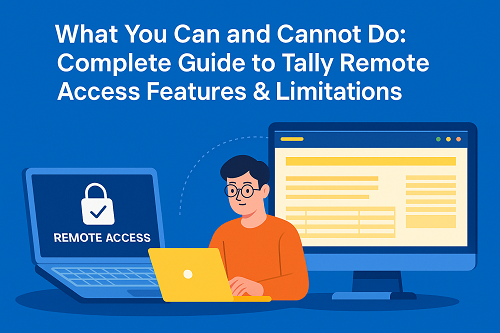
Tally’s Remote Access feature allows users to log in to a Tally data file from anywhere in the world through a Tally.NET ID. This is extremely useful for CAs, auditors, business owners, and remote accountants who need access without being physically present at the office.
However, Tally Remote Access does NOT provide all functions.
Some options are restricted to protect data, avoid misuse, and maintain security.
This guide explains:
- What Remote Access is
- Which features are available
- Which features are NOT available
- Why certain options are restricted
- How to overcome these limitations
1. What Is Tally Remote Access? (Simple Explanation)
Remote Access in Tally allows a user to:
- Login from any location
- View and work on Tally data
- Enter vouchers (if permission given)
- Check reports
- Support clients remotely
Users authenticate using Tally.NET ID, and access is controlled by the admin.
Who Uses Remote Access Most?
- Chartered accountants
- GST consultants
- Auditors
- Business owners
- Work-from-home staff
- Branch accountants
2. Features Available Under Tally Remote Access
Remote Access supports the following operations (based on user rights):
✔ View Reports
Profit & Loss, Balance Sheet, Stock Summary, ledgers, GST reports, etc.
✔ Record Transactions
Sales, purchases, receipts, payments, journals (if permission enabled).
✔ Alter & Create Masters
Stock items, ledgers, cost centres, etc.
✔ Backup & Restore (If allowed)
Only for admin-level remote users.
✔ Print / Email / Upload
Invoices, statements, confirmations.
✔ Audit & Verification Tools
For CA and audit profiles.
3. Which Features Are NOT Available Under Tally Remote Access?
This is the most important part.
Below are the options NOT available for remote users:
❌ 1. Import Data (NOT Available)
Remote Access does NOT allow importing data using:
- Import Masters
- Import Transactions
- XML / Excel import
- Data synchronisation imports
Reason:
Importing from a remote location may corrupt data if the connection breaks.
For safety, Tally blocks the import feature for remote users.
❌ 2. ODBC Integration (NOT Available)
ODBC is used for:
- Data exchange with external apps
- Reporting automation
- API connections
Remote Access does not allow ODBC because it requires local system-level access.
❌ 3. TDL / Add-On Installation (NOT Available)
Remote users cannot:
- Install TDLs
- Load Add-Ons
- Modify TDL settings
This can only be done on the host machine.
❌ 4. Exporting in Some Formats (Partially Restricted)
Remote users cannot export in some formats depending on rights and OS, such as:
- XML
- TDL
- Some JSON structures
PDF and Excel export usually works, but advanced export may not.
❌ 5. Changing Company Features (Statutory & GST Setup)
Remote users cannot change:
- GST configuration
- Company statutory settings
- F11 advanced features
- TSS configuration
This is only available to local admin users.
❌ 6. Accessing Data Without Internet
Remote Access cannot be used offline.
It needs:
- Active internet
- Valid Tally.NET subscription
- Connected Tally Server or license
4. Summary — Which Option Will NOT Be Available?
Question:
Which option will NOT be available under Tally Remote Access?
A. Record Transactions
B. View Reports
C. Export Reports
D. Import Data
Correct Answer: ❌ Import Data
Importing is completely blocked for remote users.
5. Why Import Is Not Allowed Under Remote Access
Tally blocks import because:
- A bad network may break the process
- Large imports can corrupt the company data
- High risk of mistakes during bulk imports
- Security restrictions protect financial data
This is why Tally only allows imports from the local system.
6. How to Import Data if You Still Need It?
You have three possible alternatives:
Option 1: Connect via Remote Desktop (RDP)
Use:
- Windows RDP
- AnyDesk (not recommended for long usage)
- TeamViewer
- Cloud RDP Server
This treats the server like a local machine, so imports work normally.
Option 2: Use Tally on Cloud
Cloud hosting allows full access including:
- Import
- Export
- Backup
- Synchronisation
This bypasses remote access limitations.
Option 3: Send the file to someone at the office
A local user can import the XML/Excel file on your behalf.
7. Who Should Use Remote Access & Who Should Avoid It?
Remote Access is Ideal For:
- Viewing reports
- Creating vouchers
- Daily accounting work
- CA/Audit verification
- Business owners checking data
Remote Access is NOT Suitable For:
- Master data migration
- Bulk import projects
- System-level configuration
- TDS/GST setup changes
- Heavy customization users
Conclusion
Tally Remote Access is a powerful way to work from anywhere, but it comes with important limitations. While you can record transactions, view reports, and export basic reports, you cannot import data using Remote Access. Importing is blocked to ensure data safety and prevent corruption.
For advanced operations like data import, TDL installation, GST configuration, or external integrations, use Tally on Cloud or Remote Desktop access instead of Tally Remote Access.
This ensures both security and full functionality while working remotely.
Powered by Binarysoft Technologies
Authorized Tally Partner
Location : 1626/33, 1st Floor, Naiwalan, Karol Bagh, New Delhi – 110005, INDIA
Contact us : +91 7428779101, 9205471661
Email us : tally@binarysoft.com (10:00 AM – 6:00 PM, Mon–Fri)
CA. Arvindh Khetwaani is a Chartered Accountant with experience in financial reporting, compliance management, and accounting software implementation. He has assisted businesses in adopting structured inventory and billing practices, and his articles focus on accuracy, controls, and sustainable business growth.