Call CA Tally HelpDesk
+91 9205471661,
7428779101
What Changed in 2026: Businesses Need More Than Basic Billing
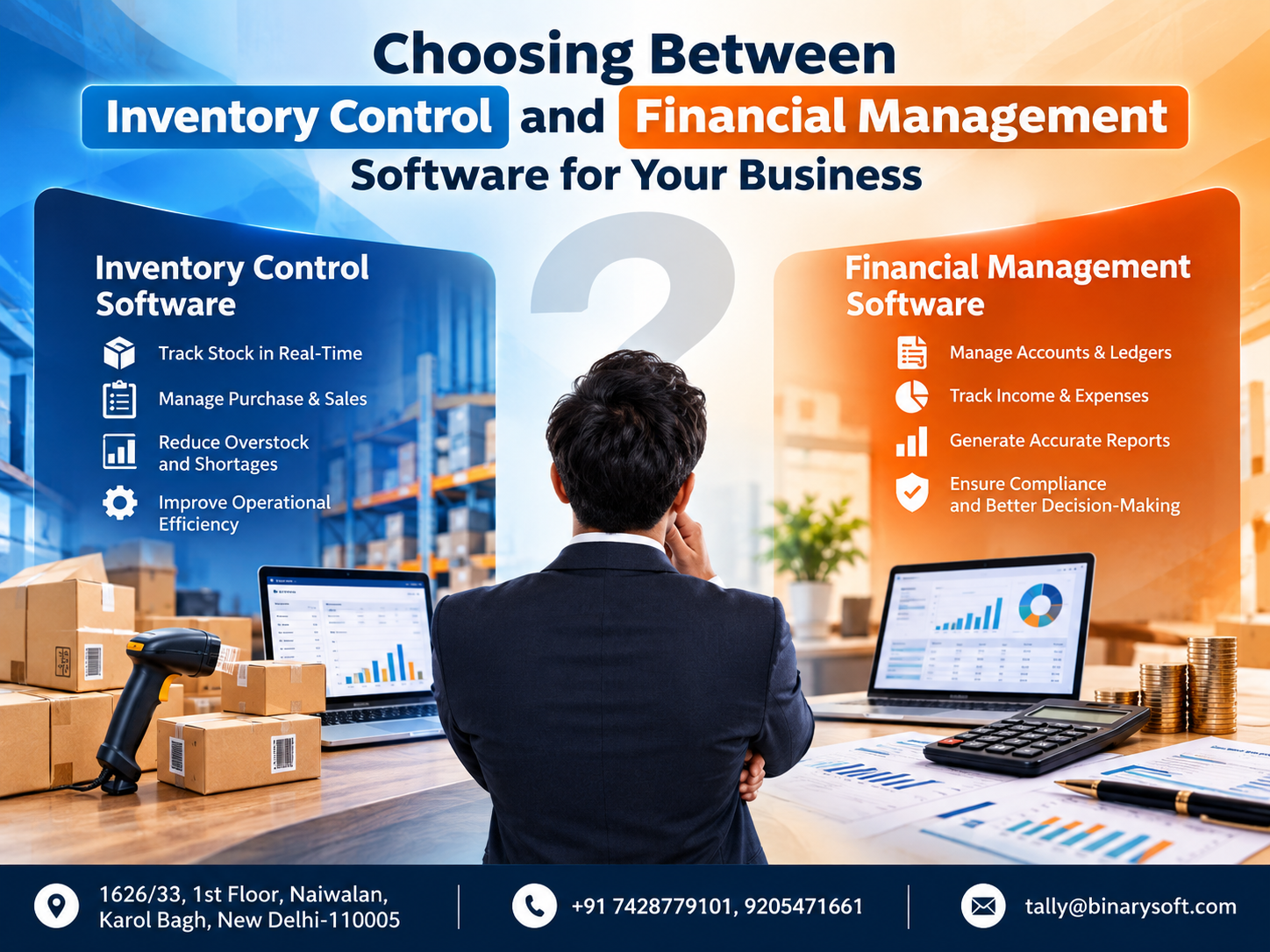
In 2026, businesses are dealing with a growing volume of digital payments, GST transactions, supplier bills, customer receivables, stock movements and management data. The pressure is no longer simply to generate invoices quickly; owners need to know whether the products shown in stock actually exist, which customers have not paid, how much money is tied up in inventory, what suppliers are owed and whether increasing sales are producing real profit. This is where choosing between inventory control software and financial management software becomes important. Inventory systems concentrate on products, quantities, warehouses and stock movement, while financial management systems focus on accounting, cash flow, receivables, payables and profitability. For many growing businesses, however, treating these as completely separate requirements can create another problem: disconnected information. Understanding where the two systems differ, where they overlap and when an integrated solution makes more sense can help a business gain stronger control without unnecessary complexity.
Inventory Control vs Financial Management Software: Why the Choice Matters
Every business needs control, but the type of control required varies significantly.
A retailer may be concerned about stock availability.
A wholesaler may want to know which products are moving quickly.
A distributor may need batch-wise or location-wise visibility depending on its operations.
A service company may have very little inventory but require strong control over receivables, expenses and cash flow.
A growing enterprise may require both.
This is why asking, "Which software is better?" is usually the wrong starting point.
A more useful question is:
"What information does my business need to control every day?"
Once that question is answered, choosing the right software becomes easier.
What Is Inventory Control Software?
Inventory control software is primarily designed to help businesses manage physical goods.
It records what products are available, what has been purchased, what has been sold, what has been returned and how inventory quantities change over time.
For a product-based business, this information can be critical.
Imagine running a store with 2,000 different products.
Without a structured inventory system, employees may have to physically check shelves or warehouses whenever a customer asks whether something is available.
An inventory management system creates a structured digital record.
Depending on the software and configuration, businesses may be able to monitor areas such as:
Stock quantities
Opening stock
Purchases
Sales
Sales returns
Purchase returns
Stock transfers
Stock adjustments
Product groups
Units of measurement
Stock valuation
Godowns or locations
Reorder requirements
Batch information
Item-wise movement
The purpose is straightforward: provide better visibility and control over physical inventory.
What Is Financial Management Software?
Financial management software focuses on the money side of business operations.
Instead of primarily answering "How many units do we have?", it helps answer questions such as:
How much did we sell?
How much did we spend?
Who owes us money?
Whom do we need to pay?
How much cash do we have?
What is our bank balance?
What is our profit?
What are our liabilities?
What is the financial position of the business?
A financial accounting system can typically help manage areas such as:
Sales accounting
Purchase accounting
Receipts
Payments
Expenses
Customer ledgers
Supplier ledgers
Bank accounts
Cash accounts
Receivables
Payables
Profit and Loss Account
Balance Sheet
Cash flow
Tax-related accounting
Financial reports
The emphasis is therefore on financial control rather than physical stock alone.
The Story of a Growing Business That Had Sales but No Clarity
Consider a fictional business owner named Amit.
Amit started a small distribution business with limited capital and a handful of products.
During the early days, managing everything was easy.
He maintained purchases in a spreadsheet.
His employees prepared invoices using basic billing software.
Customer payments were written in another file.
A notebook near the warehouse desk contained stock information.
Amit knew most customers personally, so he could remember who had paid and who had not.
Then the business started growing.
Within three years, his product catalogue had expanded dramatically.
More customers began buying on credit.
More suppliers were offering different payment terms.
Digital payments increased.
Sales were rising.
From the outside, the business looked successful.
But Amit was becoming increasingly anxious.
One afternoon, a major customer called.
"I need 100 units. Can you deliver tomorrow?"
Amit checked his spreadsheet.
It showed 126 units.
He confidently accepted the order.
The warehouse team called him 30 minutes later.
Only 61 units were physically available.
The spreadsheet had not been updated after several dispatches and returns.
Amit had to call his customer back.
He hated that conversation.
The customer had planned a delivery commitment based on Amit's promise.
Now Amit could not fulfil it.
A few weeks later, another problem emerged.
His accountant told him that customer outstanding balances had increased sharply.
Amit was surprised because sales were strong and money was arriving in the bank every day.
When the accounts were properly reviewed, the situation became clearer.
Some customers had been paying slowly.
A large amount of money was tied up in stock.
Several supplier payments were approaching.
Amit had been looking at sales growth as evidence of financial strength.
What he lacked was visibility.
That experience changed the way he looked at business software.
He realised he did not need only an inventory system.
He did not need only an accounting system either.
His growing business required both operational and financial control.
Inventory Control Software vs Financial Management Software
The fundamental difference can be understood through the questions each system is designed to answer.
Inventory software asks:
"What do we have?"
Financial management software asks:
"What is our financial position?"
Inventory software focuses heavily on quantities, products and movement.
Financial software focuses heavily on money, accounts and profitability.
But modern businesses often need both answers simultaneously.
1. Stock Quantity
Inventory control software is particularly important when a business needs accurate information about available quantities.
Suppose you sell 500 different products.
Management needs to know:
Opening quantity
Purchased quantity
Sold quantity
Returned quantity
Adjusted quantity
Closing quantity
Without these figures, purchasing becomes guesswork.
Financial software may show the monetary value of purchases and sales, but a business dealing with physical products also needs quantity-level information.
2. Stock Valuation
Inventory is not only a physical asset.
It is also money.
Suppose your business holds inventory worth ₹40 lakh.
That means a substantial portion of working capital is tied up in products.
Management therefore needs to understand both:
Quantity of stock
Value of stock
This is one of the areas where inventory and financial management begin to overlap.
3. Sales Management
Sales affect both inventory and finance.
When a product is sold:
Stock decreases.
Revenue is recorded.
GST may become applicable.
A customer balance may be created.
Cash or bank balances may change if payment is immediate.
Profitability is affected.
This demonstrates why integrated systems can be more useful than completely separate applications.
4. Purchase Management
The same applies to purchases.
When products are purchased:
Inventory increases.
A supplier liability may be created.
Input tax information may need to be recorded.
The purchase affects financial accounts.
Future cash requirements may increase.
Therefore, purchasing is both an inventory event and a financial event.
5. Customer Receivables
Inventory control software may tell you that a customer purchased 200 units.
But management also needs to know whether the customer paid for those units.
Financial management software becomes essential here.
Customer receivable reports can help answer:
Which customers owe money?
How much is outstanding?
Which invoices are unpaid?
How long have amounts remained outstanding?
Which customers regularly delay payment?
These questions directly affect cash flow.
6. Supplier Payables
Similarly, purchasing products creates obligations to suppliers.
Businesses need to understand:
Supplier-wise outstanding
Bill-wise outstanding
Payment due dates
Total liabilities
Upcoming payments
A business can have large amounts of stock and still experience financial pressure if supplier payments are not planned properly.
7. Cash Flow
Inventory management alone cannot provide a complete picture of cash flow.
A business may have:
₹50 lakh in inventory
₹30 lakh in receivables
₹20 lakh in monthly sales
and still struggle to maintain enough cash in the bank.
Why?
Because inventory and receivables are not the same as available cash.
Financial management software helps owners understand this difference.
8. Profitability
One of the biggest mistakes business owners make is equating sales with profit.
Consider this simple example.
Business A:
Sales: ₹50 lakh
Expenses and costs: ₹40 lakh
Business B:
Sales: ₹60 lakh
Expenses and costs: ₹55 lakh
Business B has higher revenue.
But Business A may have stronger profitability.
Financial management systems help owners look beyond turnover.
9. Fast-Moving Inventory
Inventory control becomes particularly valuable when management needs to identify products that sell quickly.
If Product A sells 500 units every month and Product B sells only 10, purchasing both products in equal quantities would probably be inefficient.
Stock movement information can help management prioritise purchasing.
10. Slow-Moving Inventory
Slow-moving inventory can quietly consume working capital.
Imagine a business holding ₹10 lakh of products that have barely moved for six months.
That ₹10 lakh could potentially have been used for:
Fast-moving products
Supplier payments
Marketing
Employee costs
Expansion
Emergency liquidity
Identifying slow-moving inventory allows management to take corrective action.
11. Dead Stock
Dead stock creates an even bigger problem.
Products may become obsolete, damaged, outdated or commercially irrelevant.
The longer such inventory remains unnoticed, the greater the risk of financial loss.
Regular stock analysis helps businesses identify such situations earlier.
12. Reorder Management
Stock shortages can result in lost sales.
Suppose your most popular product normally sells 50 units every week.
If available stock falls to 10 units and nobody notices, the business may lose sales before the next purchase arrives.
A structured inventory system can help management review stock levels and plan replenishment more effectively.
13. Multiple Stock Locations
Some businesses operate from more than one location.
For example:
Retail outlet
Warehouse
Second branch
Distribution point
Businesses with multiple locations may need to know not only total stock but also where that stock is located.
This is primarily an inventory management requirement.
14. Accounting Ledgers
Financial management systems organise transactions through structured accounts or ledgers.
Examples may include:
Sales
Purchases
Rent
Salary
Electricity
Freight
Advertising
Professional charges
Customer accounts
Supplier accounts
Bank accounts
Cash
Loans
Taxes
This classification allows management to understand where money is coming from and where it is going.
15. Profit and Loss Account
The Profit and Loss Account is one of the most important financial reports for a business.
It helps management analyse income and expenses during a specific period.
Instead of simply saying, "Sales were good this month," the owner can ask:
What was gross profit?
What were operating expenses?
Did expenses increase?
What was the resulting profit or loss?
That is a much more meaningful way to evaluate performance.
16. Balance Sheet
The Balance Sheet provides a broader view of the financial position.
Depending on the business and accounting structure, it may include:
Assets
Liabilities
Capital
Loans
Inventory
Receivables
Payables
Cash
Bank balances
Fixed assets
Duties and taxes
This report is fundamentally a financial management requirement.
17. GST Management
For GST-registered businesses, taxation is closely connected to everyday accounting.
Sales invoices, purchases, credit notes, debit notes and other transactions can affect GST records.
The business may need to manage:
GSTIN information
HSN/SAC details
Tax rates
CGST
SGST
IGST
Place of supply
B2B transactions
B2C transactions
Returns and adjustments
GST-related reporting
Therefore, businesses should consider GST requirements when selecting accounting or integrated business software.
18. Bank Reconciliation
Bank reconciliation is another area where financial management software becomes valuable.
A business may receive money through:
UPI
NEFT
RTGS
IMPS
Cheque
Card
Payment gateways
Direct transfers
The accounting records should periodically be compared with actual bank transactions.
This can help identify missing entries, bank charges, duplicate records or incorrect postings.
19. Inventory Software Is Best When Stock Is the Main Challenge
A dedicated inventory-focused solution may make sense when operational stock complexity is the primary problem.
For example, a warehouse operation may need detailed control over:
Thousands of SKUs
Multiple locations
Product movement
Reordering
Batch information
Stock transfers
Warehouse processes
The organisation may already have another financial system.
In such circumstances, specialised inventory software can provide additional operational capabilities.
20. Financial Software Is Best When Money Is the Main Challenge
A business with little or no physical stock may not need sophisticated inventory management.
Consider:
Consultants
Professional firms
Agencies
Service providers
Training companies
Certain technology businesses
Their biggest concerns may be:
Invoices
Customer outstanding
Expenses
GST
Bank transactions
Profitability
Cash flow
Financial reporting
For such organisations, financial management capabilities may be more important than advanced inventory functions.
21. When Do You Need Both?
Product-based businesses often require both inventory and financial management.
Examples include:
Retailers
Wholesalers
Distributors
Manufacturers
Dealers
Trading businesses
E-commerce sellers
Hardware businesses
Electronics traders
Garment businesses
FMCG distributors
Auto-parts businesses
For these organisations, stock and money are closely connected.
Separating them too much can create reconciliation problems.
22. The Problem with Disconnected Software
Imagine this setup:
Software A manages billing.
Software B manages stock.
Excel tracks customer outstanding.
Another application manages accounting.
Each system may work correctly by itself.
But management still needs to reconcile information between them.
Problems can include:
Duplicate data entry
Different customer names
Different product codes
Timing differences
Missing transactions
Incorrect opening balances
Manual reconciliation
Inconsistent reports
As transaction volumes increase, these issues become more difficult to control.
23. Why Integrated Business Management Can Be Better
An integrated system aims to connect different business functions.
A sales transaction, for example, can potentially update:
Sales
Customer ledger
Inventory
GST information
Receivables
Financial reports
This reduces the need to record the same event repeatedly.
The result can be greater consistency and faster reporting.
24. Where TallyPrime Fits
Businesses evaluating an integrated accounting and inventory solution can consider TallyPrime based on their requirements.
TallyPrime is used for business functions that can include accounting, inventory, taxation, banking and reporting.
The exact features and suitability should always be evaluated against the company's workflow and the software version being considered.
The important point is not simply to purchase software.
It is to configure it correctly.
25. Software Cannot Fix Bad Data
Even sophisticated software can produce unreliable reports when the underlying data is incorrect.
Common problems include:
Duplicate customer ledgers
Incorrect opening balances
Wrong stock quantities
Incorrect GST details
Improper units of measurement
Missing transactions
Incorrect expense classification
Unreconciled bank accounts
Poor implementation
Clean data is therefore essential.
26. Ask These Questions Before Choosing Software
Before making a decision, business owners should understand their operational requirements.
How many products do we manage?
How many invoices do we generate?
Do we sell on credit?
Do we have multiple warehouses?
Do we need GST accounting?
How many employees require access?
Do we need remote access?
How complex is our inventory?
Do we need batch or location tracking?
What financial reports do we require?
How often do we review receivables?
Do we need detailed profitability information?
These answers can help define the right solution.
27. Don't Choose Only Based on Current Size
Software should support where the business is going, not just where it is today.
A company generating 20 invoices per day may grow to 100.
A single warehouse may become three.
A catalogue of 200 products may grow to 2,000.
Five credit customers may become 500.
Changing core business systems repeatedly can be disruptive.
Therefore, scalability should be considered during selection.
28. Consider Ease of Use
Powerful software that employees cannot use effectively may create more problems than it solves.
Business owners should consider:
Navigation
Data-entry speed
Report accessibility
Training requirements
User roles
Daily workflow
The software should fit reasonably well into actual business operations.
29. Consider Data Security
Financial and inventory data can be commercially sensitive.
Businesses should consider suitable controls for:
User access
Passwords
Permissions
Backups
Data storage
Recovery
System administration
Security should be part of software planning from the beginning.
30. Backup and Recovery Are Essential
Imagine losing your entire accounting database one week before an important reporting deadline.
Sales history disappears.
Customer balances disappear.
Supplier accounts disappear.
Stock records disappear.
GST transaction data becomes inaccessible.
This is why businesses need reliable backups.
A backup is valuable only if the data can actually be restored.
Recovery procedures should therefore be tested periodically.
31. Compare Software Based on Business Outcomes
Instead of comparing software only through long feature lists, evaluate the business outcomes each system can provide.
Can it help you know your stock?
Can it help reduce duplicate entry?
Can it identify outstanding customers?
Can it show supplier liabilities?
Can it support GST accounting?
Can it provide financial statements?
Can it improve purchasing decisions?
Can it support growth?
These questions are more useful than simply asking which product has the longest feature list.
32. The Hidden Cost of Cheap Software
The cheapest software is not always the least expensive solution.
Consider a low-cost application that requires employees to spend five extra hours every week reconciling data.
Over a year, that can become hundreds of hours.
Add the cost of:
Incorrect stock
Delayed collections
Duplicate entry
Accounting mistakes
Lost sales
Poor purchasing
Management time
The total cost may exceed the saving on software.
33. Inventory Accuracy Improves Customer Experience
Inventory management is not only an internal function.
It affects customers directly.
When a customer asks whether a product is available, an employee should be able to provide a reliable answer.
Incorrect inventory records can lead to broken promises.
Accurate stock information improves confidence and service quality.
34. Financial Visibility Reduces Stress
Many business owners experience financial uncertainty even when their companies are doing well.
The problem is often lack of visibility.
They may not know:
How much is outstanding?
How much is payable?
What is available in the bank?
How much stock is held?
Whether margins are declining?
Accurate financial information does not eliminate business risk, but it makes risk easier to understand and manage.
35. One Dashboard Cannot Replace Good Processes
Dashboards look impressive, but reports are only as reliable as the transactions behind them.
A business needs disciplined processes for:
Sales entry
Purchase entry
Receipts
Payments
Stock adjustments
Returns
Expenses
Bank reconciliation
GST information
Without accurate transactions, even an attractive dashboard can present misleading information.
36. Review Inventory and Finance Together
One of the strongest management practices is to stop reviewing stock and finance separately.
For example, suppose inventory increases from ₹30 lakh to ₹50 lakh.
Is that good or bad?
You cannot answer without additional context.
If sales are growing rapidly and the stock is moving quickly, the increase may be justified.
If sales remain unchanged and slow-moving inventory is accumulating, it could signal a working-capital problem.
Financial and inventory information becomes more useful when analysed together.
37. Working Capital Connects Inventory and Finance
Working capital demonstrates why the two systems are closely related.
Money may be tied up in:
Inventory
Customer receivables
Advance payments
At the same time, the business may have obligations such as:
Supplier payments
Taxes
Salaries
Rent
Loan instalments
Operational expenses
A business can be profitable on paper and still experience cash-flow pressure if working capital is poorly managed.
38. The Best Choice Depends on Your Business Model
There is no universal answer.
Choose stronger inventory capabilities when physical stock complexity is the primary challenge.
Choose stronger financial management capabilities when accounting, receivables, expenses, banking and financial reporting are the main requirements.
Choose an integrated approach when products and financial transactions are deeply connected.
For many trading businesses, wholesalers, retailers, distributors and manufacturers, integration can provide significant advantages.
39. Move from Recording Transactions to Managing the Business
This is the larger objective.
Many businesses use software simply as a digital replacement for registers.
They enter invoices because invoices must be created.
They enter purchases because accountants need them.
But software can offer much greater value when management actively uses the resulting information.
The goal should be to move from:
"What happened?"
to:
"Why did it happen, and what should we do next?"
40. A Simple Decision Framework
If your biggest question is:
"Where is my stock?"
Prioritise inventory control.
If your biggest question is:
"Where is my money?"
Prioritise financial management.
If you constantly ask both questions, consider an integrated system.
This simple framework can help businesses begin their software evaluation.
Conclusion
Choosing between inventory control software and financial management software is not simply a technology decision. It is a business-management decision.
Inventory software helps businesses understand products, quantities, stock movement, availability and valuation.
Financial management software helps businesses understand sales, expenses, receivables, payables, cash, banking, profitability and overall financial position.
For service-oriented businesses with little physical inventory, strong financial management capabilities may be sufficient.
For warehouses and operations with complex product movement, specialised inventory controls may be particularly important.
But for retailers, wholesalers, distributors, manufacturers and other product-based businesses, inventory and finance are often inseparable.
Every purchase affects both stock and money.
Every sale affects inventory and accounts.
Every unsold product represents capital.
Every unpaid invoice affects cash flow.
The best solution is therefore the one that provides the level of operational and financial visibility your business actually needs.
Do not choose software simply because it is inexpensive, popular or packed with features.
Choose software that helps you answer the questions that matter most:
What do we own?
What do we owe?
Who owes us?
What are we selling?
What is not selling?
Where is our cash?
And most importantly, are we actually making money?
When those answers are available quickly and reliably, software stops being merely an accounting tool and becomes part of better business management.
Powered by Binarysoft Technologies
Authorized Tally Partner
Location : 1626/33, 1st Floor, Naiwalan, Karol Bagh, New Delhi – 110005, INDIA
Contact us : +91 7428779101, 9205471661
Email us : tally@binarysoft.com
Business Hours: 10:00 AM – 6:00 PM, Mon–Fri
Frequently Asked Questions
What is the main difference between inventory control and financial management software?
Inventory control software primarily manages products, quantities, stock movement and inventory availability. Financial management software focuses on accounting, income, expenses, customer receivables, supplier payables, cash, banking and financial reporting.
Which software is better for a retail business?
Retail businesses usually need both inventory and financial management because sales affect stock, revenue, taxes, customer balances and profitability. An integrated solution may therefore be more practical.
CA. Krishiv Bansode works closely with startups and MSMEs on accounting, taxation, and compliance matters. He regularly writes about cloud accounting, automation, and financial management strategies.