Call CA Tally HelpDesk
+91 9205471661,
7428779101
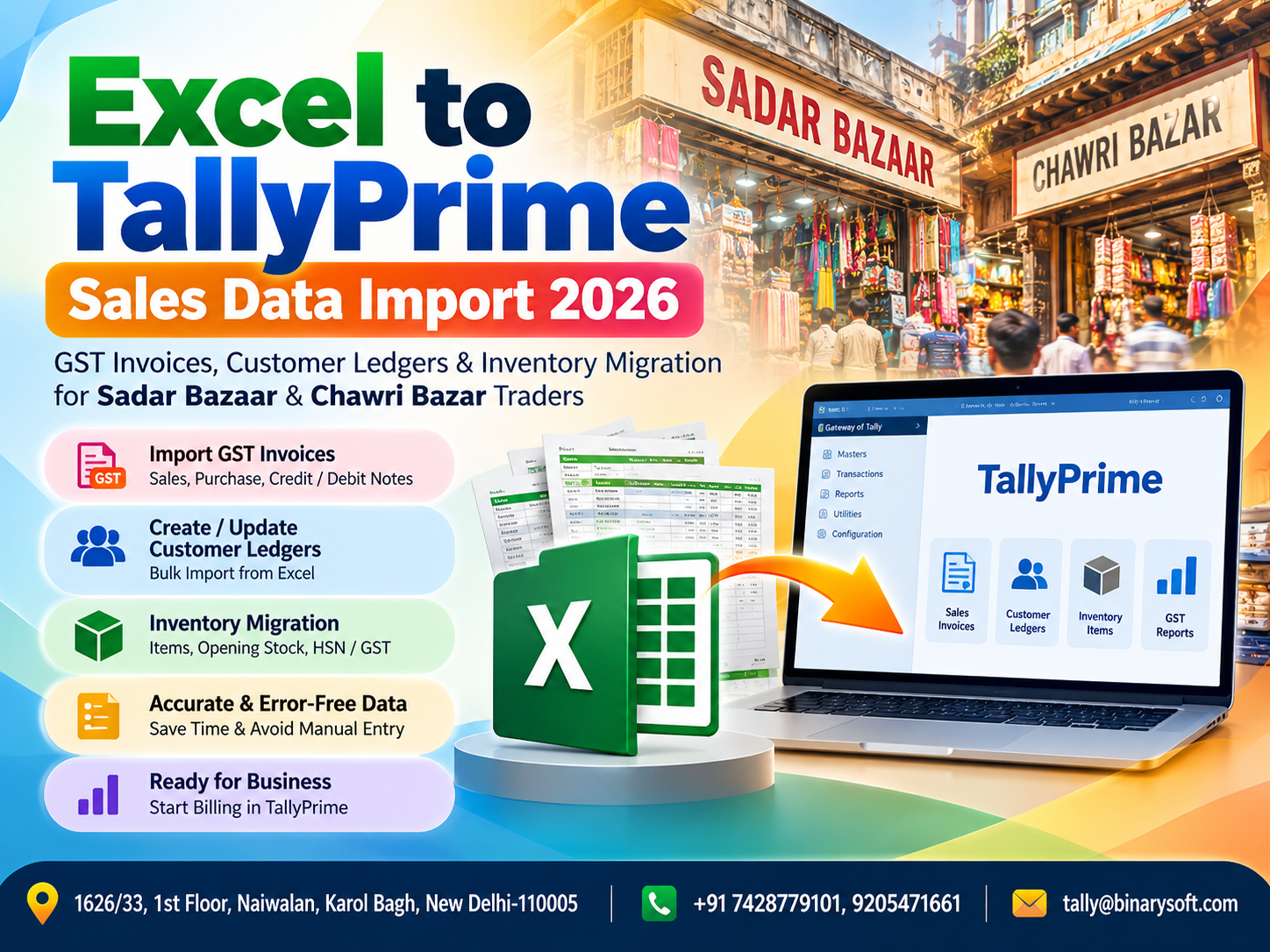
Excel to TallyPrime Data Import Is Becoming More Important for Delhi Traders in 2026
In 2026, traders in Sadar Bazaar and Chawri Bazar are handling larger volumes of digital sales records, GST invoices, customer balances and inventory data than ever before. Many businesses still prepare or receive transaction data in Excel, but manually entering hundreds or thousands of rows into TallyPrime can consume valuable accounting time and increase the possibility of duplicate entries, incorrect GST details, mismatched ledger names and stock differences. The pressure becomes particularly intense near GST filing dates, month-end closing and financial reviews, when accounts teams need accurate information quickly. A structured Excel to TallyPrime sales data import process can reduce repetitive entry by converting properly prepared spreadsheet records into organised accounting data. For wholesalers, distributors and traders managing high transaction volumes, the real benefit is not simply faster data entry—it is getting cleaner GST invoices, customer ledgers and inventory records into TallyPrime with greater consistency and control.
Why Sadar Bazaar and Chawri Bazar Traders Need Faster Accounting Workflows
Sadar Bazaar and Chawri Bazar are among Delhi's well-known commercial markets, with businesses dealing in wholesale goods, packaging materials, stationery, hardware, paper products, household products and numerous other trading categories.
In such trading environments, transaction volume can become substantial.
A wholesaler may receive orders throughout the day from retailers, dealers and other business customers. Sales information may originate from billing software, an e-commerce system, a sales application, another accounting platform or manually maintained Excel sheets.
The challenge begins when all this information must finally be entered into TallyPrime.
If employees manually re-enter every invoice, customer name, GSTIN, stock item, quantity, rate and tax amount, the process can become repetitive and time-consuming.
Excel to TallyPrime import can help businesses create a more structured bridge between their source data and accounting system.
What Is Excel to TallyPrime Sales Data Import?
Excel to TallyPrime sales data import is the process of taking structured business information maintained in Microsoft Excel or another spreadsheet-compatible format and transferring it into TallyPrime using a suitable import workflow.
The objective is to reduce repeated manual entry.
Depending on the source data, configuration and import method, businesses may need to migrate information such as:
Sales invoices
Customer ledgers
GSTIN details
Invoice numbers
Invoice dates
Stock items
Quantities
Rates
Units
Taxable values
GST information
Discounts
Godown or location information
Opening balances
Outstanding information
The actual fields that can be migrated depend on the source spreadsheet and the structure required in TallyPrime.
For that reason, Excel data should not simply be imported without preparation.
Data mapping, validation and testing are essential.
The Real Problem Is Usually Not Excel—It Is Data Structure
An Excel file may look perfectly organised to the employee who created it.
TallyPrime, however, requires accounting information to follow a logical structure.
Imagine a spreadsheet containing the following customer names:
A.K. Traders
AK Traders
A K Traders
A.K Traders Delhi
An employee may know that all four names refer to the same customer.
An automated import process cannot safely assume that.
If these variations are not cleaned before migration, they may create duplicate or inconsistent ledger records.
Similar problems can occur with:
GSTINs
Stock item names
Units of measurement
HSN/SAC information
Tax rates
Invoice numbers
Dates
Customer states
Amounts
This is why successful Excel to TallyPrime migration begins with data preparation.
A Story from the Market: When 1,800 Sales Rows Became a Weekend Problem
Imagine a wholesale trader working near Sadar Bazaar.
For years, his team had managed a large portion of daily sales information through spreadsheets. The system was familiar, and everyone knew which columns contained customer names, invoice numbers and product details.
Business expanded.
One spreadsheet became several.
Hundreds of rows became thousands.
Then, during an important accounting period, the proprietor asked his accountant for updated customer outstanding figures and stock information.
The accountant knew the problem immediately.
A significant amount of sales data still had to be entered into TallyPrime.
He stayed late that evening.
Then again the next evening.
By Saturday afternoon, he was still entering invoices manually—copying invoice numbers, customer names, quantities and values from Excel into the accounting system.
One incorrect customer ledger caused another problem. A repeated invoice number had to be checked. A stock item was entered under a slightly different name.
The proprietor was frustrated because he needed the reports.
The accountant was exhausted because he was trying to make them accurate.
The problem was not a lack of effort.
It was a workflow that no longer matched the volume of the business.
The business eventually began organising its spreadsheet data into a consistent format suitable for structured migration into TallyPrime.
The change did not eliminate the need for accountants.
It eliminated a large amount of repetitive work, allowing the accountant to spend more time reviewing the numbers instead of typing them again.
For a busy wholesale business, that distinction can matter.
Excel to TallyPrime GST Invoice Import
GST sales invoices contain multiple pieces of information that need to be correctly represented in accounting records.
Depending on the nature of the transaction, spreadsheet data may include:
Invoice date
Invoice number
Party name
GSTIN
Place of supply
Item description
HSN/SAC
Quantity
Rate
Taxable amount
CGST
SGST
IGST
Discount
Invoice value
Before importing this information, businesses should check whether the spreadsheet contains all required fields and whether the values are consistent with the accounting structure configured in TallyPrime.
For example, customer names in Excel should correspond correctly with party ledgers.
Likewise, stock item descriptions should match the intended inventory masters.
GST details should also be checked rather than blindly transferred.
Importing incorrect source data faster does not make the accounting correct.
Validation remains essential.
Customer Ledger Migration from Excel to TallyPrime
Customer ledgers are another important area for wholesalers and distributors.
A business may maintain a customer database containing:
Customer name
Address
GSTIN
State
Contact details
Opening balance
Credit period
Outstanding information
Creating hundreds of party ledgers manually can take considerable time.
A structured migration process can help businesses prepare and create customer masters more efficiently, depending on the available import mechanism and required TallyPrime configuration.
However, duplicate prevention is critical.
Before migration, customer names should be standardised.
For example:
Incorrect approach
Gupta Traders
Gupta Traders Delhi
Gupta Trader
M/s Gupta Traders
Preferred approach
One verified customer ledger name associated with the correct GST and business details.
This helps maintain cleaner reports and reduces confusion when employees select ledgers during voucher entry.
Inventory Migration for Wholesale Traders
Inventory is particularly important for traders dealing with hundreds or thousands of products.
Sadar Bazaar businesses, for example, may deal with a wide variety of SKUs, pack sizes, brands and product categories.
Chawri Bazar traders may maintain extensive product lists across paper, printing, hardware, wedding-card, stationery or related trading categories.
Manually creating every stock item can become a major task.
Excel-based inventory migration may help transfer properly structured stock information such as:
Stock item name
Stock group
Unit
Opening quantity
Opening rate
Opening value
HSN/SAC
GST-related details
Godown/location information
The exact information should be determined according to the organisation's accounting and inventory configuration.
Why Inventory Names Must Be Cleaned Before Import
Suppose a trader has these descriptions:
A4 Paper 70 GSM
A4 PAPER 70GSM
A-4 Paper 70 GSM
A4 70 GSM Paper
To a human, they may represent the same product.
To an accounting system, they may become separate stock items if imported without appropriate mapping.
This can lead to fragmented stock quantities.
Instead of seeing one consolidated quantity, management may see inventory distributed across multiple nearly identical items.
Before importing inventory, businesses should therefore create a standard product naming policy.
GSTIN Validation Matters
GSTIN information should be treated carefully during data migration.
An incorrect GSTIN can affect the accuracy of customer master information and GST-related accounting records.
Before importing large customer databases, businesses should review the GST details available in the source file and resolve incomplete or obviously inconsistent records.
The same principle applies to states and place-of-supply information.
The goal of migration should not simply be:
"Move everything from Excel."
It should be:
"Move clean, validated and properly mapped information into TallyPrime."
Excel to TallyPrime Import for High-Volume Sales
High-volume businesses can experience the greatest benefit from structured import processes.
Consider three scenarios.
A business entering 15 invoices per day may find manual entry manageable.
A wholesaler processing 150 invoices per day faces a different challenge.
A large distributor handling hundreds of invoices and thousands of item rows may find repeated manual entry increasingly inefficient.
As transaction volume increases, automation and structured imports become more valuable.
However, high volume also increases the importance of validation.
A small mapping mistake applied to thousands of rows can create a large accounting problem.
Therefore, businesses should test imports using a controlled sample before migrating the complete dataset.
Recommended Excel Data Preparation Process
Before beginning a migration, businesses should organise their spreadsheets carefully.
The first step is identifying exactly what needs to be transferred.
Separate the information logically.
For example, maintain structured data for:
Customer masters
Stock masters
Opening balances
Sales vouchers
Purchase vouchers, if required
Outstanding information
Then review each dataset for duplicates and incomplete values.
Dates should use a consistent format.
Ledger names should be standardised.
Stock names should be standardised.
GSTIN values should be reviewed.
Numeric columns should contain numeric values rather than unnecessary text.
Blank mandatory fields should be identified.
This preparation can significantly improve the quality of the migration.
Mapping Excel Columns with TallyPrime Fields
One of the most important stages is mapping.
Suppose the spreadsheet contains columns named:
Bill Date
Bill No.
Customer
GST Number
Product
Qty
Price
Tax %
The target accounting structure may expect equivalent information using different terminology or master references.
The migration workflow must establish how each source column corresponds to the destination.
For example:
Bill Date → Voucher Date
Bill No. → Voucher/Invoice Number
Customer → Party Ledger
Product → Stock Item
Qty → Quantity
Price → Rate
The exact mapping depends on the implementation.
Incorrect mapping can result in data appearing in the wrong field or vouchers failing validation.
Bulk Sales Migration and Voucher Accuracy
Sales voucher migration deserves particular attention because one invoice can contain several inventory items.
For example:
Invoice 1051 may contain five products.
The Excel file may therefore contain five rows carrying the same invoice number.
The import process needs to understand that these rows belong to one sales transaction rather than five independent invoices.
Similarly, discounts, freight charges, round-off values and GST calculations may need specific handling.
Businesses should therefore avoid assuming that any generic spreadsheet can automatically become a correct Tally sales voucher.
The spreadsheet structure and import logic must match the accounting requirement.
Handling CGST, SGST and IGST
GST treatment can differ according to the nature and place of supply of a transaction.
A business selling within the same state may have CGST and SGST implications, while an interstate transaction may involve IGST, subject to applicable GST provisions.
During migration, tax information should be mapped and reviewed carefully.
Businesses should verify:
Customer GSTIN
Customer state
Place of supply
Taxable value
Applicable GST rate
Tax ledgers
Invoice total
Tax compliance should be reviewed by the organisation's accountant or tax professional where necessary.
Benefits for Sadar Bazaar Wholesalers
Sadar Bazaar businesses can have high transaction volumes, large customer networks and extensive inventories.
Structured Excel to TallyPrime migration can help such businesses reduce repetitive entry and centralise accounting records more efficiently.
Potential operational benefits include:
Reduced manual data entry
Faster processing of historical sales data
More consistent ledger creation
Better organised stock masters
Quicker availability of accounting reports
Reduced dependence on copy-and-paste workflows
The actual benefit depends on the quality of the source data and implementation.
Benefits for Chawri Bazar Traders
Chawri Bazar businesses often work in traditional trading environments where long-standing customers, extensive product catalogues and high-volume transactions may coexist with increasingly digital business processes.
A business might receive an order digitally, prepare details in Excel and later need the same information in TallyPrime.
When these systems remain disconnected, employees repeatedly perform the same work.
A structured migration process can reduce that duplication.
For growing businesses, this can help accounting operations keep pace with sales operations.
Manual Entry vs Excel to TallyPrime Import
Manual entry has an important advantage: an accountant can review each transaction while entering it.
However, it becomes time-consuming at scale.
Bulk import offers speed, but only when the source data is clean and the mapping is correct.
Therefore, the best approach is not simply to replace human review with automation.
It is to combine automation with control.
Use structured import for repetitive data movement.
Use accounting expertise for validation, reconciliation and exception handling.
That combination can provide both speed and accuracy.
Common Problems During Excel to TallyPrime Migration
Businesses should be prepared for common data issues such as:
Duplicate ledger names
Duplicate stock items
Invalid GSTIN details
Incorrect date formats
Missing voucher numbers
Incorrect units
Inconsistent stock names
Missing GST rates
Incorrect state information
Blank customer fields
Improper debit/credit values
Duplicate invoice numbers
Mismatch in opening balances
Identifying these issues before final migration can save substantial correction time later.
Why a Test Import Is Important
Never begin a large migration by immediately importing the complete dataset.
Start with a controlled sample.
For example, select a small number of customers, stock items and sales invoices.
Import them into an appropriate test environment.
Then check:
Were the ledgers created correctly?
Were the stock items mapped properly?
Are quantities correct?
Are invoice numbers correct?
Are dates correct?
Are GST values represented correctly?
Do the voucher totals match Excel?
Are accounting reports behaving as expected?
Only after the sample is validated should the migration move to a larger dataset.
Reconciliation After Import
The job is not finished when the import process reports success.
Reconciliation is essential.
Businesses should compare the source spreadsheet with TallyPrime after migration.
Useful checks can include:
Number of invoices
Total taxable sales
GST totals
Invoice values
Customer balances
Stock quantities
Opening balances
Voucher dates and numbers
The objective is to confirm that the destination data reflects the intended source information.
Backup Before Migration
Before making substantial changes to an existing Tally dataset, maintain an appropriate backup.
This provides a recovery point if the migration produces unexpected results.
Businesses should also consider testing the process on a separate copy of the company data before working with the live accounting environment.
Bulk migration is powerful because it can process large amounts of information.
For the same reason, mistakes can also affect large amounts of information.
A backup and testing strategy should therefore be treated as essential.
Can Excel to TallyPrime Import Save Accounting Time?
For businesses with significant transaction volumes, the potential time saving can be substantial.
Consider an accountant manually entering:
Invoice number
Date
Customer
GSTIN
Five stock items
Quantities
Rates
Taxes
Discounts
Narration
Repeating this process hundreds of times requires considerable effort.
If the information already exists in a structured digital format, retyping it creates duplicate work.
A well-designed import workflow allows the business to focus human effort on reviewing exceptions and verifying accounting accuracy.
Excel to TallyPrime Migration for Growing Businesses
A common mistake is waiting until the spreadsheet becomes unmanageable.
Businesses often start with Excel because it is flexible and familiar.
That is not necessarily a problem.
The challenge appears when transaction volume grows but the workflow remains unchanged.
A spreadsheet containing 100 rows is easy to review manually.
A file containing 50,000 transaction rows requires a different approach.
As businesses grow, their data processes should grow with them.
For Sadar Bazaar and Chawri Bazar traders, structured Excel to TallyPrime migration can become an important part of that transition.
Why Professional Data Mapping Can Matter
Every business maintains spreadsheets differently.
One trader may use "Party Name."
Another may use "Customer."
Another may store a customer code instead of a name.
The same variation can occur with products, tax rates, invoice numbers and quantities.
Therefore, a successful migration may require customised mapping based on the source spreadsheet and the desired TallyPrime structure.
This is especially important when businesses need to import complex sales invoices rather than simple master data.
Building a Better Accounting Workflow for 2026
The larger opportunity is not simply importing one old Excel file.
Businesses should examine why the data is being entered twice in the first place.
If sales information regularly arrives in a structured spreadsheet, businesses can explore a repeatable workflow for preparing, validating and importing that information.
A repeatable process can be far more valuable than a one-time migration.
The workflow could include:
Source data preparation
Data cleaning
Validation
Mapping
Test import
Bulk import
Reconciliation
Exception correction
Backup and documentation
This creates a more disciplined accounting process.
Why Accuracy Still Comes Before Speed
Bulk import can save hours of repetitive work, but accounting accuracy remains the priority.
A business should never import thousands of records simply because the technology allows it.
The correct sequence is:
Clean the data.
Map the fields.
Test the process.
Verify the results.
Take backups.
Then migrate at scale.
This approach helps businesses gain the efficiency of automation without losing control over their accounting information.
Conclusion
Excel to TallyPrime Sales Data Import in 2026 can provide significant operational benefits for traders in Sadar Bazaar and Chawri Bazar who manage high volumes of GST invoices, customer records and inventory information.
The real advantage is not merely moving spreadsheet rows into accounting software. It is reducing repetitive data entry while building a cleaner, faster and more controlled accounting workflow.
For wholesalers, distributors and traders, properly structured migration can help organise GST sales invoices, customer ledgers, stock items, quantities, rates and other accounting information already available digitally.
However, successful migration depends on preparation.
Businesses should clean duplicate records, standardise ledger and stock names, validate GST-related information, map Excel columns carefully, perform test imports, maintain backups and reconcile the final results.
Automation should support accountants—not bypass accounting controls.
When the process is planned correctly, Excel to TallyPrime migration can turn hours of repetitive entry into a more efficient workflow and give growing Sadar Bazaar and Chawri Bazar businesses faster access to organised financial information.
Frequently Asked Questions
Can sales data be imported from Excel into TallyPrime?
Structured data from Excel can be transferred into TallyPrime through suitable supported or customised import workflows. The exact process depends on the TallyPrime version, source file structure and type of data being imported.
Can GST sales invoices be migrated from Excel to TallyPrime?
GST invoice information can potentially be migrated when the spreadsheet contains the required fields and they are correctly mapped to the accounting structure. GST details should be carefully validated before and after migration.
Can customer ledgers be created from Excel data?
Customer master information can be prepared for bulk migration, depending on the selected import process. Duplicate customer names and incorrect GSTIN information should be cleaned before migration.
Can inventory items be migrated from Excel?
Stock item information can be prepared for migration, including fields such as item names, groups, units, opening quantities and other applicable information, subject to the chosen import method and configuration.
CA. Lakshit Chordia works with MSMEs on accounting automation, tax compliance, and financial reporting. His approach focuses on practical solutions that improve accounting accuracy and provide business owners with clearer financial information.